





Table of Contents
Your cheapest plan on either platform can block the automation you signed up to build. Because of that, run the Mailchimp vs AWeber comparison on automation depth first, then on price.
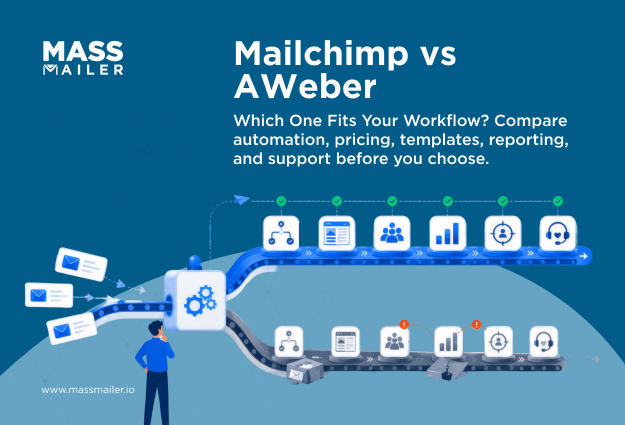
AWeber's Lite plan allows three automations. Meanwhile, Mailchimp's Essentials plan caps automation flows at four steps and gates A/B testing to Standard. In practice, Mailchimp serves teams that build deeper automation, granular segments, and e-commerce journeys.
AWeber serves simpler programs that lean on fast human support and predictable workflows. This guide covers how the two compare at a glance, where they differ on features, automation, and support, what the free and paid plans cost as your list grows, and how each one handles deliverability.
Mailchimp vs AWeber at a glance
Mailchimp offers deeper automation, segmentation, and AI tools. AWeber offers wider support access, stronger deliverability controls, and a more generous free plan. Both gate their strongest features to higher-paid plans, so the table below compares what each platform actually delivers alongside what you give up.
| Criterion | Mailchimp | AWeber | Key tradeoff |
|---|---|---|---|
| Ease of use | Modern UI, more setup clicks | Simpler nav, faster first send | Options slow the setup |
| Email editor | Dual builder, dynamic content | Drag-and-drop, Canva built-in | Polish vs speed |
| Templates | 130+ email templates | 700+ email templates | AWeber has volume, Mailchimp has polish |
| Automation | Multi-step journeys, 60+ triggers | Tag sequences, autoresponders | Depth starts on Standard |
| Segmentation | Behavioral, predictive on upper tiers | Tags, custom fields, basic segments | Needs data you collect |
| A/B testing | Up to 3 variants from Essentials | 3 variants on all paid plans | Multivariate needs Premium |
| Reporting | Member rating, benchmarks | Segment direct from reports | Dashboard vs action |
| Integrations | 300+ native apps | Broad app list, no official count | Count hides depth |
| AI features | Subject lines, content, send time | AI writing assistant | Mailchimp offers more |
| Landing pages | 9 templates, analytics | 100+ templates, basic e-commerce | Templates vs tracking |
| Support | Chat, email 24/7; phone on Premium | Phone, chat, email; all paid plans | Full support costs $350/mo on Mailchimp |
| Free plan | 250 contacts, 500 sends/mo | 500 subscribers, 3,000 emails/mo | AWeber gives more room |
| Deliverability | Good complaint handling | EnforcesSPF, DKIM, DMARC | List hygiene still decides |
| Pricing model | Rises with contacts and gates | Flatter tiers, fewer upgrades | Cheap plans gate features |
The sections below break down each row with current numbers and plan-level detail.
Mailchimp vs AWeber features comparison
Both platforms cover the basics: drag-and-drop editors, automation, segmentation, reporting, and integrations. The difference is how big each feature goes and which plan unlocks it.
Ease of use, email editor, and templates

AWeber puts every core feature on the first screen. You pick a list, choose a template, add content, and schedule. Teams that send one or two newsletters a week rarely need anything beyond this.
Mailchimp takes more clicks and runs two separate builders: the new one supports undo/redo and survey blocks; the legacy one handles custom code and RSS. If your workflow touches both, you manage two interfaces for one platform.
AWeber integrates Canva directly inside the editor, so you design graphics without switching tabs. The limitation: every subscriber sees the same email. Mailchimp supportsdynamic email content blocks on Standard ($20/mo) that swap text, images, or products based on subscriber tags. A retailer sends one campaign, and cold-climate subscribers see coats while warm-climate subscribers see sandals. No duplicate builds.
Is AWeber better than Mailchimp for teams that send the same content to everyone? Yes. The Canva integration and simpler editor finish the job faster. Mailchimp vs AWeber for small business email flips once you need per-segment content.
AWeber offers 700+ templates, though many share similar layouts with minor color swaps. Mailchimp offers 130+ with cleaner designs and a content studio that stores images, logos, and brand assets in one library. AWeber has no asset manager, so teams reupload the same files across campaigns. Over months of weekly sends, that repeated work adds up. If you reuse layouts, Mailchimp's asset management andtemplate library cut down on repetitive work.
Mailchimp vs AWeber automation and autoresponders
Mailchimp offers multi-step automation with 45+ triggers across contact, shopping, and API events. AWeber covers core sequences with triggers based on tags, opens, clicks, and RSS feeds. Mailchimp caps Essentials at four flow steps. AWeber Lite allows three automations in total.
AWeber handles linear sequences cleanly. Set a trigger, build a timed sequence, and route subscribers based on tags or clicks. For teams running a welcome series, a weeklydrip campaign, and a post-purchase follow-up, AWeber covers it.
Mailchimp's flows support conditional branching, if/else logic, wait steps, and percentage splits. Standard unlocks 200 flows with full branching. Premium removes the cap.
Does AWeber have automation like Mailchimp? It covers sequences and tag-based routing but does not match Mailchimp on behavioral triggers, e-commerce events, or multi-branch journeys. The gap matters only if your funnel generates enough data to feed those branches.
Three thresholds to test your decision:
- Welcome series and lead magnets: Both handle this equally. No reason to pay more.
- Nurture sequences with tag routing: AWeber covers this. Mailchimp adds depth that rarely changes outcomes for simple flows.
- Behavior-driven e-commerce journeys: Mailchimp's shopping triggers, churn prediction, and branching logic separate it here.
When comparing AWeber vs Mailchimp automation, match the platform to the most complex workflow you run.
List management, segmentation, and personalization
Mailchimp pools all contacts into one audience and separates them with tags, groups, and segments. AWeber keeps contacts in independent lists, each with its own settings, branding, and automations. That structural split decides how many campaigns you build per week and how much duplicate work follows.
AWeber supports up to 25 custom fields beyond name and email, so you can collect job title or product interest at signup and filter later. Each list operates independently with its own forms and templates. Mailchimp recommends one audience per account, and a subscriber in two audiences counts twice toward your bill.
AWeber builds saved segments with AND logic only. The free plan excludes segments entirely, so if you are weighing the AWeber vs Mailchimp free plan, that restriction alone may settle it.Mailchimp's basic builder supports up to 10 conditions. Standard adds unlimited nested AND/OR logic and predictive conditions like purchase likelihood and churn risk.
Is AWeber better than Mailchimp foremail segmentation? For tag-based filters, yes. Mailchimp pulls ahead on Standard with nested logic and predictive segments that update automatically.
Both support merge-field personalization. Mailchimp adds dynamic content blocks on Standard that swap images, text, or recommendations per segment. Without that, a weekly newsletter to three segments requires one email on Mailchimp and three on AWeber. For small business teams weighing Mailchimp vs AWeber, that repeated build work often becomes the tipping point.
Accurate segments depend on clean data. Invalid addresses inflate counts and pull downopen rates, making every filter less reliable.
Reporting and integrations

AWeber tracks opens, clicks, unsubscribes, and revenue per email across broadcasts and automations. It lets you segment directly from reports and save high-engagement groups for the next campaign without leaving the screen. Web analytics tracking connects email clicks to on-site behavior in one view.
Mailchimp tracks the same core metrics and adds click maps, geographic data, contact ratings from 1 to 5, and campaign benchmarking. On Standard, custom reports and a consolidated dashboard cover email, SMS, and automation performance. Essentials users see campaign-level reports only.
Is AWeber better than Mailchimp foremail tracking? Not in depth. Mailchimp layers more data across more channels. AWeber's edge is speed: fewer screens between seeing a result and acting on it.
Mailchimp lists 300+ native integrations across e-commerce, CRM, and accounting. AWeber covers WordPress, Shopify, PayPal, and Calendly natively and connects other apps through Zapier. For teams whose stack covers WordPress, Shopify, and a payment processor, both platforms connect natively, and the connector count stops mattering.
Customer support
AWeber offers phone, chat, and email support on every paid plan. Phone runs Monday through Friday, 8 AM to 8 PM ET. Chat and email run 24/7. Plus plans add priority routing that moves your requests ahead of the standard queue. The free plan limits support to email only.
Mailchimp includes 24/7 email and chat on Essentials and Standard. Phone support requires Premium at $350/mo, English only. Standard adds dedicated onboarding for the first 90 days, and Premium includes cobrowse sessions where an agent can view your screen.
Is AWeber better than Mailchimp for support? If your team needs phone access without paying $350/mo, yes. AWeber lets you call on any paid plan. Mailchimp routes you to chat or email unless you are on Premium. For small business teams comparing Mailchimp vs AWeber, that gap matters most when a campaign breaks mid-send, and you need a voice on the other end. If your team resolves issues through written channels, the support difference shrinks. The deciding factor is how you troubleshoot and what you are willing to pay for voice access.
Mailchimp vs AWeber pricing and overall value
Both platforms price by subscriber count, but they gate features at different tiers. The cost gap starts on the free tier and widens as your list grows.
AWeber vs Mailchimp free plan
AWeber's free plan gives you more room to send. Mailchimp's free plan gives you more tools to use before you pay.
| Feature | AWeber Free | Mailchimp Free |
|---|---|---|
| Subscribers | 500 | 250 |
| Monthly sends | 3,000 | 500 (max 250/day) |
| Email lists | 1 | 1 |
| Landing pages | 1 | Included |
| Segments | Not available | Basic (up to 10 conditions) |
| A/B testing | Not available | Not available |
| Automation | Not available | Preview only |
| Branding | Platform branding | Platform branding |
| Support | Email only | Chatbot + 30-day email |
AWeber's free tier suits a solo operator running a weekly newsletter to a few hundred subscribers. The 3,000-send cap covers consistent sending without forcing an upgrade in the first month. Mailchimp's 500-send cap barely covers onemass email campaign before you hit the wall.
Mailchimp's free tier earns its spot when segmentation matters more than volume. Basic segments with up to 10 conditions work for free, which AWeber restricts to paid plans. If you need to filter subscribers before scaling sends, Mailchimp gives you that without a credit card.
When comparing Mailchimp vs AWeber pricing at the free tier, the tradeoff is clear: volume or tooling. AWeber lets you send more. Mailchimp lets you target better. Neither free plan includes A/B testing or real automation, so the upgrade question is not whether but when.
Paid plans and costs
At 500 contacts, Mailchimp Essentials starts at $13/mo and AWeber Lite at $15/mo. The entry prices are close. What each tier unlocks is not.
Budget tiers
Both include A/B testing and 10x monthly sends. AWeber Lite caps you at 3 automations, 1 list, and 1 custom segment. It also charges a 1% transaction fee on e-commerce sales. Mailchimp Essentials caps automation flows at 4 steps but includes basic segmentation with up to 10 conditions and no transaction fees.
Full-feature tiers
AWeber Plus unlocks unlimited automations, lists, segments, and users at $30/mo. It drops the transaction fee to 0.6% and adds priority support with phone access. Mailchimp Standard unlocks advanced segmentation, predictive analytics, dynamic content, and custom reports at $20/mo. However, Standard does not include phone support.
Is AWeber better than Mailchimp on value? At 500 contacts, Mailchimp Standard costs $10/mo less than AWeber Plus and includes deeper analytics. AWeber Plus bundles phone access and uncapped automations, which Mailchimp reserves for Premium at $350/mo. For small business teams comparing Mailchimp vs AWeber pricing, that split often determines the plan.
How costs scale
AWeber publishes fixed tiers. At 10,000 subscribers, Lite costs $100/mo and Plus costs $135/mo. At 25,000, Lite runs $210/mo, and Plus runs $250/mo. Annual billing saves roughly 17%.
Mailchimp does not publish fixed tiers beyond starting prices. Their dynamic calculator sets the cost based on contact count. Mailchimp offers 15% off for accounts with 10,000+ contacts in the first 12 months. AWeber's pricing is visible before you sign up. Mailchimp requires the calculator.
AWeber vs Mailchimp deliverability
AWeber enforces email authentication before you send. Mailchimp recommends it. That difference shapes inbox placement from your first campaign.
AWeber verifies your domain's DKIM and DMARC status every time you schedule a broadcast. If records fall out of compliance, AWeber reverts the broadcast to draft and blocks the send until you fix it. Your sender reputation stays protected even if you miss a DNS change.
Mailchimp supports DKIM and DMARC through automated or manual DNS setup but does not halt campaigns when records drift. Instead, Mailchimp relies on Omnivore, its abuse-prevention system that scans your audience before imports and sends. Omnivore flags addresses likely to generate bounces, complaints, or spamtrap hits, then disables sending to the affected audience until you remove them. However, Omnivore does not reveal which specific addresses triggered the flag. You clean blind or pay for an external verification service.
On bounce handling, AWeber unsubscribes addresses after three failed deliveries within a six-month window, with a seven-day buffer after the first bounce to filter temporary issues. Mailchimp removes hard bounces automatically but keeps recently engaged bounced addresses active, which can inflate yourbounce rates if the engagement data is stale.
Where each platform leads
- AWeber: Enforces DKIM and DMARC at send time, blocks non-compliant broadcasts, auto-removes bounced addresses after 3 failures in 6 months
- Mailchimp: Proprietary servers, owned fiber loops, dedicated deliverability team, pre-send list scanning through Omnivore
- Gap both share: No built-in email verification or real-time reputation monitoring
Is AWeber better than Mailchimp for deliverability? For teams that prioritize platform-enforced compliance, AWeber is the safer default. For teams that manage their own list hygiene and want backend scale, Mailchimp runs deeper.
If your contacts already live in Salesforce, a native tool like MassMailer fills the verification and monitoring gap without moving data to another platform.Email Verifier validates addresses on your Contact and Lead records before campaigns go out, and Email Monitor tracks reputation in real time, keeping deliverability and campaign execution in one place.
Mailchimp vs AWeber: Which platform is right for your business?
Match the platform to your workflow, not the feature count.
AWeber handles newsletters, welcome sequences, and straightforward sending well. Pick AWeber if you:
- Run linear automations with tag-based triggers
- Need phone support without paying $350/mo
- Want published pricing with no calculator required
- Keep your list under 25,000 subscribers
Mailchimp pulls ahead on e-commerce, behavioral triggers, and multi-channel reporting. Pick Mailchimp if you:
- Launch flows based on cart abandonment, purchase history, or churn risk
- Build segments with nested AND/OR logic or predictive conditions
- Track email, SMS, and automation performance in one dashboard
- Need multi-branch journeys with conditional splits
For small business owners comparing Mailchimp vs AWeber, the deciding question is which capabilities you will actually use in the next 12 months. AWeber covers the core workflows at lower complexity. Mailchimp earns its price gap only when your store or funnel generates enough data to feed its advanced segmentation and branching.
If your contacts live in Salesforce
Both platforms require you to export contacts, sync to an external system, and maintain two databases. That adds friction and creates data lag between your CRM and your campaigns.
MassMailer removes that layer entirely. It sends from Salesforce using live Contact and Lead records, writes engagement data back to the CRM automatically, andbypasses the daily sending limits Salesforce imposes natively. Your sales and marketing teams work on the same records in real time. For anyonechoosing the right email marketing solution inside Salesforce, MassMailer keeps campaigns, contacts, and results in one system.
TheUniversity of San Andrés hit this wall firsthand. Different departments ran separate email platforms with no Salesforce integration, which siloed data and made unified reporting impossible. After switching to MassMailer, they cut external tool subscriptions, eliminated manual data imports, and consolidated campaign performance into one view inside Salesforce. Three years later, MassMailer remains their primary platform.
Final Verdict: Mailchimp vs AWeber
When comparing Mailchimp vs AWeber, start with the workflow you need to run in the next 12 months.
Send newsletters and linear sequences with phone support on call? Go with AWeber. Build multi-branch journeys with cart triggers, predictive segments, and consolidated reporting? Go with Mailchimp.
Run your pipeline in Salesforce? Skip the export.Book a MassMailer demo to see how campaigns send from live Contact and Lead records, Email Verifier catches bad addresses before each send, and Email Monitor flags reputation issues before they reach the inbox. No sync. No external ESP. One system for sales and marketing.
Frequently Asked Questions
1. Can I migrate my list from Mailchimp to AWeber without losing subscribers?
2. Does AWeber or Mailchimp support SMS marketing?
3. Is AWeber or Mailchimp better for affiliate marketing?
4. Does Mailchimp charge for unsubscribed contacts?
5. Are Mailchimp and AWeber GDPR compliant?
6. Can I send transactional emails with Mailchimp or AWeber?
Start Your Free Trial Today
Experience MassMailer the easiest way to send personalized emails from Salesforce.
Related Blogs
HubSpot vs Mailchimp: CRM Depth, Pricing, and Fit
Brevo vs Constant Contact: Pick the Pricing Model Before the Features
Campaign Monitor vs Mailchimp: Pricing, Features, and a Third Option
MassMailer Resources


MassMailer Glossary
About the Author

Siva Devaki 
Siva Devaki is the founder of MassMailer Inc., a tool that helps Salesforce users optimize email marketing. A passionate advocate for email marketing, Siva writes and hosts podcasts on the topic, sharing insights to help businesses drive revenue and enhance customer engagement through Salesforce email automation and tracking.