





Table of Contents
You are comparing HubSpot vs. Mailchimp because the platform you choose can influence how you manage customer data, marketing workflows, and future growth. The challenge is identifying which approach fits your business needs, CRM expectations, and long-term marketing operations.
Both platforms support email marketing, but their approaches differ across customer management, automation, workflow complexity, and campaign execution. Your decision depends on how you organize contacts, manage customer journeys, and align marketing activities with your sales process.
In this guide, you will compare HubSpot and Mailchimp across CRM capabilities, email automation, pricing considerations, and overall platform fit. If you use Salesforce, you will also understand how email marketing execution can fit within your existing CRM workflow.
What should you consider before choosing between HubSpot and Mailchimp?
Before choosing between HubSpot and Mailchimp, you need to evaluate your customer data needs, CRM expectations, automation requirements, and workflow complexity. The right platform depends on how you manage contacts, campaigns, sales alignment, and future marketing operations.
The evaluation should begin with the problems you need to solve. Consider whether you need a broader CRM platform, an email-focused solution, or a workflow approach that supports your existing technology environment.
Start with your customer data and CRM requirements
Your customer data requirements should guide your platform decision because your contact database affects how you manage relationships, campaigns, and sales coordination. Before comparing tools, identify how much customer context you need beyond basic email communication.
If you need visibility into customer interactions, lead management, and sales pipeline activity, your CRM expectations become an important consideration. The platform should support how you organize customer information and connect marketing activities with sales processes.
Understandingcontact segmentation can help you evaluate how customer information supports targeted communication and workflow planning.
Evaluate automation needs and marketing workflow complexity
Your automation needs depend on the complexity of your marketing workflows. Simple campaigns may require basic email scheduling, while advanced processes may involve multiple customer journeys, handoffs, and workflow automation decisions.
Consider how your team manages campaign ownership, customer communication, and ongoing optimization. As workflows become more complex, you need an approach that supports your operational processes without adding unnecessary complexity.
Your goal should be selecting a platform that fits your current requirements while supporting future marketing automation needs.
HubSpot vs Mailchimp: How do their CRM and customer data approaches differ?
The main difference between HubSpot or Mailchimp comes down to how you want to manage customer information and marketing operations. You need to evaluate whether a CRM-centered approach or an email-focused approach better fits your customer data, contact database, and campaign requirements.
When comparing hubspot crm mailchimp capabilities, consider how each approach affects customer lifecycle visibility, audience organization, segmentation, and campaign execution. HubSpot’sKnowledge Base provides details on CRM functionality and customer management workflows that can help you understand CRM-focused operations.
CRM-Centered marketing vs Email campaign management
Your choice depends on whether you need broader CRM functionality or primarily want to manage email campaigns.
| Factor | CRM-Centered Approach | Email-Focused Approach |
|---|---|---|
| Connects | Customer information, lead management activities, and marketing processes within a wider operational system | Campaign creation, audience communication, and email execution |
| Best when | You need deeper visibility across customer relationships | Your priority is efficient email campaign management |
How do HubSpot and Mailchimp compare on core features?
Beyond the broad CRM-versus-email split, the feature sets themselves differ in ways that directly affect daily use.
| Feature | HubSpot | Mailchimp |
|---|---|---|
| Sales pipeline and deal tracking | Built in as a native CRM object | Not available; requires a separate CRM |
| Automation builder | Visual, multi-branch workflow builder | Simpler, mostly linear automation journeys |
| Reporting depth | Cross-object reporting across contacts, deals, and campaigns | Campaign-level reporting focused on email performance |
| Integrations | Broad native marketplace across sales, support, and ops tools | Primarily marketing and ecommerce integrations |
These differences explain why the two platforms rarely compete for the same buyer. If deal tracking and cross-object reporting matter to how your team operates, that gap may settle the decision before pricing even enters the conversation.
How do contact management and segmentation affect personalization?
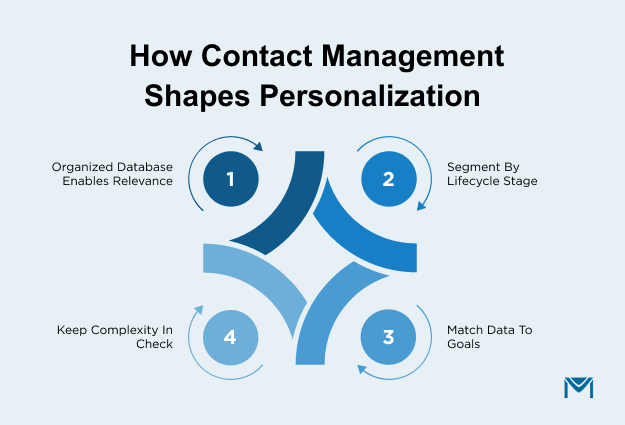
Contact management and segmentation directly shape how relevant your campaigns feel to recipients. A well-organized contact database lets you group audiences by lifecycle stage or engagement level, while a disorganized one leaves you sending generic messages to everyone.
As your audience grows, segmentation becomes increasingly important. You may need to organize contacts based on lifecycle stage, engagement history, interests, or other customer details.
Your decision should reflect how much customer context you need forpersonalization and how closely your marketing activities connect with broader relationship management.
A clear understanding of your data requirements helps you choose a platform approach that supports your communication goals without creating unnecessary complexity.
Comparing email automation and marketing workflows
When comparing email automation and marketing workflows, evaluate how each platform supports campaign management, customer journeys, team ownership, and reporting needs. The right approach depends on how your marketing processes operate and how much workflow automation your team requires.
Automation decisions should focus on how you build, manage, and measure campaigns over time.Salesforce email automation provides context on how structured email workflows can support CRM-connected communication processes.
How do campaign automation and customer journey requirements differ?
Campaign automation and customer journey requirements differ mainly in complexity. Simple campaigns need only scheduled sends, but advanced customer journeys require multi-stage workflows that branch based on behavior and lifecycle stage.
Consider how you plan to nurture workflows, manage campaign ownership, and maintain consistency across customer interactions. Your platform should support the way you organize journeys instead of forcing your processes into a fixed structure.
Marketing automation becomes more important when you need coordinated communication across different stages of the customer relationship. Your evaluation should focus on whether the workflow supports your campaign goals and operational requirements.
How important are reporting and tracking for marketing performance?
Reporting and tracking are essential; without them, you can't tell whether a campaign is actually moving prospects forward or just sending emails into a void. Opens, clicks, and engagement data are what turn campaign activity into a decision you can act on.
Consider which reporting information your team needs to review campaign progress, audience engagement, and communication effectiveness. The right reporting approach depends on how you measure success and improve your marketing processes.
If you use Salesforce, CRM-connected reporting processes may require alignment between campaign activity and customer information.
How should you evaluate HubSpot vs Mailchimp pricing and total platform value?
When evaluating HubSpot vs Mailchimp pricing, look beyond subscription costs and consider the capabilities, workflow complexity, existing systems, and operational requirements involved.
Pricing should be viewed alongside the value each platform provides for your specific needs. Reviewing the officialHubSpot Marketing Hub pricing andMailchimp pricing pages can help you compare current plans based on your requirements.
Why do platform costs differ based on business requirements?
Platform costs differ because pricing scales with the capabilities you need along with your contact count. A team needing broader CRM functionality and workflow automation will pay differently than one that only needs scheduled email campaigns.
A platform focused mainly on email campaigns may involve different considerations than one supporting broader marketing and customer management processes.
Instead of comparing pricing alone, evaluate which capabilities support your goals. This helps you understand the overall value of each approach based on your operational needs.
How should existing technology investments influence your decision?
Existing technology investments should weigh heavily in your decision, since switching platforms disrupts established workflows and team habits. If your current CRM already covers most of what you need, migrating rarely justifies the disruption.
A platform change may require adjustments to customer data management, team adoption, and communication processes. Your decision should account for operational impact rather than only listed pricing.
Choosing the right approach means finding a platform that supports your current marketing activities while aligning with future requirements.
How should Salesforce users evaluate email marketing platforms?
Salesforce users should evaluate email marketing platforms based on how well they support your existing CRM workflows, automation requirements, tracking needs, and email operations.
Your evaluation needs to focus on how email execution connects with customer data, campaign management, deliverability processes, and communication consistency.
Consider where email execution fits within your CRM workflow
Your email execution approach should align with how you already manage customer relationships and marketing processes. Connecting email activity with CRM workflows can help you maintain better visibility across campaigns and customer interactions.
When evaluating Salesforce email integration, consider how your team manages campaign execution, customer communication, and workflow coordination. A connected approach can reduce operational gaps between marketing activities and customer information.
For Salesforce users,Salesforce email integration provides context on connecting email workflows with existing CRM processes.
Evaluate Salesforce email automation, tracking, and deliverability requirements
Salesforce email operations need to be evaluated across automation, tracking, sender reputation, and deliverability requirements. These areas influence how effectively you manage ongoing communication with your audience.
- Automation: How your team handles automated communication and ongoing engagement.
- Tracking: Helps you understand campaign activity.
- Deliverability and sender reputation: Protects communication quality and keeps email reaching the inbox.
UnderstandingSalesforce email deliverability considerations can help you evaluate operational challenges related to email delivery, sender reputation, and communication consistency.
HubSpot vs Mailchimp: Which approach fits your business needs?
There's no universal winner between HubSpot and Mailchimp. HubSpot fits you if you need broader CRM capabilities and close sales-marketing alignment; Mailchimp fits you if your priority is efficient, standalone email campaign execution.
When a business needs broader marketing and CRM capabilities
You may need broader marketing and CRM capabilities when your processes involve complex workflows, detailed lead management, and closer alignment between sales and marketing activities.
A CRM platform approach can help you manage customer lifecycle information, coordinate teams, and maintain visibility across different stages of customer relationships.
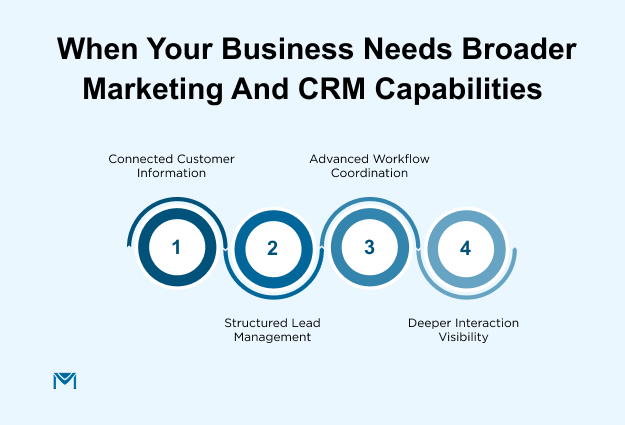
Consider whether your business requires:
- connected customer information across teams;
- structured lead management processes;
- advanced workflow coordination;
- deeper visibility into customer interactions.
Your choice should reflect how your teams operate today and how your customer management needs may develop over time.
When existing CRM infrastructure changes the decision
Your existing CRM investment influences how you evaluate email marketing platforms. If your business already manages customer relationships through Salesforce, consider how a new email approach fits within your current workflows.
Operational continuity matters because changing systems can affect customer data management, team processes, and workflow automation.
Before selecting a platform, evaluate:
- how your current CRM supports customer information;
- how marketing activities connect with existing processes;
- how your team manages email communication.
ACRM-centered email strategy can help you maintain consistency while reducing unnecessary changes to established workflows.
HubSpot or Mailchimp: The right call for Salesforce teams
Choosing between HubSpot and Mailchimp requires you to look beyond individual features and evaluate how each platform fits your marketing processes, customer data requirements, and workflow needs.
Decide based on how you manage contacts, automation, campaigns, and customer relationships. A platform that fits your current operations can help you maintain more consistent marketing execution as your requirements evolve.
When you use Salesforce, you need to consider how email execution fits into your existing CRM environment. A Salesforce-native solution like MassMailer helps teams manage email marketing activities within their Salesforce workflows, addressing challenges around connected communication, campaign execution, and operational consistency.
For Salesforce teams evaluating email workflows, automation, tracking, and deliverability requirements, you canexplore how MassMailer supports Salesforce email marketing workflows with a consultation focused on your operational needs.
Frequently Asked Questions
1. Can you use Mailchimp with HubSpot?
2. Do you need both a CRM platform and a separate email tool, or can one handle everything?
3. What should you check before migrating from Mailchimp to HubSpot?
4. What happens to your existing automation workflows when you switch platforms?
5. How long does it typically take to migrate from one platform to the other?
6. What factors affect the scalability of an email marketing platform?
Related Blogs
Brevo vs Constant Contact: Pick the Pricing Model Before the Features
Campaign Monitor vs Mailchimp: Pricing, Features, and a Third Option

MassMailer Resources


About the Author

Siva Devaki 
Siva Devaki is the founder of MassMailer Inc., a tool that helps Salesforce users optimize email marketing. A passionate advocate for email marketing, Siva writes and hosts podcasts on the topic, sharing insights to help businesses drive revenue and enhance customer engagement through Salesforce email automation and tracking.