




Table of Contents
Introduction
You send an outreach email to a list of backend developer candidates from Salesforce. A few hours later, you return to Salesforce, opening candidate records one by one to see who replied and who still needs a follow-up.
That is the reality for many teams using Salesforce email for recruiting and staffing.
You rely on Salesforce because it keeps recruiting organized. You open a record and see the outreach, notes, and last response. For simple one-to-one emails, it works. But recruiting does not stay one-to-one.
You are managing fifty candidates across different stages. Some need follow-ups. Some need interview reminders. Salesforce keeps your data structured. But at volume, candidate communication starts depending on reminders and record checks.
Recruiters typically use Salesforce email for candidate sourcing, interview coordination, and follow-up communication across hiring pipelines.
This guide breaks down where native Salesforce email begins to strain in recruiting and staffing workflows, and how teams structure stage-based automation, engagement tracking, and high-volume outreach inside Salesforce, often by extending it with tools like MassMailer.
These challenges usually appear when recruiters manage hundreds of candidates across multiple job requisitions, and outreach volume begins to increase.
How Salesforce Email for Recruiting Staffing Works, and Where It Falls Short at Scale
Salesforce helps recruiting and staffing agencies organize candidates, job requisitions, and recruiter activity.
However, problems appear when recruiters start sending large volumes of candidate outreach emails and managing multiple hiring pipelines at once.
Because of this, many staffing teams extend Salesforce with tools such as MassMailer. It adds recruiting email automation, deliverability control, and candidate engagement tracking directly inside the CRM.
Below are the most common limitations recruiters face when using Salesforce email for recruiting and staffing, and how staffing teams solve them.
1. Candidate outreach workflows in Salesforce and why they break at scale
In Salesforce, recruiters typically manage candidate outreach by updating stage fields, creating follow-up tasks, or triggering emails through manual actions or basic workflows. Communication depends on recruiters tracking where each candidate is in the hiring pipeline.
Salesforce does not automatically send emails when a candidate moves through the hiring pipeline unless custom workflows or automation are configured.
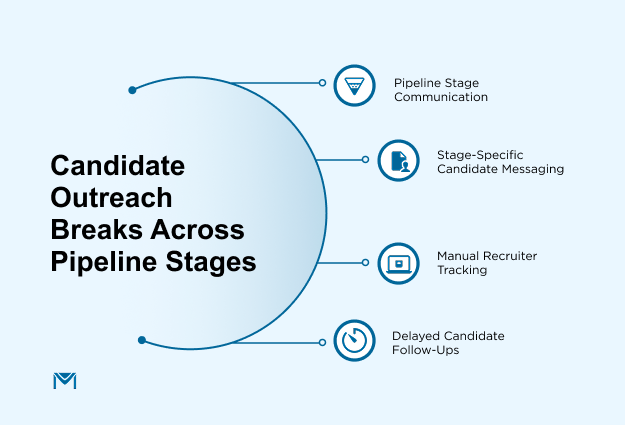
In a typical staffing workflow, candidates move through stages such as:
- Sourced from the talent pool
- Contacted for interest
- Submitted to the client
- interview scheduled
- offer or placement stage
In most implementations, recruiters manually trigger emails or rely on task reminders tied to these stages. This is often managed using Salesforce Tasks, Campaigns, or Flow-based automation, depending on the team’s setup.
Each stage usually requires a different recruiter message. For example, recruiters send sourcing emails, interview confirmations, and submission updates as candidates move through the process.
As pipelines grow across multiple requisitions, this becomes difficult to manage consistently. A recruiter working on several job requisitions may track dozens of candidates at different stages. Some candidates receive immediate follow-up, while others wait longer simply because the recruiter is handling multiple roles.
In staffing, that delay matters. If a recruiter does not respond quickly, another agency may submit the same candidate first.
How staffing teams solve this with MassMailer
Staffing teams typically solve this by linking recruiting pipeline stages to automated email sequences using workflow automation tools, including Salesforce-native solutions like MassMailer.
Recruiters build a drip campaign in MassMailer and connect it to the candidate stage field in Salesforce. When the recruiter updates a candidate’s status on a job requisition, MassMailer immediately triggers the next message in the sequence.
For example:
- When a candidate moves to Sourced, MassMailer sends the first outreach email with the job overview.
- If the candidate moves to Submitted, the system automatically sends a submission confirmation and next-step instructions.
- When the stage changes to Interview Scheduled, MassMailer sends interview details and preparation notes.
Recruiters configure these sequences once and reuse them across requisitions. Every message still logs under the candidate record, so the recruiter keeps full visibility inside Salesforce.
As a result, candidate communication follows the hiring pipeline automatically instead of relying on manual recruiter reminders.
2. How recruiters manage candidate follow-ups in Salesforce and why task-based workflows break at scale
In Salesforce, recruiters typically manage follow-ups using Tasks, reminders, or manual tracking tied to candidate records. These tasks help recruiters remember when to reconnect, send updates, or confirm next steps.
Recruiters often rely on Salesforce Tasks and reminders to track follow-ups across candidates and job requisitions. They create reminders to reconnect with candidates, confirm interview availability, or send status updates after submission.
A recruiter working on several roles may manage:
- new sourcing outreach
- candidate replies
- client interview coordination
- follow-ups with submitted candidates
Because of this workload, task lists grow quickly. In some cases, teams also use Salesforce Flows to automate reminders, but these workflows still depend on predefined rules and do not adapt to candidate behavior. Recruiters may postpone reminders, miss task notifications, or overlook follow-ups entirely as task volumes increase.
This is a common reason why candidate outreach workflows feel difficult to scale.
How staffing teams solve this with MassMailer
Staffing teams typically replace manual reminder tasks withautomated follow-up sequences using workflow automation tools, including Salesforce-native solutions like MassMailer.
Recruiters create follow-up rules directly inside MassMailer email campaigns. These rules trigger emails automatically based on timing or candidate behavior. These triggers can be based on conditions such as no response, email opens, or stage updates in Salesforce.
For example:
- If a candidate does not respond within two days, MassMailer automatically sends the second follow-up message.
- If the candidate opens the email but does not reply, the system schedules another check-in message.
- If the recruiter schedules an interview in Salesforce, MassMailer sends an automated reminder to the candidate.
Recruiters do not need to create individual tasks for each follow-up. Instead, they configure the sequence once and allow the workflow to manage routine communication.
The recruiter steps in only when the candidate replies or shows interest. This allows recruiters to focus on conversations, screening calls, and submissions instead of administrative follow-ups.
3. High-volume sourcing campaigns can damage email deliverability
Staffing agencies often run large candidate sourcing campaigns when filling specialized roles. A recruiter may email hundreds or even thousands of candidates who match a specific skill set.
When outreach volume increases, email deliverability becomes critical. High-volume staffing agency email Salesforce campaigns must maintain strong authentication and sending patterns to avoid spam filtering.
Native Salesforce email does not give recruiters much control over sending infrastructure. Recruiters often cannot see issues with authentication, sending reputation, or sending volume.
This is why many teams eventually face problems such as Salesforce emails going to spam or declining response rates from candidate outreach campaigns.
When emails do not reach the inbox, candidate engagement drops and sourcing efforts slow down.
How staffing teams solve this with MassMailer
Staffing teams solve this by using MassMailer’s dedicated sending infrastructure for Salesforce recruiting campaigns.
Instead of sending outreach through shared Salesforce infrastructure, recruiters configure a dedicated sending domain specifically for recruiting email campaigns.
MassMailer guides teams through setting up:
- SPF authentication
- DKIM email signatures
- DMARC policy alignment
These email authentication steps help inbox providers verify that the recruiting email is legitimate.
MassMailer also controls how campaigns are sent. Instead of sending thousands of emails at once, the system gradually distributes messages over time using send pacing.
Recruiters can monitor bounce activity, domain health, and engagement directly inside Salesforce. This gives them clear visibility into the performance of their recruiting campaigns.
With proper authentication and controlled sending, staffing teams maintain stronger email deliverability practices and protect their ability to run large sourcing campaigns.
4. Recruiters cannot easily identify interested candidates
Recruiters must quickly identify candidates who are interested in a role. The faster they respond, the faster they can schedule interviews and move candidates toward submission.
Salesforce records some email activity, but it does not automatically highlight the most engaged candidates.
For example, recruiters may send a sourcing campaign to hundreds of candidates. Some open the email and click the job description. Others ignore the message entirely.
Without clear prioritization, recruiters may spend time contacting inactive candidates while interested candidates wait for a response.
This slows down the submission process and weakens recruiting efficiency.
How staffing teams solve this with MassMailer
MassMailer turns recruiting CRM email engagement signals into actionable candidate intelligence inside Salesforce. The system records candidate actions such as:
- Email open rate
- Clicking the job description link
- replying to the recruiter
Recruiters can then create engagement rules inside Salesforce.
For example:
- Candidates who click the job description automatically move into a high-priority follow-up list
- Recruiters receive alerts when a candidate opens the message multiple times.
- Candidates who do not engage enter a different follow-up sequence
Recruiters can also filter candidate lists based on engagement data. Instead of manually reviewing every record, they immediately see which candidates interacted with the job opportunity.
This allows recruiters to prioritize the most interested candidates and accelerate the submission process.
5. Recruiting communication becomes harder as candidate databases grow
Staffing agencies continuously add new candidates to their database. Every application, referral, and placement expands the recruiting talent pool.
When a new role opens, recruiters typically search the database to identify candidates who match the required skills. They then build a new outreach list and send recruiting emails.
However, recruiters often repeat the same process for every job requisition.
They rebuild similar filters, recreate outreach email lists, and write similar sourcing messages again and again.
In a Reddit discussion about using Salesforce as an ATS, one recruiter described the system as “very cludgie and difficult to move through smoothly.” They also mentioned missing several capabilities common in modern ATS platforms.
This highlights a common challenge. Salesforce stores candidate data effectively, but running outreach campaigns repeatedly can become time-consuming without automation.
How staffing teams solve this with MassMailer
MassMailer also makes it easy to relaunch outreach campaigns when new roles open. Instead of building a new list from scratch, recruiters can quickly reactivate segments that include candidates who previously matched similar positions.
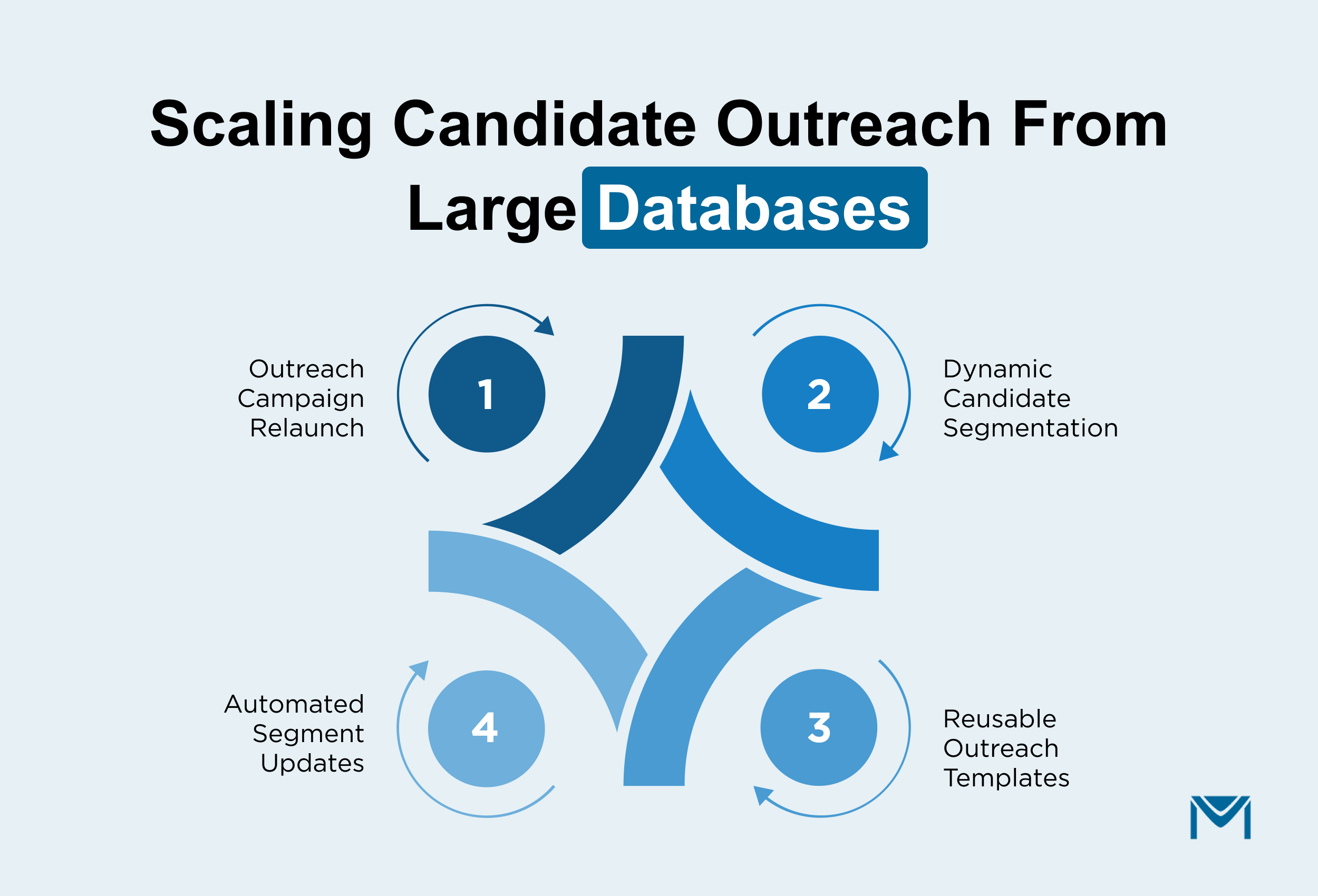
Instead of building a new list for every role, recruiters define segments using fields such as:
- skills or certifications
- job location preferences
- contract or full-time availability
- engagement with previous campaigns
These segments update automatically as candidate records change. Recruiters also create reusable templates for common recruiting scenarios, such as:
- sourcing outreach for new requisitions
- contractor re-engagement campaigns
- outreach to past candidates who were previously submitted
When a new role opens, the recruiter simply selects the relevant segment and launches the campaign.
This approach turns Salesforce into a structured recruiting communication system, allowing staffing teams to scale outreach without rebuilding lists for every job.
How a Recruitment Team Operationalized Candidate Outreach Inside Salesforce
A recruitment-focused organization managing large-scale outreach was struggling to run consistent campaigns inside Salesforce. Their team relied on manual processes to segment audiences, launch campaigns, and follow up with prospects. As outreach volume increased, execution slowed down, and campaign performance became difficult to track.
They needed a way to structure communication directly inside Salesforce without adding more manual work.
Instead of changing their CRM, they implemented MassMailer as the communication layer.
The team started by defining segmentation rules inside Salesforce using existing data fields. They grouped audiences based on program interest, geography, and engagement behavior. These segments are updated automatically as new leads are entered into the system.
Next, they built reusable campaign workflows inside MassMailer. Instead of creating new campaigns every time, they created standard outreach sequences that could be launched for different programs with minimal changes.
They also moved to batch campaign execution with controlled targeting. This allowed them to run large outreach campaigns while maintaining message relevance for each audience segment.
Because campaign performance was visible inside Salesforce, the team could:
- Track engagement across campaigns
- Identify high-performing segments
- Adjust follow-ups based on response behavior
As a result, they improved both execution speed and campaign outcomes.
For one program alone, the team increased captured leads from 400 to 1,600, a 400% increase in lead volume.
More importantly, their outreach process became repeatable.
They no longer built lists manually or recreated campaigns for every initiative. Instead, they operated a structured system where segmentation, outreach, and follow-ups worked together inside Salesforce.
The change was not just higher volume. It was control. They moved from sending emails manually to running a scalable recruitment communication system that could support continuous outreach without slowing down execution.
Also watch: How a staffing firm scaled outreach inside Salesforce
If you're managing high-volume candidate outreach, this conversation shows how a recruiting firm scaled from 100,000 to 3 million emails per month while maintaining deliverability and operating fully inside Salesforce.
Conclusion
Salesforce email for recruiting staffing works well for one-to-one recruiter communication. It does not support high-volume, stage-based candidate communication at scale.
In staffing, speed determines placement. Delayed follow-ups reduce response rates. Missed engagement signals slow submissions. Manual tracking creates inconsistency across requisitions.
At volume, outreach must be automated, measurable, and controlled.
MassMailer adds stage-triggered sequences, engagement-based prioritization, controlled sending infrastructure, and campaign visibility directly inside Salesforce. Recruiters act on real-time signals instead of reminders. Leadership sees campaign performance tied to placement workflows.
The impact is operational and financial: faster submissions, protected deliverability, scalable outreach without increasing headcount, and improved placement velocity that directly influences recruiter productivity and revenue per requisition.
If your team manages candidate follow-ups manually, you are limiting placement velocity.
Book a live MassMailer demo to see how structured recruiting email automation can operate inside your Salesforce environment.
Frequently Asked Questions
1. Can Salesforce be used as a full recruiting email automation system?
2. How do staffing agencies automate candidate follow-ups in Salesforce?
3. What is the best way to manage high-volume candidate outreach in Salesforce?
4. How can recruiters prioritize engaged candidates inside Salesforce?
5. How do you prevent Salesforce recruiting emails from going to spam?
6. When should a staffing firm extend Salesforce email with automation tools?
Start Your Free Trial Today
Experience MassMailer the easiest way to send personalized emails from Salesforce.
Related Blogs

MassMailer Glossary
About the Author

Siva Devaki 

Siva Devaki is the founder of MassMailer Inc., a tool that helps Salesforce users optimize email marketing. A passionate advocate for email marketing, Siva writes and hosts podcasts on the topic, sharing insights to help businesses drive revenue and enhance customer engagement through Salesforce email automation and tracking.