




Table of Contents
Let us tell you something. If you use Salesforce and send marketing emails, the way those two systems are connected decides how well everything else works. CRM email marketing integration Salesforce is the setup that controls how customer data feeds into campaigns, how automation runs, and where engagement is tracked.
This choice affects more than email sends. It shapes reporting accuracy, workflow timing, and how much you can trust your CRM data as you scale. Once your campaigns and automation depend on an integration, changing it later becomes a structural problem, not a quick fix.
McKinsey notes that companies using customer data effectively can see 5–15% revenue gains, but that upside depends on execution staying tightly coupled to CRM data as automation scales.
This guide helps you evaluate integration options using clear criteria like data flow, automation depth, and reporting visibility, so you can decide with confidence before committing.
Why CRM email marketing integration matters in Salesforce
CRM email marketing integration matters because it decides whether Salesforce is a system you can act from with confidence or one you have to pause and verify before every move.
It matters when you’re deciding how to run email at scale because it affects:
- How quickly can you follow up when someone engages, without checking another tool?
- How accurately your messaging stays as leads and customers move through stages.
- How safely your automation runs as workflows change or grow more complex
- How much do you trust your reports when it’s time to decide what worked?
If email still feels manageable today, weak integration can be easy to ignore. But as volume and automation increase, small gaps turn into daily friction, slower responses, and more manual cleanup than you expect.
The next sections walk through where this impact shows up most clearly, starting with how Salesforce data drives personalization, automation, and alignment across teams.
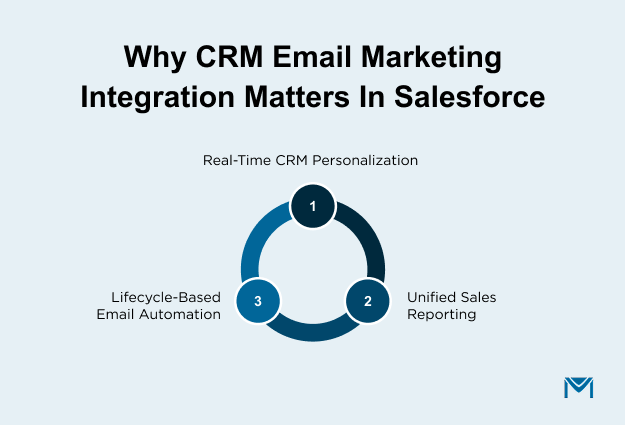
1. Better personalization using Salesforce customer data
Personalization only works when it reflects what’s actually true in Salesforce at the time an email is sent. If your targeting or content is based on outdated lists, even good messaging quickly loses relevance.
With proper integration:
- Audiences are built from live Salesforce leads and contacts.
- Email content reflects the current lifecycle stage and field values.
- Follow-ups stay relevant without constant list updates.
When personalization depends on static segments or delayed syncs, accuracy slips quietly. Over time, teams compensate with manual fixes and extra rules. Tools that operate within the CRM, like MassMailer, avoid this by keeping personalization tied to CRM data instead of copied lists.
A simple check helps here: if a record changes in Salesforce today, does your email behavior change with it automatically?
2. Automation across the customer lifecycle
Email automation works best when it responds to what’s happening in Salesforce, not just to a schedule. When automation is driven by CRM changes, emails align with how leads and customers actually move through your pipeline.
Strong integration allows you to:
- Trigger emails from Salesforce field updates and status changes.
- Adjust drip campaigns as records progress or stall.
- Maintain automation without rebuilding logic every time a process changes.
When email automation runs outside Salesforce, even small updates become risky. Logic spreads across systems, maintenance increases, and teams avoid making changes because something might break. Running email automation on Salesforce records, as MassMailer does, keeps workflows easier to manage as your business evolves.
Ask yourself this: when you change a Salesforce process, does your email automation adjust smoothly, or does it need workarounds?
3. Alignment between sales and marketing teams
Sales and marketing alignment depends on whether both teams see the same engagement data in the same place. When email activity is visible on Salesforce records, follow-ups happen faster and with more confidence.
With proper integration:
- Email engagement appears directly on lead and contact records.
- Sales can act on signals without second-guessing accuracy.
- Reporting supports decisions instead of slowing them down.
When engagement data lives outside Salesforce, follow-up speed suffers. Sales teams hesitate. Opportunities cool off. Keeping email execution and tracking inside the CRM, whether through native tools or options like MassMailer, removes that uncertainty.
When engagement is visible on the record, alignment isn’t just better. Responses are faster, and timing works in your favor.
Third-party CRM email marketing integrations for Salesforce
Third-party CRM email marketing integrations for Salesforce matter when your current setup starts slowing you down instead of supporting you. The real question isn’t whether third-party tools are better. It’s whether Salesforce still feels like the place where email decisions happen.
Think about your day-to-day work. Do campaigns feel easy to launch and review, or do small changes take longer than they should? Do you act on engagement right away, or do you first check another tool to confirm the numbers? Those small pauses are usually the first sign that email has outgrown the basic setup.
So where does your team actually stand?
1. When Salesforce-native tools are enough
Salesforce-native tools are enough when email is still simple to run and simple to trust. If your team can build audiences, send campaigns, and understand results without extra steps, there’s no reason to add complexity yet.
This is usually true if:
- Your email volume is steady and manageable.
- Audiences are built from standard lead or contact fields.
- Automation is limited and rarely needs changes.
- Engagement data answers questions directly inside Salesforce.
At this stage, fewer tools mean fewer risks. Keeping everything close to Salesforce helps you move quickly without worrying about sync issues or data gaps.
A quick gut check: can you launch a campaign and review performance without leaving Salesforce?
2. When third-party tools are the better fit
Third-party tools become a better fit when email starts feeling harder to manage than it should. This shift isn’t about ambition or advanced marketing tactics. It’s about operational pressure.
You’re likely at this point if:
- Email volume or frequency begins affecting deliverability or timing.
- Journeys need more flexibility than your current setup allows.
- Updating automation feels risky or slow.
- Engagement data lives outside Salesforce, delaying follow-ups.
At this stage, the real cost isn’t adding a tool. It’s staying cautious for too long. Every extra check, delayed follow-up, or manual workaround costs time and can slow revenue momentum.
That’s why many teams look for tools that work inside Salesforce, like MassMailer. Instead of pushing features, these tools focus on keeping execution stable, decisions fast, and engagement visible where teams already work. The result is quicker follow-ups, clearer signals, and fewer missed opportunities.
Ask yourself this: as email gets more complex, does your current setup help you move faster, or does it make you second-guess every change?
How to evaluate a CRM email marketing integration for Salesforce
The fastest way to evaluate a CRM email marketing integration for Salesforce is to ask one question: Will this let my team act directly from Salesforce, or will it add another system we have to manage?
Most integrations work at the beginning. The real test comes later, when email volume increases, automation grows, and more teams rely on engagement data. That’s when gaps start to slow things down.
There are three checks that usually make the right choice obvious.
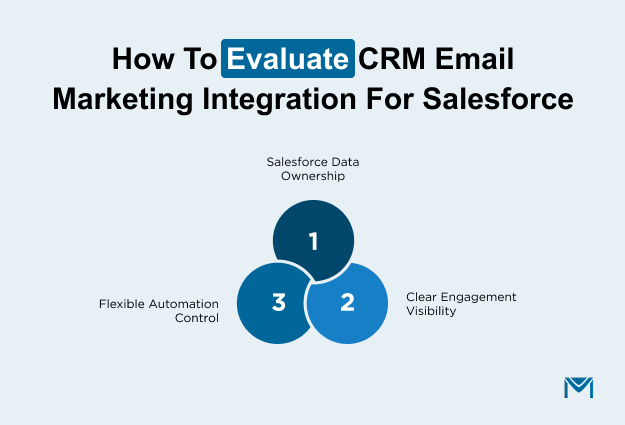
1. Keep Salesforce as the owner of your data
Start with where your data lives. This matters more than most teams expect.
Ask yourself:
- Where are audiences built?
- Where does email activity show up after a send?
- If numbers don’t match, which system do you trust?
Strong integrations keep targeting and engagement tied to Salesforce records. When data has to be pushed out and synced back, small inconsistencies appear. Over time, those inconsistencies turn into hesitation before follow-ups.
This is why many teams prefer Salesforce-native execution layers like MassMailer, where email runs directly on CRM data instead of copying it elsewhere.
2. Make sure automation stays easy to change
Automation is helpful only if it is easy to adjust. Processes evolve. Campaigns change. What works today rarely stays the same for long.
It’s worth asking:
- How hard is it to update an existing workflow?
- Does a small change feel safe or risky?
- Who ends up fixing things when something breaks?
Integrations that work alongside Salesforce often require rebuilding workflow automation in two places. Salesforce-native approaches let email follow the same workflows your team already understands, which makes changes safer and easier over time.
When automation stays close to the CRM, teams improve it instead of avoiding it.
3. See engagement clearly when it’s time to act
Finally, think about where answers come from.
When someone asks, “Did this campaign work?” or “Should we follow up here?”, do you know exactly where to look? Or do you have to pull data from multiple places before acting?
Clear visibility means engagement is easy to find and easy to trust. When insight lives outside Salesforce, follow-ups slow down, and opportunity windows can close before teams respond. Decisions take longer, not because people don’t care, but because they don’t want to act on partial information.
The closer email insight stays in Salesforce through its email reports, the faster teams can move while interest is still fresh.
That’s why some teams eventually choose tools that run directly within core CRM workflows, like MassMailer, rather than platforms that sit outside and sync data back later. The appeal isn’t more features. There are fewer obstacles between insight and action.
How CRM email marketing works in Salesforce with MassMailer
CRM email marketing integration in Salesforce works when email execution stays tied to Salesforce data, rules, and records. MassMailer makes this possible by running email campaigns directly on Salesforce data instead of moving that data into another system.
Salesforce decides who should be contacted and when. MassMailer handles sending, tracking, and writing engagement back to Salesforce so teams can act without leaving the CRM.
1. How MassMailer builds email audiences from Salesforce data
MassMailer builds email audiences directly from Salesforce records, so there’s no need to upload lists or maintain a separate contact database.
In practice:
- You select recipients from leads, contacts, or custom objects.
- Targeting is driven by Salesforce fields and record status.
- Audiences stay in sync as records change, similar to how a Salesforce email list is expected to behave.
Because MassMailer reads live Salesforce data, emails always reflect the current state of each record. If someone no longer qualifies, they stop receiving emails automatically, without manual cleanup.
This removes one of the most common failure points in CRM email marketing: sending messages based on outdated or incomplete data.
2. How MassMailer runs campaigns using Salesforce workflows
MassMailer runs email campaigns within Salesforce, so execution follows the workflows your team already uses.
Emails can trigger from:
- Salesforce field changes
- Lifecycle stage updates
- Existing flows and processes, including Salesforce workflow email alerts
You’re not rebuilding automation in another tool. MassMailer works with Salesforce logic instead of replacing it. That makes campaigns easier to adjust as processes change and reduces the risk of breaking automation at scale.
For teams running complex workflows, this is often the deciding factor.
3. How MassMailer records engagement back into Salesforce
After emails are sent, MassMailer writes engagement data directly to Salesforce records. Opens, clicks, and delivery results appear where follow-ups happen.
This means:
- Sales sees engagement on lead and contact records.
- Marketing reviews performance without exporting data.
- Reporting aligns closely with Salesforce email activity and doesn’t require reconciliation.
Because engagement lives in Salesforce, teams act faster. There’s no waiting for syncs and no uncertainty about which numbers are correct.
Conclusion
If CRM email marketing is already tied to Salesforce, the real risk isn’t choosing the wrong tool. It’s waiting until small execution gaps turn into manual work, slow follow-ups, and automation that teams hesitate to change. By then, switching feels disruptive instead of preventative.
Teams that decide earlier keep Salesforce as the system they act from, not one they have to verify. If email execution, automation, and reporting depend on CRM data today, it’s worth pressure-testing that setup now, before complexity forces the decision for you.
If email execution already depends on Salesforce data, pressure-test your setup now, before growing automation turns small gaps into rework. Book a MassMailer demo to see where friction will surface next.
Frequently Asked Questions
1. Does CRM email marketing integration affect Salesforce data security?
2. Can you switch CRM email marketing integrations later without data loss?
3. How long does it take to see value from a Salesforce email marketing integration?
4. Do CRM email marketing integrations count toward Salesforce email limits?
5. Is CRM email marketing integration suitable for regulated industries?
Start Your Free Trial Today
Experience MassMailer the easiest way to send personalized emails from Salesforce.
Related Blogs
MassMailer Resources


MassMailer Glossary
About the Author

Siva Devaki 

Siva Devaki is the founder of MassMailer Inc., a tool that helps Salesforce users optimize email marketing. A passionate advocate for email marketing, Siva writes and hosts podcasts on the topic, sharing insights to help businesses drive revenue and enhance customer engagement through Salesforce email automation and tracking.