





Table of Contents
Most teams using Salesforce email for healthcare organizations still download patient lists just to send appointment reminders. That's how it actually gets done in many teams.
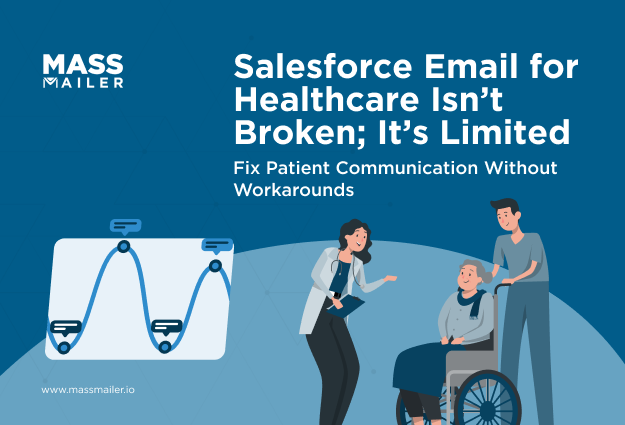
Salesforce already has the data, like appointments, visits, and follow-ups. So naturally, teams try to send emails from there. But once an email comes in, things get restrictive. Daily send limits cap what you can do, native automation isn't built for patient volume, and there's no clean way to trigger a message the moment a record changes. So teams keep it simple: fewer triggers, smaller sends, more manual work.
What happens next is predictable. Data stays in Salesforce, but emails are handled outside it. Lists get downloaded, another tool gets used, and follow-ups depend on someone remembering to send them.
Over time, this leads to delays, missed messages, and inconsistent patient outreach.
This guide focuses on execution: where Salesforce email setups break under real patient volume, what that's costing your team, and how to run email natively at scale. If you're specifically working through HIPAA and PHI safeguards, see ourdedicated guide on HIPAA-compliant email in Salesforce.
What Is the Best Way to Run Compliant Patient Email in Salesforce at Scale?
The best way to run compliant patient email in Salesforce at scale is to use a Salesforce-native solution like MassMailer that lets you send, control, and track emails directly inside Salesforce, without exporting patient data.
The real problem is this: Salesforce stores patient data, but standard setups don’t let you safely act on it through email at scale. Native email hits limits, offers limited control over what data is used, and doesn’t support high-volume workflows. External tools solve sending but create a bigger risk; patient data leaves Salesforce, gets duplicated, and quickly falls out of sync.
A Salesforce-native solution fixes this gap. With MassMailer, emails are sent from within Salesforce, only approved fields are used in templates, and engagement data is written back to patient records. This keeps data, execution, and tracking in one system, where compliance can actually be enforced.
In day-to-day use, teams stop exporting lists, stop managing syncs, and stop switching tools. Campaigns run where the data already exists, and every email interaction stays tied to the patient record.
If your current process involves moving data or limiting sends to stay safe, it’s already breaking under scale. Running email natively inside Salesforce with controlled data usage supports compliance, visibility, and volume together.
Why Salesforce Email for Healthcare Organizations Breaks in Practice
Salesforce email for healthcare organizations breaks in practice when teams try to send patient emails at scale using actual patient data.

Teams use Salesforce (Health Cloud) to manage appointments, visits, and follow-ups, so they expect to handle patient email communication there as well. But when they try to send appointment reminders or follow-up emails, they pause. They’re unsure what patient data can be used, so they remove details, avoid automation, and limit how many emails go out.
These limits don’t show up all at once. They appear in small, routine steps, such as how reminders are sent, what gets included in emails, and how follow-ups are handled.
That’s where things begin to break down.
1. Manual outreach for appointments and care follow-ups
Appointment reminders and care follow-ups in Salesforce are still handled through repeated staff work, even when the patient data is already in the system.
A typical workflow looks like this:
- A team pulls a report or list view for upcoming appointments or follow-ups
- The list is checked and exported outside Salesforce
- An email is chosen or written for that batch
- Messages are sent using another tool or a basic setup
- Someone tracks the next step in a spreadsheet, note, or reminder
The key issue is simple: Salesforce holds the patient event, but it does not turn that event into a ready-to-send email workflow on its own.
That is why reminders depend on front desk teams, follow-ups depend on care coordinators, and timing depends on who remembered to do the task that day. What should be routine communication becomes repeated admin work.
2. No built-in way to control what goes into a patient email
Teams have the patient data in Salesforce, but there's no system-level way to limit what fields can be pulled into a template. That control lives entirely in the person building the email.
- Patients are selected for reminders or follow-ups using Salesforce records
- Before sending, someone manually checks which fields are going into the email
- Templates get rebuilt or trimmed by hand to avoid including too much
- Automation is avoided because once a template runs, nobody is double-checking it
- Emails go out with only basic information instead of patient-specific context, just to stay safe
Salesforce doesn't stop you from adding any field to a template. It also doesn't help you lock one down. So every email is only as careful as the person who built it.
The result is generic messaging. Teams leave out anything that feels risky, even when it would make the email more useful, because there's no system doing that filtering for them.
3. No visibility into patient email engagement
Once an email is sent, teams cannot clearly see what the patient did next.
- A follow-up email is sent from Salesforce or another tool
- There is no clear signal showing whether the patient opened it
- Any engagement data stays in the external tool, not in Salesforce
- Staff close tasks, assuming the message was received
- Next actions are planned without knowing if the patient responded
The send action and the patient response are not connected in one place.
Because of this, teams rely on assumptions. Some patients get repeated follow-ups, while others are missed, simply because there is no clear signal to guide the next step.
4. Fragmented patient communication across systems
Patient communication is handled in pieces across different tools instead of one system.
- Patient records are managed in Salesforce.
- Emails are sent through separate platforms or basic setups
- Campaigns, reminders, and follow-ups run in different tools
- Exported lists go out of date as patient data changes
- Teams switch between systems to check status and plan next steps
The system holding patient data is not the same system handling communication.
This splits the workflow. Teams see only parts of the interaction, and coordination across care, admin, and marketing becomes harder to manage.
5. Salesforce email limits for healthcare use cases
Salesforce email limits restrict how many patient emails can be sent, which blocks healthcare teams from reaching patients on time.
- Daily send limits cap the number of emails per user or org
- Automated emails through workflows or flows cannot handle large patient volumes
- Large patient groups must be split into smaller lists before sending
- Emails are sent in batches across multiple days instead of one run
- There is no native setup for high-volume sending needed for patient communication
It can hold thousands of patient records, but it cannot send messages to them at the same scale.
Because of this, reminders are delayed, campaigns are staggered, and teams are forced to slow down communication to fit system limits.
Setting Up Patient Email That Scales in Salesforce
Running patient email at scale in Salesforce means building the workflow around trigger events and live data, not lists. Six steps get you there.
1. Map the trigger events
Start with what should cause an email, not the email copy itself. Appointment created, visit completed, follow-up due, no-show logged: each one maps to a specific Salesforce object and field, usually a status change on Appointment or a related Health Cloud object. Write these down as a table of event, object, and field before building anything.
Skipping this step is why teams end up with automation that fires on the wrong trigger, like sending a reminder when an appointment is rescheduled instead of when it's confirmed.
2. Build segments from live data
Use report filters tied to those trigger events instead of a static list, such as "appointments in the next 48 hours with no reminder sent." A segment built this way re-evaluates every time it runs, so a cancelled appointment drops out automatically and a newly booked one gets picked up without anyone touching the list.
A downloaded list is frozen the moment it's exported. If a patient reschedules an hour after the export, the old list still has the wrong time in it, and nothing corrects that until someone rebuilds it by hand.
3. Restrict which fields templates can pull
Decide in advance which patient fields are safe for email content, then enforce that at the template layer using field-level security or a locked merge-field set, not a reviewer's judgment call. This is where youcreate email templates in Salesforce that only expose the approved fields, so anyone building a message works from a pre-cleared set.
This removes the per-email guesswork covered in the section above and makes the safe version the only version available.
4. Size send capacity to real patient volume
Check daily send limits against peak volume, not average volume. Salesforce'smass email limits are tied to your org edition and license type, and they apply per 24-hour rolling window, not per calendar day. A clinic that averages 80 reminders a day but sends 500 on a Monday will hit the ceiling mid-batch unless capacity is sized for that spike, not the average.
5. Write delivery status back to the patient record
Connect delivery and engagement data to Salesforce so a bounce, an open, or a failed send shows up directly on the patient record, not just in a separate email tool's dashboard. Without that link, front desk and care teams can't tell a bounced email from one that simply wasn't opened. Both get logged as sent and done. That's how a bad email address quietly turns into a missed appointment nobody flagged.
6. Test at full load before rollout
Run one workflow, like appointment reminders, at full volume before expanding to the next one. This surfaces send-limit and field issues before they hit your full patient base.
A common failure here: teams test with a batch of 20 and assume the workflow is ready, then hit the daily cap the first time real volume runs. Test at the volume you expect on your busiest day, not a sample size that's easy to QC.
Health Cloud can trigger from record changes, but native daily send limits cap volume fast. That's usually the point: teams either shrink send volume or move execution to a layer built for it.
How a Native Execution Layer Fixes These Gaps
A native execution layer fixes these gaps by running the six setup steps as one connected system instead of six separate manual checks. Native Salesforce handles each step in isolation, so send limits, field control, and delivery tracking all depend on someone catching a problem before it happens.MassMailer removes that dependency by tying trigger, segment, template, and delivery status to the same record.
Sending from live records instead of exported lists
Campaigns trigger directly from the same report filters and saved views used in step 2, with no export step in between. When an appointment record changes, the segment updates and the next send reflects it automatically, the same logic behindSalesforce-triggered emails more broadly. Recurring outreach, like weekly follow-up reminders, runs from a saved filter instead of being rebuilt each time.
Templates that only expose approved fields
Step 3's field lock gets enforced at the platform level instead of depending on a reviewer catching a mistake. Once a field list is approved, template builders only see those fields as merge options. Segmentation logic itself stays role-restricted, so who can define an audience is controlled the same way as who can send to it.
Delivery status tied to the patient record
Opens, bounces, and delivery outcomes write back to the same record used for care tracking, closing the gap from step 5. A follow-up can be triggered by a patient's actual response instead of an assumption that the first email worked. Non-responsive patients surface without anyone cross-checking a separate dashboard.
Send capacity built for patient volume, not average load
This is the direct fix for step 4's rolling-window ceiling. Large sends run in a single execution cycle instead of being split across days to stay under a daily cap, and multiple departments can run campaigns at the same time without competing for the same limit.
What the Current Setup Costs Healthcare Organizations
The current setup costs missed appointments, repeated manual work, execution risk, and rising tool spend because none of the six steps run as one system. Each gap compounds the next: a missed trigger becomes a missed reminder, a missed reminder becomes a missed visit.
Missed appointments and follow-up gaps
Reminders sent after list prep, instead of off the record itself, land late by definition. Follow-ups depend on someone noticing a status change instead of a trigger firing automatically. Coverage becomes inconsistent across teams, and calls end up covering for outreach that should have gone out on its own.
Manual workload across care and admin teams
Segments get rebuilt by hand instead of being reused from a saved filter. Tracking happens outside Salesforce, so nobody has a single view of what went out. The same prep work repeats for every reminder, follow-up, and campaign, and it compounds daily instead of getting easier with volume.
Execution risk from inconsistent field use
Without a locked field list, template content varies by whoever built it that day. One person's reminder includes more patient detail than another's, with no consistent standard behind either choice. That inconsistency is a direct result of skipping step 3, not a one-off mistake.
Rising costs from disconnected tools
Running outreach across separate platforms means paying for tools that duplicate what Salesforce already holds. Teamsconsolidate email into Salesforce specifically to stop paying twice for the same segment logic and to stop resolving sync issues between systems that should never have been separate. Every additional platform adds cost that doesn't show up until someone audits the tool stack.
MassMailer addresses all four by keeping trigger, segment, template, and delivery status inside Salesforce, so none of these costs accumulate in the first place.
Salesforce Email for Healthcare Organizations: Comparing Your Execution Options
Four real paths exist for sending patient emails from Salesforce, and they differ mainly in volume, control, and cost.
| Option | Native to Salesforce | Send volume | Field control | Cost |
|---|---|---|---|---|
| Health Cloud native email | Yes | Capped by standard daily limits | Manual, per-template | From $350/user/month (Enterprise) |
| Marketing Cloud Engagement | Connected, not native | High volume | Built-in but requires separate setup | From $2,000/org/month |
| AppExchange Secure Email (add-on) | Add-on | Moderate | Encryption-focused, not field-level | From $10/user/month |
| MassMailer | Yes | Scales by email volume tier, not user seat alone | Locked at template level | From $29.99/month (10,000 emails) |
Health Cloud's $350 a month already buys the patient data model, not send volume, so teams hit daily caps on top of what they're already paying. Marketing Cloud and AppExchange each fix one piece, volume or encryption, but not both. MassMailer is the only option priced against actual send volume instead of a flat per-user rate.
Choosing the Right Salesforce Email Approach for Healthcare Organizations
The right approach comes down to one question: does your current setup handle your actual peak volume, or your average? If it's average, it will keep breaking as outreach grows.
Use this checklist against your own situation:
- Are reminders and follow-ups still triggered by someone noticing a change, not by the record itself?
- Have you hit a daily send cap, or come close, in the last 90 days?
- Do templates get rebuilt by hand for each campaign instead of being pulled from a locked field set?
- Is delivery status tracked somewhere other than the patient record?
Two or more "yes" answers mean the setup from steps 1 through 6 above isn't in place yet, and the option you pick should be judged on how directly it closes those gaps, not on feature count.
If your send volume is low and stable, Health Cloud native email may still hold for now. Once volume grows past what a daily cap supports, the deciding factor becomes whether the execution layer runs natively inside Salesforce or requires managing a second platform alongside it.
Salesforce Email for Healthcare Organizations: What to Do Next
The setup that breaks under patient volume isn't a compliance problem; it's an execution one. Native Salesforce email works until daily limits, manual template review, and disconnected tracking catch up with real send volume, at which point every workaround adds cost instead of fixing the gap.
The fix is running trigger, segment, template, and delivery status through one system instead of six separate manual checks. MassMailer does that natively inside Salesforce, priced against actual email volume instead of a flat per-user rate.
See it against your own patient volume with a MassMailer demo, using one real workflow like appointment reminders.
Frequently Asked Questions
1. What is Salesforce's daily email limit, and does it apply per user or per org?
2. Can Health Cloud trigger emails automatically when a patient record changes?
3. What happens when a Salesforce org hits its daily email limit mid-send?
4. Does adding more Salesforce user licenses increase the daily email limit?
5. How do you know if a patient's appointment reminder actually failed to send?
6. Can a healthcare organization use Salesforce email without Health Cloud?
Related Blogs
Salesforce Contact Roles: Setup, Types, and Segmentation
Salesforce Marketing Cloud: What It Costs vs Native Tools
Direct Mail Real Estate Marketing Tools: The Complete Playbook for 2026
MassMailer Resources

MassMailer Glossary
About the Author

Siva Devaki 
Siva Devaki is the founder of MassMailer Inc., a tool that helps Salesforce users optimize email marketing. A passionate advocate for email marketing, Siva writes and hosts podcasts on the topic, sharing insights to help businesses drive revenue and enhance customer engagement through Salesforce email automation and tracking.