





Table of Contents
A marketing automation drip campaign is a scheduled email sequence triggered by a lead's action or a set date. Most fail the same way. Sends keep going after a lead converts because the exit rule never fires, and your CRM logs each one as successful.
By then, someone who booked a demo last week has just received a first-touch nurture email. Write exit rules that trigger on conversion, and set segmentation before the drip starts running. That handles most of it. Where the drip pulls its data from is the other lever that gets skipped.
Live CRM records update as leads move stages. Exported lists do not. This guide covers how triggers start a sequence, how workflow logic and segmentation shape it, how to build the first drip, and how to measure it.
How a Marketing Automation Drip Campaign Works
A marketing automation drip campaign works as a rule system with three layers: what starts the sequence, what shapes it between sends, and which version each lead receives. Most drips break because one layer was left on defaults.
Entry is set by the trigger or a scheduled start. Mid-flight logic handles delays, conditional branches, and the exit rules that pull a lead out on a status change. Routing runs on segmentation set before the send.
A drip is schedule-driven at its core, while marketing automation is broader and behavior-driven across channels. Thedrip campaign vs. automation campaign comparison covers where the two overlap.
Triggers: what starts the sequence
A drip campaign starts from a trigger, which is either schedule-based (a fixed interval after a date or event) or action-based (something the contact does). The trigger's underlying field decides whether the drip fires reliably.
When anotherworkflow overwrites that field, the drip fires the first time and silently misses the second, because the value the trigger was watching for is no longer there. Before you set the trigger, check what else in the org writes to the same field.
Workflow logic: branching, delays, and exit rules
A drip's mid-flight rules do three jobs. Delays space out the sends. Conditional branches decide which email lands next based on opens or clicks. Exit and suppression rules pull a contact out when the reason for the drip no longer applies.
The first two shape the sequence. Exit rules decide whether the sequence should be running at all.
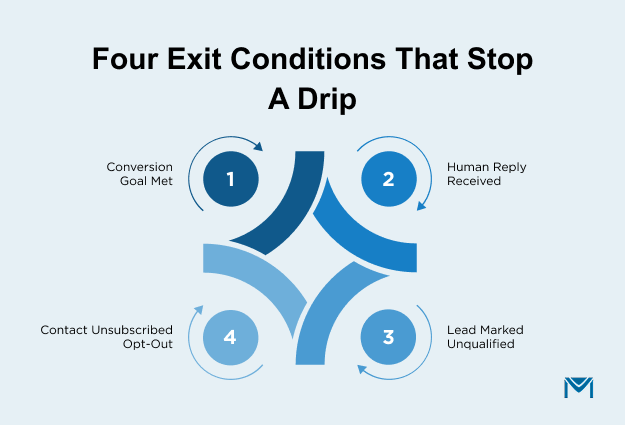
Four exit conditions matter most:
- Converted: the outcome the drip was built to drive has already happened.
- Replied: a human conversation has started, and automation should step back.
- Marked unqualified: the lead scoring model has downgraded the contact.
- Unsubscribed: opt-out is a hard exit across every sequence in the org.
Suppression is the wider rule set that keeps a contact out even when the trigger fires. It runs on lifecycle stage, open opportunities, and active support tickets. Anything that signals the contact should not receive marketing right now belongs in this layer.
Skip the exit layer and the cadence report can still look healthy. A drip that keeps hitting converted, replied, or unqualified contacts erodes sender reputation quietly. The recipients most likely to complain or unsubscribe are the ones the system should have removed. Audit exit conditions before you audit cadence.
Where segmentation and personalization fit in
Segmentation and personalization are two different levers, not two names for the same one. Which version of the sequence a contact enters is a segmentation call, based on role, industry, lifecycle stage, or engagement history. Personalization decides what varies inside each email once the contact is already in the sequence.
The timing is what separates them. Segmentation runs upstream of the send. Personalization runs inside it. Getting the segment wrong routes a contact into the wrong sequence, and no amount of merge-field personalization inside the emails can recover from that.
The reverse trap is more common. Personalization depth should match the data behind it.Merge fields on incomplete records produce empty greetings, mismatched company names, and product references that do not fit the contact. The recipient reads that as "this brand does not know me," not "this brand personalized poorly." That failure lands in the trust ledger, not the copy.
Segmentation set well before the send is what gives personalization something honest to work with.
Types of Marketing Automation Drip Campaigns
A marketing automation drip campaign has two main types: welcome and onboarding sequences, and lead nurturing and re-engagement drips. Both run on a preset cadence tied to a date or lifecycle stage.
Cart abandonment, feature-adoption nudges, and inactivity-triggered win-backs sit outside this list. Each fires on a live user action. Behavior-driven automation is the category that owns those, and the earlier comparison covers the boundary. The distinction matters at build time, because exit rules and measurement change entirely between a cadence-based schedule and a real-time workflow.
Both drip types below are worth building well. Welcome and onboarding set the tone with a new contact. Lead nurturing andre-engagement carry the longer relationship.
Welcome and onboarding sequences
A welcome or onboarding drip converts a signup event into repeat opens and one meaningful action. The standard shape is three moves: confirmation that delivers what was promised, expectation-setting for what comes next, and early value before any ask. Therecord-creation trigger is clean, and the metrics show up fast.
Signup context is the failure point most guides miss. What a contact signed up for is the highest-signal input a welcome drip has, and it decays inside two or three emails. A sequence that does not reference the signup reason by email 2 has spent its warmest window on generic brand content.
Audit test: if email 2 could have been sent to any signup at all, the context is already gone.
Lead nurturing and re-engagement drips
Nurture and re-engagement look similar but solve different problems.Lead nurturing drips push a warm contact toward sales-readiness, gated by lifecycle stage or a lead scoring threshold. Re-engagement drips run defined-interval check-ins with contacts who have stopped moving.
Nurture fails when "not sales-ready" gets treated as one segment. An MQL evaluating vendors, an SQL stalled after a demo, and a closed-lost cooling off need different content. One sequence for all three opens fine and converts nothing.
Re-engagement is where the drip-vs-automation line gets crossed most often. A quarterly check-in on a fixed schedule is drip. A send triggered by "no open in 90 days" is behavior-driven automation. Same intent, different mechanic. Measurement changes with it.
Building Your First Automated Drip Campaign Workflow
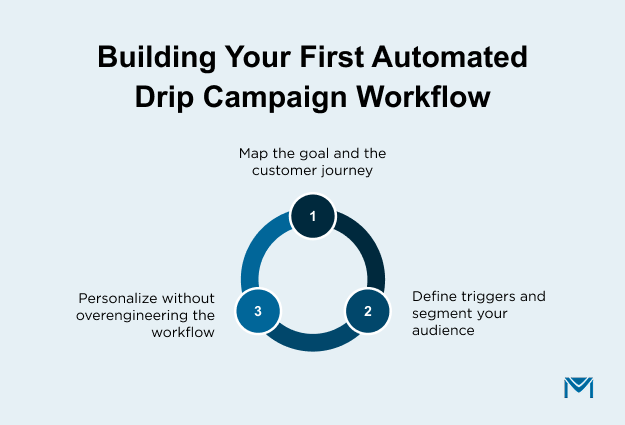
Build a marketing automation drip campaign in four steps, in this order: map the goal and customer journey, define the trigger and segment, sequence emails and set cadence, and personalize inside each send. The order matters.
Every step downstream depends on the one above it, so writing copy before knowing the goal is why most first drips get rebuilt. The same order carries intocreating and customizing drip campaigns in Salesforce.
Map the goal and the customer journey
Write the drip's goal as a specific outcome with a verb and an object. "Convert trial signups to paid," "get event registrants to attend," "move closed-lost contacts back into pipeline." Categories like "nurture leads" or "drive conversions" are topics, not goals. If you cannot measure whether the outcome happened, the drip has no finish line.
Journey mapping is the second half of this step. List every other sequence that touches the same contact: active sales cadences, welcome series still running, other nurture drips, unsubscribe workflows. A drip that fires during a live sales cadence produces overlapping touches, and the sales rep hears about it first. Re-engagement drips landing on contacts already in an opt-out workflow damage sender reputation.
Before you draft the first email, write the goal on one line and list the adjacent sequences on the next.
Define triggers and segment your audience
Two checks decide whether this step lands: the trigger's data timing and the segment's field foundation.
Start with trigger timing. Every trigger fires on a field, and every field is updated by some system on some schedule. A field updated in real time lets the drip fire within seconds. Nightly batch updates delay it by up to 24 hours. A "welcome to trial" drip that lands the next morning is a broken welcome. Confirm the update frequency will hit the drip's timing before writing anything else.
Segments have their own hidden dependency. Build them on fields the sales team already uses for their own reporting, and the drip's audience will be defensible. Use marketing-only fields like MQL score or last email opened, and the drip hits contacts sales doesn't recognize. Sales stops trusting the audience, and the drip gets flagged for review or shut down.
Personalize without overengineering the workflow
The rule that saves most drips: write every email assuming the merge field will be blank. If it still reads clean, ship it. If it reads awkward, drop the field or useconditional content to swap the whole line for a fallback version.
The fields most drips over-personalize are the ones that look safe. First name blanks show up in webform-sourced leads. Company name blanks show up in individual-signup leads. Job title and industry blanks are common at the top of the funnel. A merge field on any of these needs a fallback before it ships.
The failure isn't hypothetical. A broken personalization goes to the most engaged contact in the segment. The person who notices is either your manager or the prospect's account owner. Ship the drip only after you've read it as if you're the recipient, with none of the merge data filled in.
Measuring and Optimizing Drip Campaign Performance
Most drips get measured at the wrong tier. Welcome drips get judged on open rate when the job is first action. Nurture drips get judged on click rate when the job is moving MQL to SQL. The drip's goal decides which tier is the real read. Everything below sits inside that frame. Which metrics to track, and when a shift means the trigger, timing, or segment needs a change.
Core metrics to track
Drip metrics split into three tiers:
- Engagement: opens, clicks, reply rate
- Progression: stage changes,sales-qualified lead conversions, movement inside the CRM
- Outcome: the specific goal-linked number — revenue, trial conversion, event attendance, pipeline influenced
The drip's goal decides which tier holds the outcome number. A re-engagement drip built to reopen a stalled contact has engagement as its outcome tier. Opening after 90 days of silence is the win. A trial-conversion drip built to move trial to paid has revenue as its outcome tier. Opens are a leading indicator, not the answer.
Track all three tiers on every drip. The tier that maps to the goal is the one that decides whether the drip is working. Everything else is a leading indicator for that number.
When to revisit triggers, timing, or segmentation
Wait for a full cycle before diagnosing. A drip that has moved 30 contacts through the sequence is diagnosable. A drip that has moved 8 is not. Metric shifts on thin data are noise.
Once the cycle is full, match the underperforming metric to the layer that needs revisiting.
- Opens are low: timing or subject line. Revisit send time and the trigger's freshness.
- Clicks are low: content or personalization. Revisit the copy and the merge-field fallbacks.
- Progression is low: segmentation or trigger criteria. Revisit who is entering the drip and on what condition.
Read two metrics together, not one. If opens are down but progression is holding, the timing is off, and the audience is fine. If clicks are up but progression is down, the content is speaking to the wrong segment.
Fix the layer that maps to the metric shift. Then run one more full cycle before diagnosing anything else.
Running Drip Campaigns Natively from Your CRM
Exported-list drips have a drift problem. An exported segment reflects the CRM at the moment of export. Live records diverge from that snapshot within the hour. Leads convert. Lifecycle stages move. A drip built on the exported segment keeps sending to versions of contacts who no longer exist in that state. The drift compounds across every send in the sequence.
Try this in your own org: open the segment your last nurture send used. Compare it to the same segment definition today. Every contact who appears on one list and not the other received either a missed send or a wrong send. The gap between the two lists is the drift measured directly.
MassMailer runs drips on live Salesforce records. Sequences trigger from Lead, Contact, or Campaign membership. Engagement writes back to the same record. Segmentation reads from Salesforce fields as they stand at each send. Send 3 goes to the CRM's current state, not the state at send 1. That ishow a Salesforce drip campaign runs when the data stays live end to end.
One thing to be clear about: MassMailer stays inside email and Salesforce. Cross-channel journeys spanning email, SMS, and push need a full marketing automation platform. Enterprise lead scoring with predictive models does too. For teams whose drips live where the customer data lives, native is enough.
Ship Marketing Automation Drip Campaigns Without the Common Failure Modes
You now have a way to name the failure modes before the drip ships. Exit rules that catch conversions and status changes. Trigger fields that update fast enough for the drip's timing. Segments built on data sales already trusts. Personalization with fallbacks that read clean.
You have a measurement frame that matches metrics to the goal. A healthy report cannot mask a drip that isn't moving pipeline. When a number moves, you know which layer to revisit and which metric to read alongside it.
Your next drip gets one more advantage. Every email in the sequence goes to the audience that fits the segment right now, not the audience that fit it when the drip started.
Run your next Salesforce drip on live records. Install MassMailer free from the AppExchange.
Frequently Asked Questions
1. How long does it take to build a marketing automation drip campaign?
2. What's the difference between a drip campaign and an email newsletter?
3. Are drip campaigns effective for B2B sales cycles?
4. How do you keep drip campaigns from being marked as spam?
5. Can you A/B test emails inside a drip campaign?
6. Do drip campaigns work for post-purchase customer retention?
Related Blogs
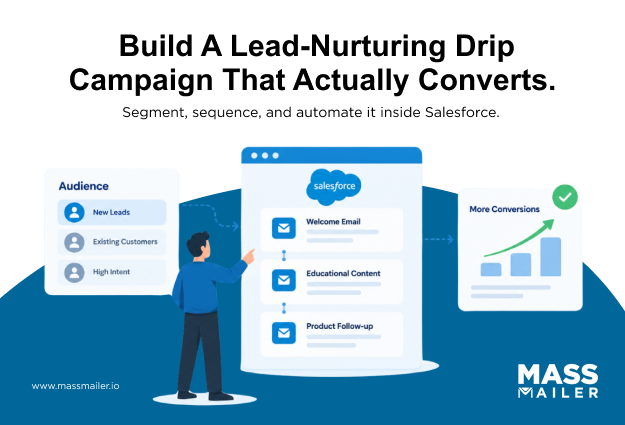
Lead Nurturing Drip Campaign: Segment, Sequence, Automate
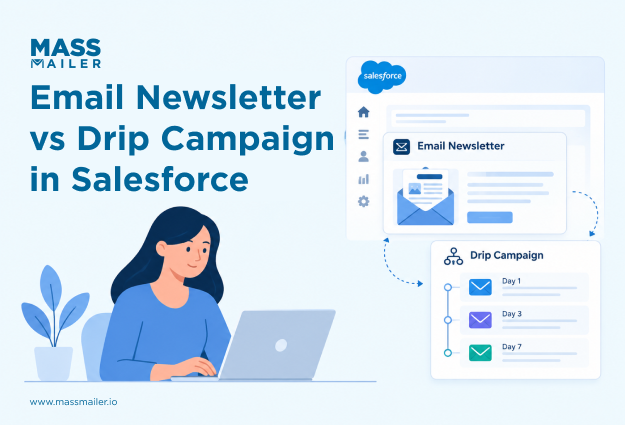
Difference Between an Email Newsletter and Drip Campaign
MassMailer Resources



About the Author

Siva Devaki 
Siva Devaki is the founder of MassMailer Inc., a tool that helps Salesforce users optimize email marketing. A passionate advocate for email marketing, Siva writes and hosts podcasts on the topic, sharing insights to help businesses drive revenue and enhance customer engagement through Salesforce email automation and tracking.