





Table of Contents
Your CRM shows the email as sent. But can you see what happened next?
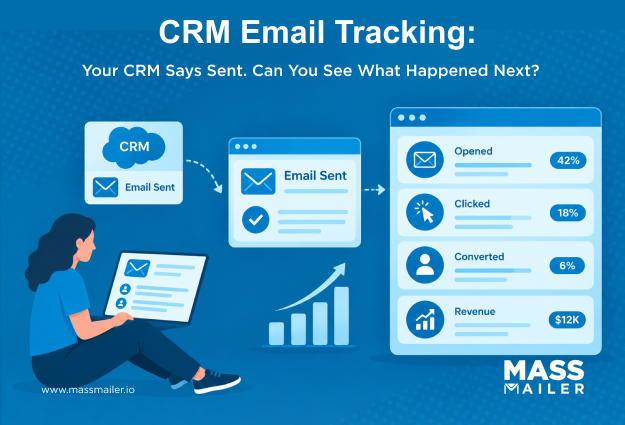
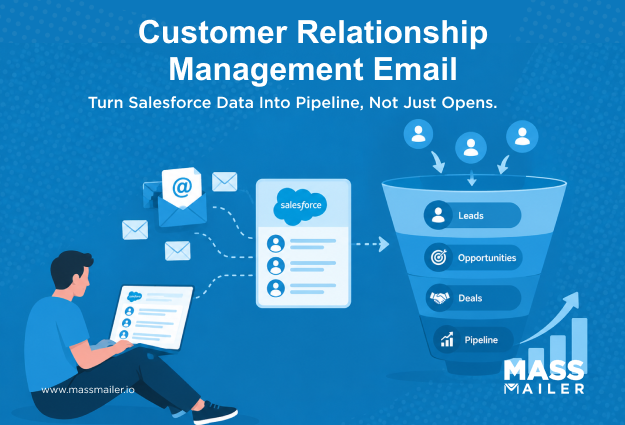
CRM email tracking closes that visibility gap. It connects opens, clicks, replies, and engagement signals to the customer record. This gives you clearer context for reporting and better-timed sales follow-up.
The problem starts when email is connected, but engagement data stays incomplete, scattered, or unavailable where your team works. You are left with communication history, but no clear view of which activity deserves attention.
This guide explains how CRM email tracking works, how to assess data usefulness, and how Salesforce handles engagement visibility. It also covers why tracking becomes incomplete and when an additional email layer deserves evaluation.
How does CRM email tracking work?
CRM email tracking turns recipient activity into CRM context you can use. It follows a simple flow: send, capture, associate, report, act.
After sending, supported events such as opens, clicks, replies, and timestamps can attach to the contact record. From there, you can use them for reporting or sales follow-up.
| Signal | What it shows | CRM value | Limitation |
|---|---|---|---|
| Sent | Message sent | Activity history | No engagement detail |
| Open | Remote content loaded | Interest signal | Privacy or image loading affects accuracy |
| Click | Link activated | Stronger engagement context | Intent can remain unclear |
| Reply | Response received | Conversation signal | Depends on the workflow |
CRM email logging vs engagement tracking
When your CRM logs an email, it records that a message was sent or received. Engagement tracking adds what happened after delivery, when the workflow supports those events.
You can think of the data in three layers. First, your CRM stores the email activity against a contact or related record. Second, tracking captures supported events such as opens or clicks. Third, those events become useful when you can report on them or act on them.
A sent message on a contact record proves only communication history. If your CRM only logs the message, you still lack the evidence needed to judge response or prioritize follow-up.
Can you trust email opens and clicks?
Opens and clicks are useful engagement signals, but neither should be treated as complete proof of interest. Open tracking depends partly on how remote content loads.
UnderApple’s Mail Privacy Protection, Mail can download remote content in the background regardless of engagement. Open data therefore becomes less reliable as a standalone signal.
Click activity usually gives you stronger context because it reflects interaction with a tracked link. Still, a click only shows that the link was activated, and it does not explain why.
For sales follow-up, combine engagement signals with replies, CRM context, and subsequent activity. Together, those signals give you a clearer basis for prioritizing conversations.
How bot clicks affect CRM engagement data
Email security tools often pre-scan links before the recipient sees the message. These automated clicks register as genuine engagement in your CRM. The result is inflated click-through data that misrepresents actual interest.
Bot clicks create a specific follow-up problem. Your sales team sees high click activity on a contact record. They prioritize outreach based on that signal. But the recipient never actually engaged.
To identify bot clicks, look for patterns. Multiple links clicked within the same second usually indicate automated scanning. Clicks from the same IP across many recipients suggest a corporate security gateway.
Some CRM email tools offer bot click filtering. Others require manual review or custom automation to flag suspicious activity. During evaluation, ask whether your tracking setup distinguishes human clicks from automated ones. If it does not, click data loses much of its follow-up value.
How do you evaluate a CRM with email tracking?
Evaluate a CRM with email tracking by checking coverage, record association, reporting usefulness, and operational fit. These four checks show whether engagement data supports how you actually send and follow up.
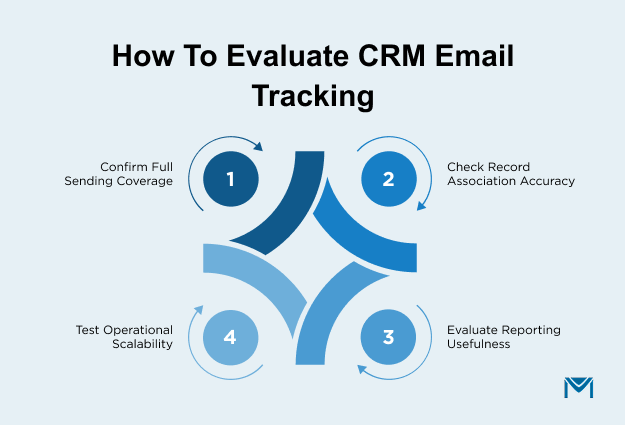
- Start with sending coverage. Confirm tracking works across CRM sends, Gmail, Outlook, automated emails, and your campaign workflows. If activity fragments across these paths, review how yourSalesforce email integration handles each one.
- Then check record association. Open, click, and reply activity should reach the correct contact and relevant CRM context.
- Evaluate reporting. Confirm engagement data can support reports and the follow-up workflows your CRM provides.
- Finally, test operational fit. Tracking should remain manageable as email volume and user activity grow.
| Capability | What to verify | Warning sign |
|---|---|---|
| Sending coverage | Tracking works across your important sending methods | Different or missing activity by sending path |
| Record association | Engagement reaches the correct CRM record | Activity appears without useful record context |
| Reporting and action | Engagement supports reporting and follow-up | Activity cannot support reports or follow-up |
| Operational fit | Tracking remains manageable as usage grows | Visibility gaps or administrative effort increase |
How does email tracking in Salesforce work?
Email tracking in Salesforce works through your sending method, tracking settings, and the activity surfaces available in your setup. These factors determine which engagement signals appear against CRM records and where you can use them.
Emails sent inside Salesforce and emails sent through connected inboxes can follow different activity paths.
Enhanced Email and native email tracking
Enhanced Email stores email activity as Salesforce records, while Email Tracking adds supported engagement details for eligible sends. For supported HTML email tracking, review the requiredEmail Tracking and Enhanced Email settings.
Together, these settings affect which email activity becomes available in Salesforce and where your team can view it. During evaluation, verify both settings once. Then check the actual contact or related record where your team expects engagement to appear.
This tells you whether the native setup gives you usable visibility without turning the review into a configuration exercise.
How Individual Email Results store engagement in Salesforce
Salesforce stores per-recipient engagement from list emails in Individual Email Result (IER) records. Each IER captures the open, click, or bounce status for one recipient. These records connect to the parent list email send and the recipient’s contact record.
IERs give you engagement visibility that the sent email alone cannot provide. Without them, a mass email shows only that messages were sent. With IERs, you can see which recipients opened and which links they clicked.
Two things limit how useful IERs become. First, Salesforce counts each IER against your data storage allocation. High-volume senders can generate thousands of IERs per campaign. Second, IER data does not always appear in standard Salesforce reports. You may need custom report types to surface engagement patterns across campaigns.
During evaluation, check whether IER records exist for your team’s list email sends. Then verify whether your reporting setup can access them. This tells you whether engagement data is being captured but invisible, or genuinely missing.
Gmail, Outlook, and Activity History
Gmail and Outlook sends can create different Salesforce activity patterns from emails sent directly inside Salesforce. Start by identifying the sending method. Then check which integration or activity-capture setup handles that email.
For inbox-connected workflows, review theInbox tracking considerations that apply to your configuration. Then verify where the activity appears and whether engagement reaches the expected Salesforce record.
Activity History or the activity timeline can give you visibility into recorded communication, depending on your Salesforce setup.
If Einstein Activity Capture handles your inbox sync, check how it limits engagement reporting. EAC captures activity but stores it outside standard Salesforce reporting objects. This creates a gap where emails appear in the timeline but cannot feed the reports your team relies on. Review thereporting limitations Einstein Activity Capture introduces before assuming inbox engagement data is fully available.
Document the sending method, logging behavior, and visible engagement for one real message. This gives you a clean baseline for comparing inconsistent CRM email activity.
How do you test Salesforce email tracking?
Test Salesforce email tracking with one realistic workflow from start to finish. Use the same sending method your team relies on.
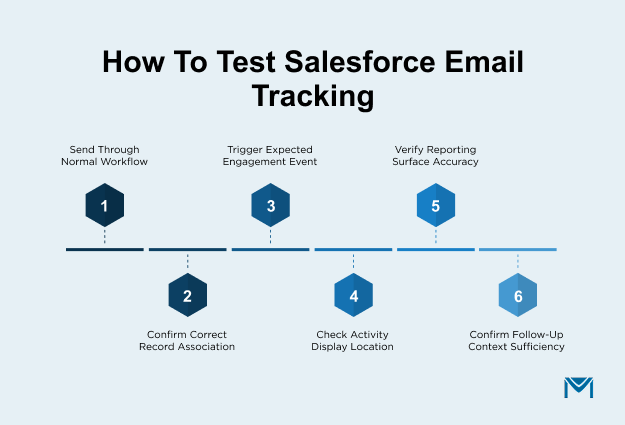
- Send the email through the normal workflow.
- Confirm it reaches the intended contact or related record.
- Trigger the engagement event you expect to capture.
- Check where Salesforce displays that activity.
- Verify whether the event appears in the reporting surface your team uses.
- Confirm the activity provides enough context for follow-up.
Repeat the test for each important sending path. This helps you identify whether visibility changes across Salesforce, Gmail, Outlook, or automated workflows.
Why is CRM email tracking incomplete?
CRM email tracking becomes incomplete when activity breaks somewhere between capture, record association, visibility, and reporting. To diagnose it, trace the same workflow your team actually uses.
Start with the symptom you can see, then isolate where the expected activity stops appearing.
| Symptom | What to investigate |
|---|---|
| Email is logged, but no engagement appears | Check whether that workflow supports open or click tracking |
| Salesforce and inbox sends show different activity | Compare how each sending method captures and stores engagement |
| Gmail or Outlook activity is inconsistent | Check how the inbox integration logs and associates activity |
| Engagement appears but cannot be reported on | Confirm where the event is stored and whether reporting can access it |
| Activity appears against incomplete record context | Review recipient-to-record association |
| Tracking works for some emails but not others | Compare sending paths, tracking settings, and supported email types |
If missing or inconsistent logs are the main problem, start with yourSalesforce email logging workflow. Investigate engagement visibility, reporting, or follow-up after that.
If engagement appears but stays unusable, focus on record association and reporting availability. Those checks help you separate configuration issues from broader workflow gaps.
The goal is to identify exactly where visibility breaks before changing your email setup.
When does Salesforce need an email tracking layer?
Salesforce needs an additional email tracking layer when your current setup still leaves important visibility, reporting, sending, or follow-up gaps. If configuration or workflow changes solve those gaps, your existing setup may already be enough.
Use these thresholds to judge whether the limitation is temporary or persistent:
| Requirement | Your current setup may be enough when | Evaluate another layer when |
|---|---|---|
| Engagement visibility | Required signals appear where you work | Important engagement remains fragmented after configuration is verified |
| Reporting | Activity supports the reports you need | Engagement cannot support required reporting |
| Sending coverage | Your important sending paths provide sufficient visibility | Important workflows remain untracked or inconsistent |
| Follow-up | CRM records provide enough context for action | Engagement cannot reliably support timely follow-up |
| Scale | Your process remains manageable as activity grows | Volume or administration repeatedly creates visibility gaps |
Meeting these requirements means your current setup may already be enough. Adding another layer can create unnecessary complexity. So fix the specific configuration or process issue instead.
If important requirements remain unmet, an additional Salesforce-native layer becomes worth evaluating. So, focus on the exact capability your current workflow cannot support.
If the gap is in email execution or engagement visibility, a solution built forSalesforce-native email marketing helps. It can consolidate those signals directly on CRM records.
Make CRM email tracking actionable
CRM email tracking becomes valuable when you can turn engagement into useful CRM context and a meaningful next action.
Resolve configuration issues within your current setup first. Turn any persistent gaps into requirements for a Salesforce-native solution discussion.
If persistent gaps remain after configuration,schedule a walkthrough to see how a MassMailer Salesforce-native layer handles execution and tracking.
Frequently Asked Questions
1. Does email tracking affect email deliverability?
2. Can CRM email tracking data be used for lead scoring?
3. How can teams prevent duplicate email activity in CRM?
4. Can Salesforce track opens on plain text emails?
5. Does CRM email tracking work with automated workflow emails?
6. Does CRM email tracking replace consent and unsubscribe management?
Start Your Free Trial Today
Experience MassMailer the easiest way to send personalized emails from Salesforce.
Related Blogs
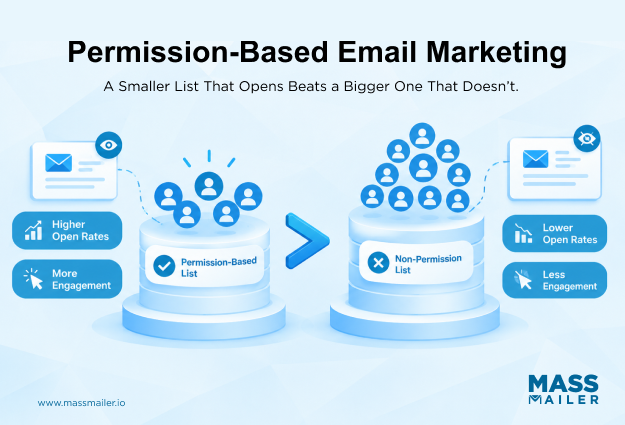
Permission-Based Email Marketing: Keep Every Send Out of Spam

Lead-to-Account Matching in Salesforce: Match Faster, Route Smarter
MassMailer Resources

MassMailer Glossary
About the Author

Siva Devaki 
Siva Devaki is the founder of MassMailer Inc., a tool that helps Salesforce users optimize email marketing. A passionate advocate for email marketing, Siva writes and hosts podcasts on the topic, sharing insights to help businesses drive revenue and enhance customer engagement through Salesforce email automation and tracking.