





Table of Contents
Most Brevo vs Constant Contact comparisons focus on features. But if you're the person writing the check, the feature list isn't what will decide this. The pricing model will.
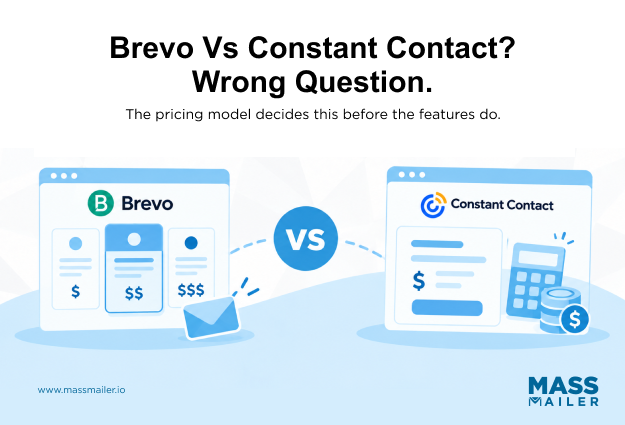
Take a 5,000-contact newsletter list. On Brevo, you're paying for the emails you send that month, and it doesn't matter if your list is 5,000 or 50,000. On Constant Contact, you're paying for the 5,000 contacts sitting in the database, whether you email them once or twelve times. Same list, same content, two very different bills at the end of the month. Once you know which model matches how your team sends, the rest of this comparison (deliverability, automation, CRM fit) starts to make sense.
There's a second problem if your contacts live in Salesforce. According to Salesforce'sState of Marketing report, only 31% of marketers say their customer data is fully unified across their systems. In practice, that means the moment you pick an email tool that isn't Salesforce, someone on your team spends part of every week keeping the two databases talking to each other.
This guide walks through what each platform costs at 500, 5,000, and 25,000 contacts, where their automation and channel coverage actually hold up, and what changes when the email tool runs inside Salesforce instead of alongside it.
Send-Based vs. Contact-Based Pricing: The Core Difference Between the Two Platforms
Brevo bills by monthly email volume with unlimited contacts on every paid plan. Constant Contact bills by contact count, no matter how often you send. Nearly every other trade-off in this comparison sits on top of that split.
On Brevo, a 500-contact list and a 50,000-contact list cost the same as long as monthly send volume stays inside the plan's cap. Starter begins at $9/month for up to 5,000 emails, Standard scales up from there, and Professional starts at $499/month for 150,000+ emails, perBrevo's pricing page. The permanent free plan is capped at 300 emails a day, useful for transactional-style sending but not a real newsletter cadence.
On Constant Contact, Lite starts at $12/month at 500 contacts, Standard at $35/month, and Premium at $80/month at the same tier, perConstant Contact's pricing page. Send once a month or four times a week; the bill doesn't move. Overage runs $0.002 per email above the plan allowance.
Run real numbers to see the split. A 50,000-contact list sending one newsletter a month sits on a low Brevo tier and near the top of the Constant Contact scale. A 2,000-contact list emailing daily pushes Brevo's tiers up fast while Constant Contact's flat per-contact price doesn't move.
Large list, infrequent sends: Brevo. Smaller list, constant sending: Constant Contact. Neither is universally cheaper; it depends on your send-frequency-to-list-size ratio.
Both vendors reprice periodically, so check both pricing pages before budgeting around any number here.
Deliverability and Customer Support
Constant Contact is the safer pick for deliverability by a small margin, and the clear pick if phone support matters.
Third-party inbox placement tests put both platforms in the reliable range, with Constant Contact edging out Brevo by a few percentage points. If you already run sender authentication, list hygiene, andIP address pools correctly, either platform will land your email. The gap widens when fundamentals slip: Constant Contact's stricter onboarding absorbs mistakes that would flag a Brevo sender.
Support is where Brevo or Constant Contact feels different day to day. Constant Contact includes US-based phone support on every paid plan. Brevo restricts phone to the Enterprise tier; lower plans get 24/7 chat and email, staffed to European hours. Expect real wait times during EU off-hours.
For a Salesforce admin comfortable with async tickets, Brevo works. For a nonprofit director who needs a live voice before Tuesday's fundraising email, Constant Contact's phone line is worth the price difference alone.
Deliverability and support won't decide the whole comparison, but they decide how much friction the team lives with once the platform is live.
Automation Depth and Workflow Complexity
Brevo wins any workflow with a decision node. Constant Contact wins linear autoresponders. Everything below explains why.
Brevo's visual builder supports behavioral triggers, if/then branching, multi-step sequences, and cross-channel steps (email into SMS into WhatsApp) on lower paid tiers. Constant Contact runs one trigger, one linear sequence, no branching. Its Standard plan doesn't accept an if-condition inside an automation, which is a real ceiling, not a UI limitation.
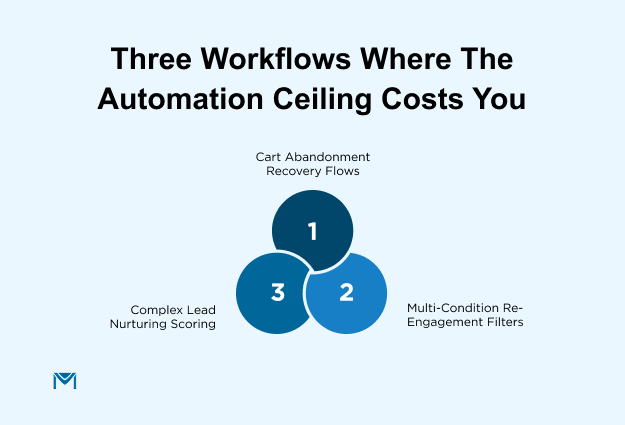
Three workflows show what that ceiling costs:
- Cart abandonment: Brevo listens for cart events from Shopify, WooCommerce, or a custom API push, then fires the recovery sequence. Constant Contact has no native cart-abandonment trigger, so importing cart data as a triggered list defeats the purpose.
- Re-engagement: Brevo can reactivate contacts who haven't opened in 90 days but bought in the last 12 months, using two conditions on one entry filter. Constant Contact Standard handles the 90-day trigger alone, so teams run two flows and reconcile manually, which most skip. That's why re-engagement quietly stops working on Constant Contact after the first quarter.
- Lead nurturing past five decision nodes: Brevo hits its own ceiling here. Complex if/then scoring sits better inside a tool built for it, like Marketo, HubSpot, orSalesforce Flow email alerts. Treat Brevo as a sender, not the engine.
One caveat for Salesforce teams: if your triggers live in Salesforce, neither platform automates on those events directly. Both sync on a schedule, a real constraint for time-sensitive sends.
Templates, Design, and AI Tools
Constant Contact has more than 200 email templates covering nonprofit appeals, event promos, seasonal retail, and newsletters. Brevo has around 40. If you need to send a fundraiser update on Thursday without touching HTML, that variety is genuinely useful.
The problem with Constant Contact shows up on your second campaign. Change the header, the footer, or a brand block on one template, and none of your other templates pick up the change. You end up editing each one separately or copying HTML between them.
Brevo handles this differently. Save a header, a CTA style, or a compliance footer as a block once, and it drops into any campaign. When your brand colors change, you update one block. On Constant Contact, you update every template you plan to keep using.
Pick Constant Contact for the head start on first sends. Pick Brevo if you plan to run this template library for a year and don't want to redo the same edit twenty times.
Three design and AI differences worth pricing in:
- Conditional content: Brevo supports conditional content blocks on Standard and above. Constant Contact gates dynamic content and advanced personalization behind Premium; on Lite, personalization is merge fields only. Any team planning to segment at scale should price Constant Contact at Premium, not Lite or Standard.
- AI coverage: Brevo's Aura AI covers subject line and copy generation, send-time optimization, and AI-powered segmentation on Professional. Constant Contact's AI focuses on content generation for email, social, and SMS. Both save time on subject line variants andA/B testing in Salesforce. Neither builds automations, predicts churn, or makes segmentation decisions the way ActiveCampaign or HubSpot do.
- AI limits worth knowing: Brevo's send-time optimization needs engagement history to learn on, and AI-generated subject lines still drift from brand voice on both platforms.
One rule for the pick: Constant Contact if you want to send this week without a designer. Brevo if you're building for a year and want a template library that scales without ballooning maintenance.
CRM, Contact Management, and Salesforce Fit
Brevo ships a native CRM with pipeline tracking, contact records, and deal stages on every plan. Constant Contact skips CRM entirely and runs on lists, tags, and segmentation.
However, both hit the same wall when Salesforce already holds your customer data, because each one maintains its own contact database that syncs on a schedule instead of reading Salesforce records directly.
Brevo's native CRM
Brevo includes basic pipeline tracking, contact and company records, deal stages, and segmentation on tags and behavioral data (opens, clicks, list membership) even on the free plan. As a result, a small sales team can run a pipeline alongside email without paying for a separate tool. That said, the CRM stops short oflead scoring beyond simple rules, advanced deal-stage automation, and predictive segmentation. So if you need any of those, Brevo becomes the email tool while another platform holds your CRM.
Constant Contact
Constant Contact has no native CRM, and contact management runs on lists, tags, and engagement or demographic segmentation instead. On the operational side, duplicate contact handling is more forgiving than most competitors, and cross-audience billing only kicks in under limited cases. For pure list broadcasting, that's enough. For anything CRM-adjacent, it isn't.
Where both platforms fall short for Salesforce teams
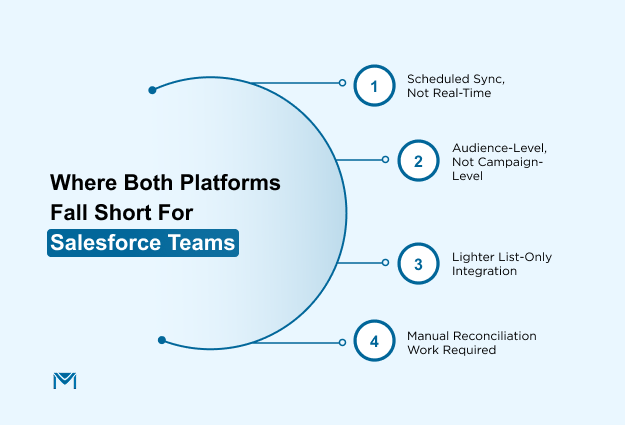
The moment Salesforce enters the picture, both platforms create the same two-records problem, though the details differ:
- Contacts live in Salesforce as Contacts and Leads, while Brevo and Constant Contact each maintain a separate contact database that syncs on a schedule, not in real time.
- Brevo's Salesforce integration syncs at the audience level rather than the Salesforce Campaign or Campaign Member level, so attribution in reports needs manual reconciliation.
- Constant Contact's integration is lighter still and mostly handles list sync in and out.
- Either way, someone on your team ends up mapping fields, checking whether syncs went through, and deciding which system wins when the two disagree.
MassMailer takes a different route by running on Salesforce Contacts, Leads, and Campaigns directly, without a sync layer or an external audience database. Because of that, sends log to the Salesforce record they came from, andCampaign Members update in the same transaction.
Still, the model doesn't fit every team: if you need native event registration, SMS, WhatsApp, or transactional email at scale, then Brevo or Constant Contact belong on the shortlist instead.
Multichannel Messaging and Event Management
Brevo covers channels. Constant Contact covers events.
Brevo sends email, SMS, WhatsApp, chat, and transactional email from one platform. Its native SMTP means order confirmations, password resets, and receipts run on the same tool as your promotional sends, so a SaaS or e-commerce team can drop a Postmark or SendGrid subscription and monitor deliverability in one place.
The unified reporting matters more than it sounds. Opens on the newsletter, an ignored SMS, and a shipping confirmation all land on the same contact timeline, so you can tell whether a promo SMS is annoying a customer or just badly timed.
Three splits decide which side of the trade-off you land on:
- Channel breadth: Brevo covers email, SMS, WhatsApp, chat, and transactional in one stack. Constant Contact keeps SMS on Premium, social posting on Standard and above, with no transactional email, WhatsApp, or push. If email is your only channel, the gap doesn't matter. If not, you'll be stitching Constant Contact into other tools quickly.
- Native event management: Constant Contact includes registration, ticketing, and follow-upemails natively. For a nonprofit gala, chamber mixer, or workshop series, it replaces a separate Eventbrite subscription and keeps the attendee list on the email database. Brevo has no native event management; events run via Eventbrite integration.
- Event ceiling: Multi-track conferences, tiered ticketing, or attendee management over a few hundred registrants still belong in Cvent or Bizzabo. Constant Contact replaces the Eventbrite tier, not the Cvent tier.
One rule for the pick: Go with the channel you actually run this quarter, not the multichannel option you might one day want.
Brevo Pricing vs Constant Contact Pricing
Pricing is where the model choice turns into a real bill. Both vendors publish their numbers, but they scale on different axes, so the same list produces very different totals. Verify every figure below against the vendor's live pricing page before you commit.
The Two Pricing Models Explained
Brevo charges by monthly email volume, not contact count. Unlimited contacts are included on all paid plans, and cost scales with sends per month. The ladder is Free, Starter, Standard, Professional, and Enterprise (Brevo retired the Business tier in October 2025).
Constant Contact charges by contact count. Lite, Standard, and Premium all start at 500 contacts, and price scales with list size regardless of send frequency. Monthly send allowance is a multiple of contact count: 10x on Lite, 12x on Standard, 24x on Premium.
What It Costs at 500, 5,000, and 25,000 Contacts
Constant Contact numbers come from their pricing calculator. Brevo numbers are modeled at four emails per contact per month, since Brevo tiers by email volume, not contacts. Cross-check against your real send frequency before committing.
At 500 contacts: Constant Contact Lite is $12/month, Standard $35/month, Premium $80/month. Brevo fits the free tier at that send volume; Starter runs $9/month if you need to remove branding.
At 5,000 contacts sending around 20,000 emails: Brevo Starter is $19/month; Standard adds automation and A/B testing for $10 to $15/month more. Constant Contact Standard runs around $110/month.
At 25,000 contacts sending around 100,000 emails: Brevo Starter is roughly $65 to $69/month; confirm on the live pricing calculator. Constant Contact Premium runs into the $400/month range.
The gap widens because Brevo scales linearly on send volume while Constant Contact scales on contact count with steep step jumps. Doubling your list roughly doubles the Constant Contact bill; doubling your Brevo volume does not.
Hidden Costs and Add-Ons
Both platforms carry costs that don't sit on the plan cards.
Brevo charges for SMS and WhatsApp credits separately by country, roughly $0.01 to $0.05 per SMS in North America and Europe. Removing Brevo branding on the Starter plan costs an extra $10.80/month. Annual billing gives around 10% off.
Constant Contact bills overage at $0.002 per email above the plan allowance and offers up to 15% off for annual billing, up to 30% off for nonprofits with annual prepayment. There is no permanent free plan, only a trial.
One cost neither pricing page shows: if your customer data lives in Salesforce and you're running Brevo or Constant Contact alongside it, someone's time maintains the sync. That labor is part of the real total, even though neither vendor's plan card will ever list it as a line item.
Which Platform Fits Your Business
The right platform depends less on the feature count and more on how you manage contacts, campaigns, and customer data.
Pick Brevo if:
- Your list is over 10,000 contacts, and you email once or twice a month. Send-based pricing turns that list from expensive to nearly free.
- You run e-commerce or SaaS and need transactional email on the same platform as marketing sends. Brevo's native SMTP handles both.
- You're building multichannel programs across email, SMS, WhatsApp, or chat. Brevo covers all four with unified reporting.
- You're a small team that wants CRM-adjacent contact management, pipeline tracking, and simple deal stages, without paying for a separate tool.
Pick Constant Contact if:
- You're a small nonprofit or local business that values guided onboarding and US phone support. Often the deciding factor on its own.
- You run in-person or virtual events and want registration, ticketing, and follow-up emails built in. Constant Contact replaces a separate Eventbrite tier.
- You send frequent campaigns to a stable list under 5,000 contacts. Contact-based pricing plus generous send allowances (12x on Standard, 24x on Premium) works in your favor.
- You're new to email marketing and want the simplest setup. Constant Contact's onboarding assumes a first-time sender.
Send Volume or List Size: Pick Your Side
The split between Brevo and Constant Contact was never about which platform has more features. It comes down to how you send: by volume or by list size.
A team with a large list and a light sending cadence keeps getting punished by contact-based pricing, no matter how good the onboarding is. A team with a smaller, frequently-emailed list, or one that needs guided setup, phone support, and built-in events, gets less value out of paying by email volume. Run your own numbers against your actual list size and send frequency before either sticker price means anything.
There's a third answer this comparison can't give you: if your contacts already live in Salesforce, the real cost isn't the plan price; it's the sync layer sitting between your CRM and whichever tool you pick.
If that's your situation,book a demo to see how MassMailer sends directly from Salesforce records instead of a synced copy of them.
Frequently Asked Questions
1. Is Brevo better than Constant Contact?
2. Which is cheaper, Brevo or Constant Contact?
3. Does Constant Contact have a free plan?
4. Is Brevo the same as Sendinblue?
5. Do Brevo or Constant Contact work natively with Salesforce?
6. Can I switch from Constant Contact to Brevo easily?
Related Blogs
HubSpot vs Mailchimp: CRM Depth, Pricing, and Fit
Campaign Monitor vs Mailchimp: Pricing, Features, and a Third Option

MassMailer Resources




MassMailer Glossary
About the Author

Siva Devaki 
Siva Devaki is the founder of MassMailer Inc., a tool that helps Salesforce users optimize email marketing. A passionate advocate for email marketing, Siva writes and hosts podcasts on the topic, sharing insights to help businesses drive revenue and enhance customer engagement through Salesforce email automation and tracking.