Table of Contents
A single welcome email rewrite can double your click-through rate. A three-touch nurture sequence can move cold leads to a sales call within weeks. The best B2B email marketing examples show exactly why these results happen.
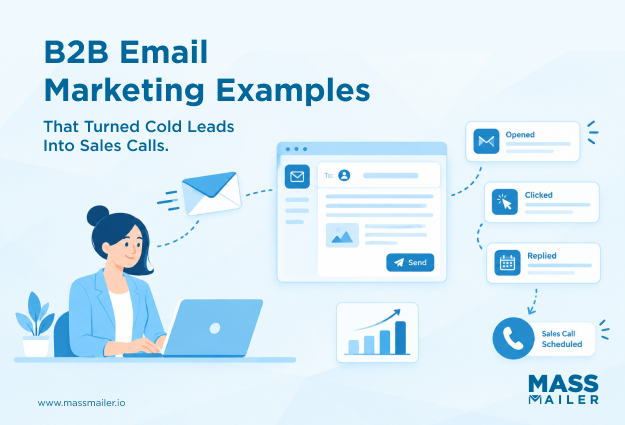
However, most roundups stop at screenshots and skip the copy, structure, and timing choices behind each send. That makes them hard to apply. Each example here is broken down by what it does and why it works.
This guide covers welcome, nurture, cold outreach, follow-up, newsletter, webinar, product launch, and re-engagement campaigns, plus how to sequence them into a strategy that converts.
Lead Nurture and Drip Campaign Examples
A nurture sequence turns cold leads into warm prospects by sending helpful emails before asking for anything. Each email builds enough trust to earn the next open. Skip that order, and the sequence falls apart.
Three email types work best when sent in this order.
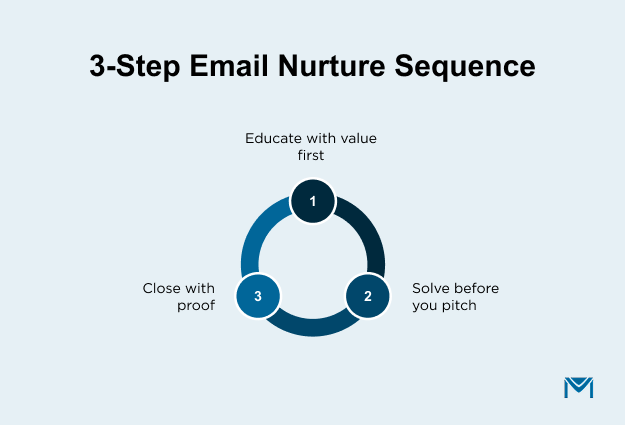
Start with an educational email. HubSpot sends nurture emails that name one pain point in the subject line, like “Why Your Organic Traffic Dropped.” The body explains the cause in a few short paragraphs. It then offers a free guide as the only call to action. No product pitch. No demo request. The lead gets real help first.
Follow with a product-context email. Intercom wraps a feature inside a problem the reader already knows. One email talks about slow support response times. It then shows how automated routing fixes that. The product shows up as part of the answer. As a result, it reads like advice instead of a sales email.
Close with a case study email. Drift opens with a result, like a specific jump in qualified pipeline. Two to three sentences explain what the customer did. A single link points to the full story. No fluff. Just proof.
This order matters: teach, then show, then prove. Most teams rush to the case study or product pitch too early. A case study only lands when the reader already trusts the source. The educational email is what builds that trust.
Cold Outreach and Prospecting Email Examples
A cold outreach email earns replies when it proves you researched the recipient before writing. Prospects skip generic pitches. They open emails that name a specific problem they face.
Two approaches stand out in B2B cold outreach.
Open with a personal detail. Lavender’s sales team checks each prospect’s LinkedIn or blog before writing. A rep might open with, “Saw your post about cutting your sales team’s ramp time. Here’s what we found works.” The subject line mentions the prospect’s company or a recent event. That signals effort. It also tells the reader this email was built for them alone.
Skip the intro and share a finding. Gong drops the company overview from their cold emails. Instead, they lead with one insight from their own data. An opening might say, “We studied what separates top closers from average reps.” The email then ties that finding to the prospect’s role. No feature list. No “I’d love 15 minutes.” Just one insight linked to one next step.
No-Response Follow-Up Emails
Most cold emails need at least one follow-up. The first reply often comes on the second or third send.
Space each follow-up three to five business days apart. Add new value every time instead of repeating your first message. Change your angle. If the first email shared a finding, the follow-up can offer a case study or a short video instead. Also, keep follow-ups shorter than your first email. Two to three sentences are enough.
A subject line that works for follow-ups: “Quick thought on [specific challenge].” It stays short and names a real problem. It avoids phrases like “following up” or “checking in” that make it feel like bulk email.
After two follow-ups with no reply, stop. More sends hurt your sender reputation andcold email deliverability.
Post-Meeting Follow-Up Email Examples
A post-meeting follow-up email converts a conversation into a committed next step. It recaps what was discussed and makes one clear ask. The emails that get replies share a specific structure, not just a “thanks for your time” opener.
The recap-and-confirm format. Gong structures their post-meeting follow-ups around three short lines:
- The prospect’s stated problem, in their own words
- The solution discussed during the call
- One next step with a specific owner and date
The email closes with a single question: “Does this match what you had in mind?” That line works because it gives the prospect something easy to say yes to. A vague “let me know your thoughts” asks too much. A specific confirmation question moves the deal forward.
The value-add format. Stripe’s account team sends a different kind of follow-up. Instead of recapping the call, they share one resource tied to a topic from the meeting. If the conversation covered payment fraud, the follow-up includes a fraud benchmark report with no pitch attached. The prospect gets something useful before anyone asks for a decision. As a result, the next conversation starts from trust rather than pressure.
The difference between these two formats comes down to where the deal stands. Use the recap format right after a discovery or demo call. Use the value-add format after an early-stage meeting where the prospect is still exploring.
Newsletter and Thought Leadership Email Examples
A B2B newsletter earns consistent opens when each issue teaches one complete idea inside the email itself. Newsletters that only tease blog posts train readers to skip them. The ones with staying power deliver a full insight before asking for a click.
The single-insight format. CB Insights builds each issue around one data point. The subject line reads like a headline, not a pitch: “Where Retail’s AI Money Is Going.” The body opens with the chart, then follows with three to four short paragraphs of analysis. It closes with one sentence on what this means for the reader. No product mention. No multi-topic roundup. The reader finishes the email with one idea they could repeat in a meeting that same day.
The original-research format. Ahrefs structures each issue around one experiment they ran on their own site. The opening states the question they tested. The middle shows results with real numbers instead of opinions. The closing tells the reader what to do differently based on the data. A link to the full blog post sits at the bottom, but the email works without it. Readers trust this format because the proof arrives before the pitch.
The pattern behind both: one email, one idea, one takeaway worth forwarding to a colleague. A newsletter covering five topics covers none of them deeply enough to remember. Pick the single insight your audience would share, then build the entire issue around that.
Webinar and Event Promotion Email Examples
A webinar invitation email drives registrations when it names a specific problem the audience faces. The event details belong after that hook. Emails that lead with the date and title get skipped.
The subject line reads like a headline. Gartner uses “Research briefing: [topic]” rather than “Join our webinar on [date].” That framing positions the email as content rather than a calendar request.
The opening line names one pain point. Drift starts with a sentence like “Your pipeline reviews take twice as long as they should.” One problem. One sentence. The reader decides right there whether to keep going.
The body promises one specific takeaway. A line like “You’ll walk away with a framework to cut review time in half” gives a concrete reason to register.
The logistics block sits below the fold. Date, time, and duration go in a short, formatted section after the value pitch. Putting these details first buries the reason to care.
The CTA says “Save my spot” instead of “Register now.” That phrasing frames the action as claiming something limited rather than filling out a form. Gartner adds one more element: a preview data point from the upcoming session. Sharing one finding before the event proves the content is worth the reader’s time.
Product Launch and Feature Announcement Email Examples
A product launch email drives adoption when it opens with a real problem the new feature solves. Feature emails that start with “We’re excited to announce” lose readers fast. The ones that lead with a problem hold them.
Notion sends a product email each time they ship a major update. The subject line names the feature directly: “Notion Projects is here.” The first line describes the old way of working, something like “You’ve been managing tasks across three different tools.” The second line introduces the fix. One screenshot below shows the feature already solving that problem. Every element moves the reader from “I have this problem” to “I can fix it right now.”
Notion’s email follows a tight sequence:
- Old workflow the reader recognizes
- One visual showing the feature in action
- Two sentences on what changed
- A single CTA (“Try it now”) linking straight to the feature
Linear takes the opposite approach for smaller updates. Their changelog email lists three to five changes in a single send. Each change gets one line: what it does and why it matters. No screenshots or long explanations. The email reads like release notes written for the user rather than the engineering team.
The principle behind both: show the outcome before explaining the mechanics. Readers scroll past feature specs. They stop for problems they recognize.
Re-Engagement and Win-Back Email Examples
A re-engagement email recovers inactive users when it references their specific past activity. Generic “we miss you” messages get ignored. The ones that show users their own data earn a second look.
Grammarly’s re-engagement email is one of the strongest examples in B2B. The subject line pulls from the user’s account: “You were on a 15-week writing streak.” The opening line states what they accomplished during active months. The body shows three personal stats: words checked, mistakes caught, and vocabulary score. Each number comes from the user’s own history. The CTA says “Continue writing” instead of “Come back.” That phrasing focuses on progress rather than guilt.
HubSpot takes a different angle for trial win-backs. Their email opens with “Here’s what shipped since your trial ended.” The body lists two to three new features, each in one sentence. Every feature ties back to a problem the user faced during the trial. The framing is “here’s what you haven’t seen yet” rather than “here’s what you’re missing.” That distinction matters. One creates curiosity. The other creates guilt.
The shared rule: personalize the email around something only that user would recognize. A re-engagement email that could go to anyone will perform like one.
How to Structure a B2B Email Sequence From These Examples
A B2B email sequence works when each email earns permission to send the next one. Arrange the seven email types above in a specific order, and each one builds on the last.
Start with two educational emails spaced three to five days apart. Each one should address a different pain point. By the third send, shift to a case study that bridges education and product. The reader has learned from you twice. Now they are ready for proof.
After the case study, slow the cadence to one email per week. Send a newsletter-style insight, then a webinar invite. These two emails deepen trust without asking for anything.
Save the direct ask for after the reader engages with at least one proof email. A product launch announcement or demo invite lands harder at this stage. If the lead goes quiet afterward, wait seven to fourteen days. Then send a re-engagement email that references their earlier activity in the sequence.
Adjust the timeline based on your sales cycle:
- Standard B2B (30-90 days): Run the full sequence over six to eight weeks with weekly sends after the educational phase.
- Short cycles (under 30 days): Compress to one email per phase. Send three to four emails total over two weeks.
- Enterprise (90+ days): Extend the proof phase with a second case study and newsletter before the direct ask.
Keep the order regardless of length. Education earns trust. Trust earns attention. Attention earns the right to ask.
B2B Email Best Practices to Apply Across Campaigns
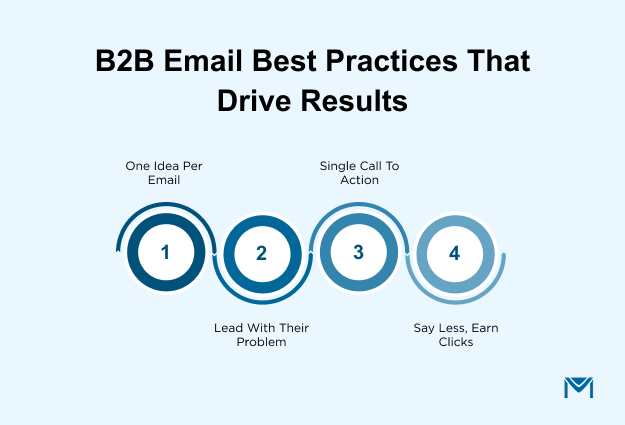
Every high-performing B2B email in this blog shares four habits. Each one showed up across nurture sequences, cold outreach, newsletters, and product launches alike.
- Focus each email on one idea. CB Insights covers one data point. Drift shares one customer result. Notion solves one problem. Every strong example in this blog did one thing well instead of three things halfway.
- Open with the reader’s problem before your solution. That first line decides whether someone keeps reading. HubSpot puts the pain point in the subject line. Gartner names a challenge before mentioning the event. Notion describes the old workflow before the fix.
- End with one call to action. The nurture email links to one guide. The cold outreach offers one next step. The product launch says “Try it now.” Adding a second call to action splits the reader’s attention and drops click rates.
- Keep the copy short. Drift’s case study runs two to three sentences. Linear’s changelog gives one line per feature. Cold outreach follow-ups are two to three sentences total. The strongest emails earn clicks by saying less.
These four rules showed up in every example, from HubSpot’s nurture emails to Grammarly’s win-back. Applying all four gets easier when your email tool lives inside your CRM. MassMailer is a native Salesforce app that handlesSalesforce email marketing without moving data to an outside platform. Every send, open, and click ties back to the contact record automatically.
How to Put These B2B Email Examples to Work
Pick one email type from this blog and build it this week. Launching all seven at once spreads your effort too thin.
Choose the type closest to your biggest pipeline gap. If leads go cold after the first call, build the post-meeting follow-up first. If open rates are dropping, rebuild your newsletter around one insight per issue. Send one email. Measure the response. Then add the next type in the sequence order above. Each email you add fills a different stage in your pipeline.
Ready to build these campaigns from Salesforce? Book a free MassMailer demo and see how every email ties back to your contact records.
Frequently Asked Questions
1. What is a good open rate for B2B email marketing?
2. How long should a B2B marketing email be?
3. When is the best time to send B2B marketing emails?
4. How is B2B email marketing different from B2C email marketing?
5. What should you personalize in a B2B email beyond the first name?
6. How do you measure B2B email marketing success?
Related Blogs
How to Build Salesforce Drip Campaigns That Nurture and Convert
Salesforce Mass Email: How to Enable, Send, and Scale in 2026
MassMailer Resources