





Table of Contents
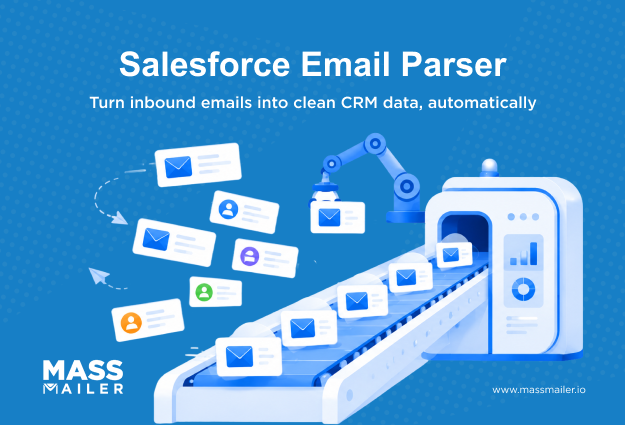
A Salesforce email parser helps teams turn inbound emails into structured CRM data, but the real challenge is deciding how that data should move through Salesforce. Many teams still rely on manual email reviews, copy-pasting details, and updating records by hand, creating gaps between incoming information and the CRM.
While Salesforce Email-to-Lead solves one specific workflow, it does not cover every email-driven process. Organizations often need to update existing records, capture information from structured emails, route data correctly, or connect email activity with broader sales and operations workflows.
Choosing an email parser for Salesforce is all about designing an automation workflow that keeps Salesforce data accurate, usable, and aligned with business processes.
This guide explains how Salesforce email parsing works, where different approaches fit, and the key factors to evaluate before building your Salesforce email automation strategy.
What Does Email Parser Integration Mean in Salesforce?
A Salesforce email parser integration extracts important information from incoming emails and sends that data into Salesforce records automatically. The parser handles the first step of the process: turning email content into structured fields that Salesforce can use.
The workflow is simple:
Incoming email → Data extraction → Salesforce fields → Automation action
When an email arrives, the parser identifies relevant details and maps them to Salesforce fields. After the data enters Salesforce, automation tools such as Flow determine what happens next, whether that means creating a new record, updating an existing record, assigning ownership, or triggering another business process.
How Salesforce Email Parsing Works
Email parsing solves a specific problem: emails contain useful business information, but Salesforce needs structured data to act on it.
A parser bridges that gap by converting information from an email into a format Salesforce understands. This can include details such as customer information, request details, or other fields required for a workflow.
The important distinction is that parsing and automation are separate steps:
- Email parser: Extracts and organizes information from the email.
- Salesforce records: Stores that information in objects such as Leads, Contacts, Opportunities, or Cases.
- Salesforce Flow: Applies business rules and decides what action should happen next.
Keeping these responsibilities separate makes workflows easier to design and maintain.
Salesforce Email-to-Lead vs Email Parser Integration
Many teams start with Salesforce Email-to-Lead because it solves a common requirement: creating Lead records from incoming emails. However, Email-to-Lead is designed for a specific workflow, while email parsers support a wider range of automation needs.
| Salesforce Email-to-Lead | Salesforce Email Parser Integration |
|---|---|
| Creates Lead records from incoming emails | Extracts data for different Salesforce workflows |
| Works well for simple lead capture processes | Supports more complex data extraction and record actions |
| Follows a predefined Salesforce process | Allows more control over field mapping and automation logic |
The right approach depends on what should happen after an email arrives. If the goal is only to create new Leads, Email-to-Lead may be sufficient. If emails need to update existing records, populate different objects, or trigger different workflows, email parsing provides more flexibility.
Where Email Parsing Fits in Salesforce Automation
Email parsing is one part of a larger Salesforce automation design. The parser does not replace Salesforce logic. Instead, it provides clean data that Salesforce can use.
A reliable workflow starts by answering three questions:
- What information needs to be extracted from incoming emails?
- Which Salesforce record should store that information?
- What action should Salesforce take after the data is received?
Understanding these decisions before selecting an approach helps teams avoid building email workflows that become difficult to manage as business processes change. A successful Salesforce email automation setup begins with the workflow design, not the parsing tool itself.
How Email Parser Integration Works With Salesforce
A Salesforce email parser integration converts information from inbound emails into structured CRM data that Salesforce can use. The parser extracts relevant details from an email, maps those values to Salesforce fields, and passes the data into Salesforce workflows.
The process typically follows this path:
Inbound email → Data extraction → Field mapping → Record matching or creation → Automation action
Manual data handling is one reason sales teams lose time that could be spent on customer conversations. Salesforce’s State of Sales report found that sales representatives spend only 28% of their workweek selling, with the remaining time spent on activities such as administrative tasks, meetings, and other work.
Automating repetitive email-to-CRM processes can help teams reduce some of that operational overhead.

Step 1: Receive the inbound email
The workflow begins when an email reaches a connected mailbox or email endpoint monitored by the parser.
The parser captures details from the incoming message, including:
- Sender information
- Email subject
- Email body
- Supported attachments
At this stage, teams need to define which emails should enter the workflow. A reliable setup considers the email sources, expected formats, and the information Salesforce needs to process.
Step 2: Extract data using parsing rules
After receiving the email, the parser uses configured rules, templates, and field definitions to identify required information.
Many teams assume email parsing automatically understands every message through AI. In practice, most Salesforce email parser workflows rely on extraction rules that define where and how specific data should be collected.
These rules can extract information such as names, email addresses, phone numbers, order IDs, dates, request details, and data from supported attachments.
The quality of the workflow depends on how clearly these rules are defined. Teams need to know which fields matter, where that information appears, and how Salesforce should use the extracted values.
Step 3: Map extracted data to Salesforce fields
After extraction, the parser maps the collected information to the correct Salesforce fields.
The data may populate:
- Standard Salesforce fields
- Custom fields
- Lead records
- Contact records
- Opportunity records
- Case records
- Custom objects
Field mapping requires more than matching labels. Teams need to decide where each value belongs, whether it should update an existing record, and whether Salesforce validation rules or required fields affect the workflow.
For example, an extracted email address may need to update an existing Contact instead of creating a new Lead. The correct mapping depends on the Salesforce data model and business process.
Step 4: Match or create Salesforce records
After field mapping, Salesforce determines whether the data belongs to an existing record or requires a new one.
Record matching commonly uses identifiers such as email address, Salesforce record ID, and other unique customer information.
When a match exists, the workflow updates the existing record. When no match exists, it can create a new record based on configured rules.
This step requires careful planning because weak matching logic can create duplicate records, overwrite information, or place data in the wrong Salesforce object.
A strong workflow also defines how to handle exceptions, such as missing fields, unexpected email formats, or incomplete information.
Step 5: Trigger Salesforce automation after import
After Salesforce receives the data, automation tools determine the next action.
Admins can use:
- Salesforce Flow
- Apex automation
- Assignment rules
- Notifications
- Other workflow processes
Once Salesforce has clean, structured data, teams can use email automation tools to engage customers and prospects based on CRM information. For example, MassMailer extends Salesforce’s native email capabilities by helping teams manage outbound email campaigns, tracking, and personalized communication directly from Salesforce.
What a reliable Salesforce email parser workflow includes
Before implementing email parsing, teams should define:
- Which emails should be processed
- Which fields need to be extracted
- Which Salesforce objects should store the data
- How existing records should be matched
- How incomplete or unexpected data should be handled
The most common mistake is treating email parsing as only a data extraction task. The extraction process works best when the Salesforce workflow behind it is already clearly designed.
A successful Salesforce email parser integration connects email data, Salesforce structure, and automation rules into one reliable workflow. When these pieces align, teams can build automation that remains easier to manage as their CRM processes evolve.
How to Choose the Right Salesforce Email Parser
Choosing the right Salesforce email parser depends on your email workflow, Salesforce data requirements, and automation needs. Start by evaluating whether Salesforce Email-to-Lead can handle your process or whether you need a dedicated email parser to extract data, update records, and support workflows across different Salesforce objects.
A Salesforce email parser should match how your team handles inbound emails, including the types of messages you process, the fields you need to capture, and the level of maintenance your admins can support.
The key differences come down to workflow complexity, Salesforce integration approach, data quality requirements, and long-term administration.
Native Salesforce Features vs Dedicated Email Parsers
Salesforce Email-to-Lead is designed for one specific use case: creating Lead records from inbound emails. It works well when emails follow a predictable format, and the only required action is lead creation.
Dedicated email parsers support broader workflows. They can extract multiple data points from emails, map information to standard or custom Salesforce fields, and support record updates across Leads, Contacts, Cases, Opportunities, and custom objects.
| Salesforce Email-to-Lead | Dedicated Email Parser |
|---|---|
| Best for simple lead capture | Best for complex inbound email workflows |
| Creates Lead records through a predefined process | Supports custom extraction and field mapping |
| Limited to a specific Salesforce use case | Works across multiple Salesforce objects |
The decision comes down to process complexity. Adding a dedicated parser to a simple workflow may create unnecessary administration. Using Email-to-Lead for a complex process may limit automation flexibility.
AppExchange Email Parser Apps vs External Email Parser Platforms
Salesforce teams can choose between AppExchange applications that work closely with Salesforce and external parser platforms that process emails before sending structured data into Salesforce through APIs, webhooks, or integration tools.
Salesforce-native apps can reduce the number of systems involved and simplify administration. External platforms may provide more flexibility when teams need advanced parsing capabilities or broader integrations.

The right choice depends on factors such as:
| Consideration | Why it matters |
|---|---|
| Data location | Determines where email content is processed |
| Integration method | Affects setup, monitoring, and maintenance |
| Security requirements | Influences how email data moves between systems |
| Admin ownership | Determines who manages parsing rules over time |
Organizations should also separate inbound email processing from outbound email communication when evaluating Salesforce tools. Email parser solutions focus on extracting information from incoming emails and moving data into Salesforce.
Tools such as MassMailer extend Salesforce’s email capabilities by supporting email tracking and automated communication workflows using Salesforce data.
Handling Unstructured Email Formats
Email format consistency directly affects parsing reliability.
Emails generated from forms or standardized systems are easier to process because key information appears in predictable locations. Customer replies, forwarded messages, and manually written emails often require more flexible rules and ongoing adjustments.
Before choosing a parser, evaluate how often your email formats change and whether your team can update parsing rules when those changes occur.
Parsing Attachments and Complex Email Content
If your workflow depends on documents, attachment support becomes a key evaluation factor.
Some parsers can extract information from files such as PDFs, spreadsheets, invoices, and purchase orders, while others focus mainly on email text.
Review whether the parser supports the document types your process depends on and whether extracted values can map correctly into Salesforce fields.
Preventing Duplicate Records and Maintaining Data Quality
A parser can extract information correctly and still create CRM problems if record matching is poorly configured.
Before implementation, define how Salesforce should identify existing records, handle missing information, and manage duplicate entries. Matching rules, validation rules, and exception handling determine whether parsed data improves CRM quality or creates cleanup work.
No-Code Configuration and Long-Term Maintenance
The best parser is one your team can maintain after implementation.
Evaluate whether admins can update rules, monitor failures, and adjust workflows as business processes change. Features such as point-and-click configuration, Salesforce Flow support, APIs, and error reporting can reduce the effort required to manage the system over time.
After selecting the right approach for inbound email processing, teams can focus on how Salesforce data supports customer communication.
Email parsers help bring structured information into Salesforce, while MassMailer helps teams use that CRM data for mass email campaigns, personalization, tracking, and workflow automation. Together, these capabilities support a more complete Salesforce email strategy.
Choose the Right Salesforce Email Parser for Your Workflow
Choosing a Salesforce email parser starts with understanding your inbound email workflow, data requirements, and automation goals. The right solution should help your team capture accurate CRM data without creating unnecessary maintenance overhead.
Once your Salesforce data is structured and reliable, the next opportunity is using that information to create better customer communication. MassMailer helps Salesforce teams create targeted email campaigns, personalize outreach using CRM data, track engagement, and manage email automation directly within Salesforce.
If you are evaluating Salesforce email automation solutions, see how MassMailer can help you turn CRM data into more effective customer conversations.
Book a demo with MassMailer to explore your Salesforce email workflow.
Frequently Asked Questions
1. How to integrate Salesforce with email?
2. What is an email parser?
3. How to read email logs in Salesforce?
4. Can I automate emails in Salesforce?
5. What is the best Salesforce email parser for inbound emails?
6. How do I extract data from emails into Salesforce?
Start Your Free Trial Today
Experience MassMailer the easiest way to send personalized emails from Salesforce.
Related Blogs
MassMailer Resources


MassMailer Glossary
About the Author

Siva Devaki 
Siva Devaki is the founder of MassMailer Inc., a tool that helps Salesforce users optimize email marketing. A passionate advocate for email marketing, Siva writes and hosts podcasts on the topic, sharing insights to help businesses drive revenue and enhance customer engagement through Salesforce email automation and tracking.