





Table of Contents
Wondering whether dedicated IP email marketing is worth the cost, or whether a shared IP pool still does the job?

Most guides answer with a flat volume number: send 100,000 emails a month, and you need one. That threshold is a starting point, not a rule. Sending consistency, list hygiene, and how your ESP pools senders together all shape whether a dedicated IP helps your deliverability or tanks it.
This guide covers the SMTP handshake mechanics behind shared and dedicated IPs, the volume and consistency thresholds that actually matter, costs across seven ESPs, and how to warm up a new IP without cratering your sender reputation.
What Is a Dedicated IP Address in Email Marketing?
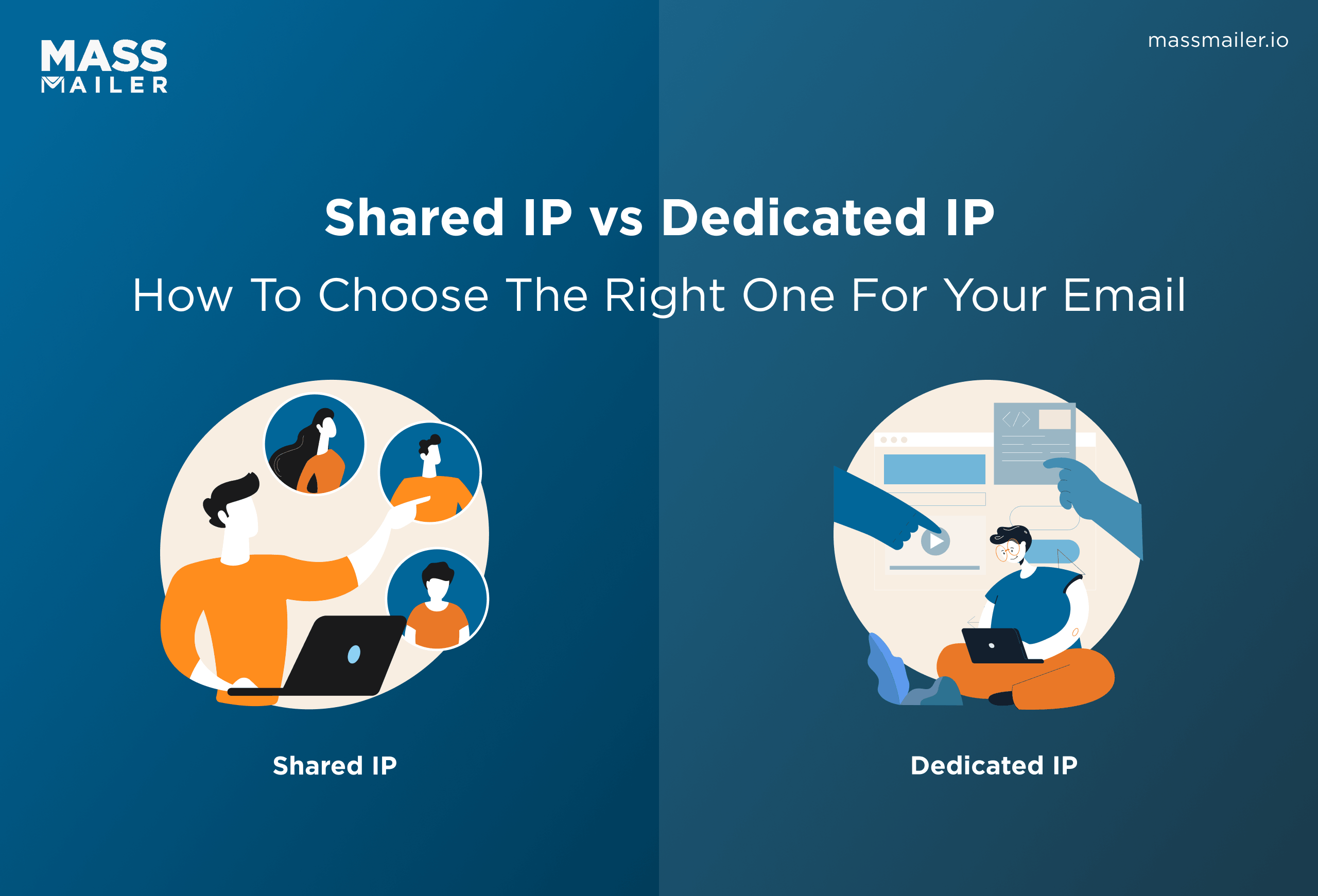
A dedicated IP address belongs exclusively to your organization for sending email. All outbound messages leave from that single address, and yoursender reputation on it reflects only your own sending habits.
Receiving mail servers check the sending IP before they read anything else in your message. So in dedicated IP email marketing, every deliverability outcome traces back to how you manage that one address.
What Is a Shared IP Address?
A shared IP address routes email from multiple senders through the same ESP. Your messages go out alongside dozens or hundreds of other customers, and the IP carries a pooled score shaped by everyone's sending patterns.
Most ESPs place new accounts on shared IPs by default. The provider monitors the pool and rotates traffic across addresses to keep each one warm. For low-volume or inconsistent senders, this setup keeps deliverability stable without any IP management on your side.
The tradeoff: if another sender in your pool spikes spam complaints or blasts a purchased list, youremail deliverability drops with theirs.
How Shared and Dedicated IPs Work in the SMTP Handshake
When your ESP delivers an email, the receiving server (Gmail, Outlook, Yahoo) runs a reputation check on the sending IP during the SMTP handshake. This happens before the server reads the subject line, the From address, or the authentication headers. The IP is the first gate in the delivery chain.
On a shared IP, that check reflects an aggregate score across every sender using the address. The receiving server cannot distinguish your traffic from anyone else's on that IP.
On a dedicated IP, the check reflects only you. Consistent volume and clean lists strengthen the score over time. Sporadic sends or high complaint rates weaken it.
The shared vs dedicated IP choice comes down to who controls that SMTP-level score. A shared pool spreads the risk. A dedicated address puts it entirely on your sending practices.
Benefits and Risks of a Dedicated IP Address
A dedicated IP address gives you full control over your email marketing deliverability. Because the score belongs to you alone, you can trace every inbox placement shift back to a specific campaign or list segment. But that control comes with real operational weight.
Benefits of a Dedicated IP
A dedicated IP adds diagnostic precision, mail stream separation, blocklist containment, and enterprise allowlisting to the baseline advantage of reputation control.
Diagnostic precision: If Gmail starts deferring your messages or yourbounce rates spike, the cause lies in your sending behavior. There is no pool contamination to rule out and no unknown sender to investigate. You fix the list, the content, or the cadence, and the results move.
Mail stream separation: With multiple dedicated IPs, you can route transactional emails (order confirmations, password resets) on one address and marketing campaigns on another. A complaint spike on your marketing IP does not affect transactional delivery.
Blocklist containment: If your IP lands on Spamhaus or Barracuda, only your sending is affected. On a shared address, a single blocklisting disrupts every sender on that IP.
Allowlisting: Some enterprise mail servers and security gateways only accept email from specific allowlisted IPs. A dedicated IP gives you a fixed address to submit. On a shared pool, your sending IP can rotate, which breaks the allowlist entry.
Risks and Drawbacks
A dedicated IP requires warm-up, consistent volume, and careful list management. Mistakes carry full weight, and Google has made IP-level monitoring harder since retiring its Postmaster Tools dashboards in September 2025.
No reputation buffer: One campaign to a stale list can push your complaint rate past Google's 0.3% threshold and trigger filtering across your entire sending volume.
Warm-up period: A new dedicated IP starts with zero history. Receiving servers treat unknown IPs with suspicion, so you need 4 to 8 weeks of gradual volume scaling before the IP handles full campaigns.
Volume gaps cause decay: Send 50,000 emails one week and nothing for the next three, and receiving servers lose familiarity with your IP. Inconsistent patterns cause reputation volatility that shared pools absorb automatically.
Domain reputation now carries more weight than IP: Gmail assigns HIGH priority to domain reputation and MEDIUM priority to IP reputation in filtering decisions. A clean, dedicated IP still underperforms if your domain reputation is weak.Verifying your sender lists before every campaign protects both signals.
Monitoring has gotten harder: Tracking your dedicated IP's standing now requires third-party tools or ESP-level reporting instead of Google's direct feedback loop.
For Salesforce teams, MassMailer's Email Monitor tracks dedicated IP reputation directly inside the CRM, replacing the dashboard-level visibility Google retired.
When Do You Actually Need a Dedicated IP?
Most email senders perform better on a shared IP. A dedicated IP makes sense when you send at least 100,000 emails per month on a steady cadence. Below that threshold, shared pools handle deliverability with less overhead.
Volume Threshold
The standard threshold for dedicated IP email marketing sits at 100,000 emails per month. At that volume, receiving servers collect enough data to build a reliable profile on your IP. Below 100,000, the sending data is too sparse. Mailbox providers treat a low-volume dedicated IP the same way they treat a dormant or unfamiliar sender.
Some ESPs set the bar higher, requiring 200,000 or even 300,000 messages per month before offering a dedicated IP. The threshold varies because pool sizes and management approaches differ across providers.
If your mass email volume sits between 50,000 and 100,000, stay on shared unless you can trace a specific deliverability problem to pool contamination. A dedicated IP amplifies whatever sending quality you already have, so fix bounce rates and complaint rates before switching infrastructure.
Consistency Matters More Than Peak Volume
Hitting 100,000 emails in a single month does not qualify you for a dedicated IP if the next two months drop to near zero. Receiving servers evaluate patterns over weeks and months. Sporadic bursts starve them of the consistent data they need to score your address reliably.
The pattern that works: steady weekly or biweekly sends that keep the IP active. A team sending 25,000 emails every week builds a stronger reputation than one sending 150,000 once a quarter.
Seasonal senders face the hardest version of this decision. A retail company pushing 500,000 emails in Q4 and 20,000 in July cannot maintain a stable IP through the quiet months. For that pattern, a shared pool is the better choice regardless of peak volume.
If your sending includesdrip campaigns or automated sequences running daily, those steady sends keep the IP active between larger blasts. That automated baseline builds the consistency that manual campaigns alone rarely sustain.
How Much Does a Dedicated IP Cost?
Dedicated IP address pricing ranges from roughly $20 to $300 per month across the email industry, depending on the provider and the pricing model. Some ESPs bill a flat rate per IP on a monthly cycle. Others fold the cost into an annual add-on. A few charge a one-time setup fee instead of a recurring charge.
The IP fee itself is rarely the biggest expense in dedicated IP email marketing. The cost that catches teams: the plan upgrade required to unlock the feature. Most providers restrict dedicated IPs to mid-tier or enterprise plans. A $30 IP that requires a $200 plan upgrade costs $230, and some providers charge $300 for the IP on subscriptions that already run $800 or more per month. The IP becomes the smaller line item.
Pricing Models
ESPs price dedicated IPs in three ways: monthly recurring per IP, annual add-on, or one-time setup fee.
Monthly recurring: The most common structure. You pay per IP per month whether you send or not. Rates sit between $25 and $300, depending on the provider and plan tier. A quiet month costs the same as a peak one.
Annual add-on: Some ESPs sell the dedicated IP as a yearly purchase at a lower effective rate. Annual commitments cut the per-month cost but lock you in for 12 months regardless of sending patterns.
One-time fee: The least common and most cost-efficient model over time. MassMailer charges a flat $297 forIP warm-up across a three-month window on Basic, Pro, or Premier plans, with no ongoing IP fee after warm-up completes. Over 12 months, that $297 total compares to $360 at a $30 per month rate or $3,600 at a $300 per month rate.
MassMailer also routes campaigns through a temporary shared pool during warm-up, so sending does not stall while the new address builds history.
The Per-Email Math
At higher price points, the per-email calculation shows where dedicated IP costs bite. A sender pushing 100,000 emails per month through a $300 IP pays $0.003 per message for the IP alone. Drop to 25,000, and that cost quadruples to $0.012 for an address that lacks enough sending data to build a reliable reputation. Below 100,000 sends, the per-email IP cost climbs while the deliverability return shrinks.
One cost most pricing pages skip: if your volume drops and your IP reputation decays, recovering it means starting the ramp from scratch. On a recurring model, you pay the same rate during a quiet month that delivers zero sending value.
The total cost adds up to more than the sticker price times twelve: the plan tier, the ramp-up period, and the commitment to keep the IP active year-round all factor in.
How to Warm Up a Dedicated IP
Start at 50 to 500 emails per day, target only your most engaged subscribers, and double the count roughly every few days over 4 to 8 weeks. That gradual ramp gives ISPs enough data to score your dedicated IP as a legitimate sender.
Sample Warm-Up Schedule
A standard ramp for dedicated IP email marketing looks like this:
| Week | Daily Count | Audience Segment |
|---|---|---|
| Week 1 | 50–500 | Most engaged subscribers only |
| Week 2 | 500–2,000 | Openers from the last 90 days |
| Week 3 | 2,000–7,000 | Broader active segments |
| Weeks 4–5 | 7,000–30,000 | Full base minus disengaged |
| Week 6–8 | 30,000–100,000+ | Full production capacity |
Track three metrics daily. Keep delivery rate above 97%, bounce rate below 2%, and spam complaints below 0.1%. If any metric slips, hold at the current level until the numbers stabilize before scaling again.
Send at the same time each day. Irregular scheduling creates the same signal noise as irregular volume.
Individual ISPs also enforce their own starting caps. Gmail accepts roughly 500 messages per day from an unfamiliar IP. Outlook allows around 1,000. Yahoo caps near 500. These provider-level limits apply on top of your overall daily target, so distributing early batches across ISPs keeps you within each threshold.
Audience selection is the part most senders rush. Loading your full list in week one defeats the purpose, even if the daily count stays low. Your highest-engagement segment produces the best open rates and fewest complaints, which builds the strongest early signal for receiving servers. Expand to less active segments only after the IP has several days of clean delivery behind it. Running your list throughemail verification before the ramp starts cuts bounces that would slow your scaling.
MassMailer compresses this ramp into a 20-dayautomated schedule, starting at 100 emails per day and scaling past 6,600 by day 20. The schedule adjusts based on list hygiene, open rates, and domain distribution.
What Happens If You Skip Warm-Up
Sending at full capacity from a new dedicated IP triggers throttling, spam folder placement, and, in the worst case, blocklisting.
ISPs throttle first, deferring messages by hours or days. If high-capacity sending continues, they route messages to spam. Once open rates collapse, the low engagement feeds back into reputation scoring, and deliverability drops further.
At worst, blocklist services flag the IP entirely, and clearing a listing takes days to weeks of reduced sending and manual delisting requests. MassMailer's automated warm-up prevents this by pacing the daily count so the IP never exceeds what ISPs expect from a new sender.
One mistake that burns teams more often than skipping it entirely: scaling too fast after strong early numbers. A 90% open rate on 200 subscribers does not mean the IP is ready for 10,000. Those early metrics reflect your best segment. The full list behaves differently.
Dedicated IP for Salesforce Email Marketing
Salesforce caps mass email and list email at 5,000 sends per org per day on a rolling 24-hour window. That limit applies regardless of how many users or campaigns share the org, and every send runs through Salesforce's shared IP pool. You cannot assign a dedicated IP to standard Salesforce email.
For teams under that ceiling, the shared vs dedicated IP question barely registers. Shared sending handles deliverability fine at low volumes. The decision matters when your campaigns outgrow 5,000 per day, and you need a sending tool with its own IP setup.
The 5,000-Email Daily Cap
The cap covers mass email, list email, and single email to external addresses.Workflow email alerts fall under a separate limit. All run through the platform's shared IP pool, where your messages share address space with every other customer on that server cluster.
For dedicated IP email marketing inside Salesforce, this is a dead end. The native tools do not support it. Marketing Cloud offers its own dedicated IP program, but that requires a separate license, a separate platform, and a minimum of 100,000 sends per month. For teams running campaigns from Sales Cloud or Service Cloud, an AppExchange app is the only route.
A 20,000-contact campaign that takes four days at the native limit goes out same-day through an AppExchange tool with its own sending address and its own daily cap.
How MassMailer Handles Dedicated IPs
MassMailer sends from its own infrastructure while pulling recipients, merge fields, and campaign data directly from live CRM records. Because it bypasses the platform'semail sending limits, volume scales past the daily ceiling.
On a dedicated IP through MassMailer, your org gains three capabilities:
- Uncapped volume: A 50,000-contact campaign goes out in a single send instead of ten days of batching.
- IP-level control: You own the reputation of your sending address. Separate transactional and marketing campaigns across different IPs if your volume supports it.
- Reputation visibility: MassMailer's Email Monitor surfacesdeliverability metrics for your dedicated IP directly inside the CRM.
Opens, clicks, bounces, and unsubscribes write back to Salesforce records in real time, so reporting reflects actual campaign performance without a sync delay.
The practical difference: your admin controls the dedicated IP from the same system where the contact data lives. No CSV exports, extra logins, or data sync. The IP decision and the campaign decision happen in one place.
Dedicated IP Email Marketing: Is It Worth It?
The dedicated IP decision comes down to volume, consistency, and whether your sending infrastructure actually supports it.
For Salesforce teams hitting the 5,000-email daily cap, native tools are a dead end. No dedicated IP option exists inside standard Salesforce email. MassMailer removes that ceiling: a one-time $297 warm-up, a 20-day automated ramp, and a dedicated sending address controlled from the same CRM where your contact data lives. Your reputation stays yours, and your deliverability stops depending on what other senders do on a shared pool.
Book a demo to map your org's volume and sending patterns to a dedicated IP setup inside Salesforce.
Frequently Asked Questions
1. How many dedicated IPs do I need for email marketing?
2. Can you switch from a shared IP to a dedicated IP without losing deliverability?
3. How long does a dedicated IP take to build a full reputation?
4. What happens to a dedicated IP if you stop sending?
5. Do transactional emails need a dedicated IP?
6. Can you move a dedicated IP to a different ESP?
Related Blogs

10 Best White Label Email Marketing Platforms (2026)

Email Deliverability Expert: What They Cost, and When You Don’t Need One
MassMailer Resources



MassMailer Glossary