





Table of Contents
Introduction
Did you know email still delivers an average 2.4% B2B conversion rate, yet it’s also where Salesforce setups start to crack first as teams scale? That’s why email becomes one of the first pressure points as teams scale Salesforce.
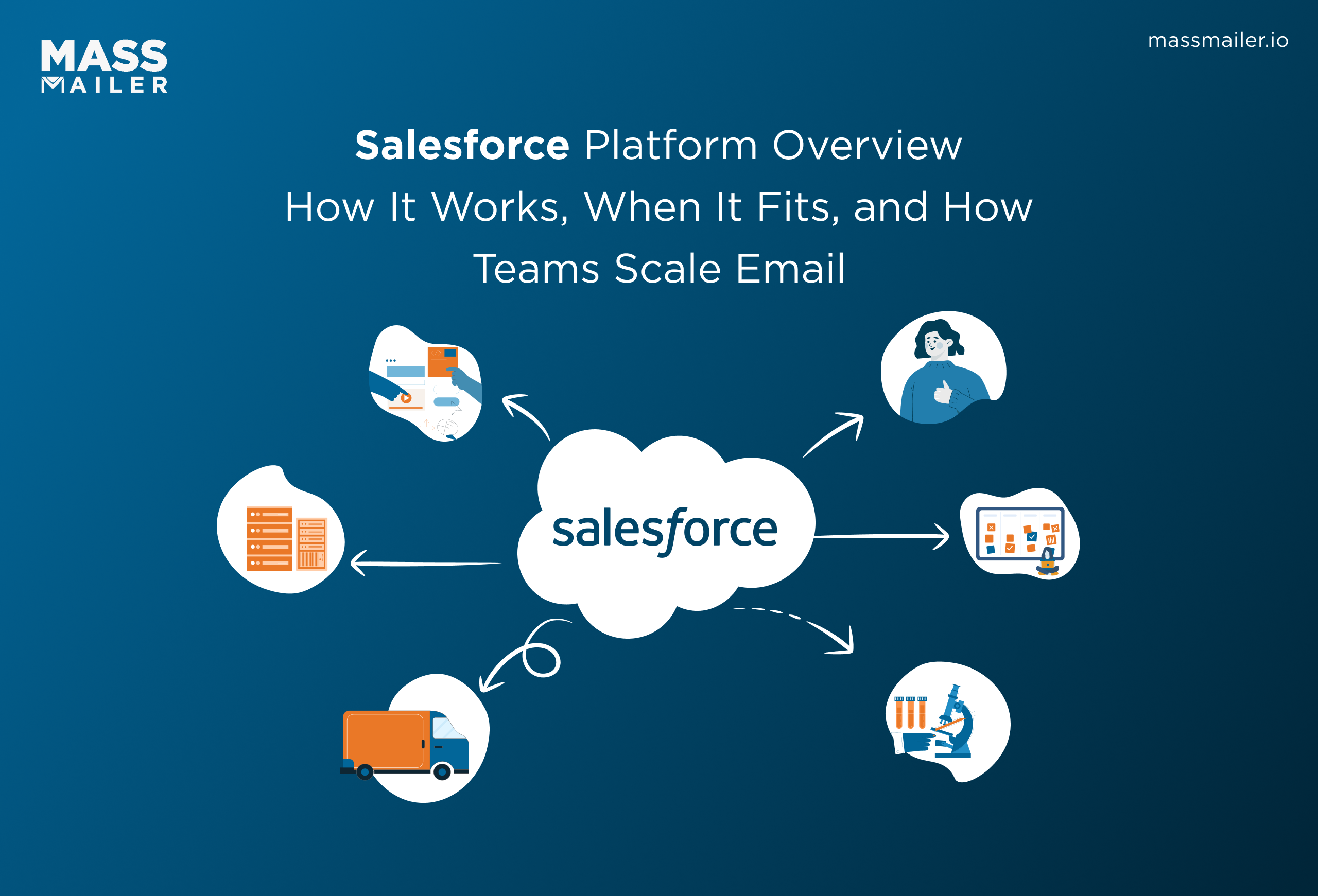
This Salesforce platform overview is for teams evaluating Salesforce or already using it at scale. Salesforce centralizes sales, service, marketing, and customer data, which works well as complexity grows. But higher email volume quickly exposes gaps in native tools.
Bulk sending, accurate engagement tracking, and protecting IP and domain reputation are hard to manage with Salesforce email alone. As teams move from one-off messages to ongoing campaigns, email becomes the first real test of the platform.
The sections below explain how the Salesforce platform works, where those limits appear, and when extending it makes sense.
What Is the Salesforce Platform?
Salesforce is a cloud-based customer platform that centralizes sales, service, marketing, automation, analytics, and customer data into one shared system.
It helps organizations:
- Manage customer relationships end-to-end
- Automate workflows
- Connect teams using shared data
- Track engagement across the customer lifecycle
Salesforce becomes most valuable when multiple teams need visibility into the same customer information.
Also Read: The Ultimate Guide to Salesforce for Marketers
What the Salesforce platform does and how it works (Salesforce platform overview)
The Salesforce platform helps teams manage customer data, automate processes, and coordinate work across sales, service, marketing, and email as scale increases.
Salesforce is most effective when several teams need to work from the same customer information and avoid disconnected tools or manual updates.
1. Core CRM capabilities across the customer lifecycle
Salesforce supports customer relationships from first contact through long-term account ownership.
- Salesforce stores leads, contacts, accounts, and activities in one system with a shared data model.
- It tracks interactions over time, not just individual deals or tickets.
- It keeps customer context intact as ownership moves between teams.
This lifecycle coverage becomes valuable as buying journeys lengthen and touchpoints increase. It reduces duplicate records and helps teams act with full context. For small teams with short, linear sales cycles, this level of structure may add little value.
2. How Salesforce connects sales, service, marketing, and data
Salesforce connects teams by sharing records instead of syncing separate systems.
- Updates made by one team appear immediately for others.
- Sales, service, and marketing work from the same customer history and activity timeline.
- Manual handoffs and data gaps decrease as teams coordinate inside one platform.
As a result, teams respond faster and with fewer surprises. Sales can see open support issues before outreach, while marketing can adjust campaigns based on service activity. However, this shared model requires clear data standards to stay effective.
3. Customer 360 and unified customer data
Customer 360 gives teams a single, consolidated view of each customer.
- Emails, calls, cases, and campaign activity all connect to one profile.
- Engagement data and operational data sit side by side.
- Teams rely less on exports, spreadsheets, or assumptions.
As customer volume and interaction frequency grow, unified data prevents blind spots. Without it, teams make decisions based on partial views. When customer data rarely changes hands, the impact is smaller.
When email engagement data lives inside the same customer record, teams can see opens, clicks, and replies alongside sales and service activity, which is why many organizations use Salesforce email tracking to complete the Customer 360 view.
4. Automation, workflows, and process control
Salesforce automates repeat work so teams rely less on manual follow-ups.
- Tasks, approvals, and status changes trigger automatically based on rules.
- Processes stay consistent even as the workload increases.
- Errors caused by missed steps or delays drop.
Automation works best when processes are already clear. When teams automate unclear workflows, friction increases instead of efficiency. Process clarity comes first, automation second.
Many teams extend this automation to outbound communication by triggering campaigns or follow-ups based on CRM activity, using tools like Salesforce-native bulk email automation to keep messaging consistent without manual effort.
5. AI, analytics, and reporting capabilities
Salesforce turns daily activity into insights teams can act on.
- Reports show pipeline health, engagement trends, and workload distribution.
- Dashboards highlight risks and bottlenecks early.
- AI summarizes activity and flags patterns that need attention.
AI improves speed and focus, but it depends on data quality. Clean inputs lead to useful insights, while poor data limits accuracy. AI supports decisions rather than replacing operational judgment.
6. Security, compliance, and enterprise governance
Salesforce controls how data is accessed, edited, and shared across teams.
- Permissions are defined by role and responsibility.
- Activity is logged to support audits and compliance needs.
- Sensitive data stays protected as organizations grow.
These controls matter most for regulated industries and large teams. For smaller organizations, they can feel heavy if formal governance is unnecessary.
Typical Salesforce platform use cases in growing organizations
Salesforce fits organizations dealing with scale, coordination, and data complexity.
- Sales teams manage long or multi-stage deals.
- Support teams handle high case volume with shared customer context.
- Marketing teams run coordinated, multi-channel campaigns.
As campaign volume grows, teams also need visibility into deliverability and sender reputation, which often leads them to adopt Salesforce email deliverability management tools that work inside the CRM.
Salesforce platform architecture and why it matters
Salesforce architecture determines how far the platform can scale, how flexible it remains over time, and how much effort it takes to operate.
For buyers, architecture is not an abstract concept. It affects speed, cost, compliance, and how easily teams can extend Salesforce as needs grow.
1. Cloud-based, metadata-driven design and flexibility
Salesforce is built as a cloud platform where behavior is defined by configuration, not hard-coded changes.
- Salesforce uses metadata to control objects, fields, workflows, and permissions.
- Teams can change how the system works without rebuilding it.
- Updates roll out centrally without breaking custom setups.
This design gives Salesforce its flexibility. Teams can adapt processes as they grow without starting over. It matters most when requirements change often. If workflows are static and unlikely to evolve, this flexibility may be less valuable.
How Hyperforce impacts scale, performance, and regional compliance
Hyperforce is Salesforce’s cloud infrastructure layer that controls where and how data runs.
- Salesforce can run workloads in specific regions to meet data residency rules.
- Performance improves as traffic stays closer to users.
- Compliance requirements are easier to meet in regulated markets.
This matters for global teams, regulated industries, and high-volume operations. For smaller, single-region teams, Hyperforce rarely changes day-to-day usage, but it becomes important as scale increases.
Architectural trade-offs that affect cost and complexity
Salesforce architecture enables scale, but it also introduces trade-offs.
- Configuration options increase admin and governance needs.
- Customization adds long-term maintenance overhead.
- Costs tend to rise as usage, data volume, and automation grow.
These trade-offs are acceptable when Salesforce replaces multiple tools or supports complex operations. They matter less when teams only need basic CRM functions. Many organizations manage this balance by extending Salesforce carefully, especially in areas like email, where scale and deliverability matter.
For example, tools like MassMailer handle high-volume email and engagement tracking inside Salesforce without adding architectural complexity or external systems.
Architecture sets the limits of what Salesforce can handle. Those limits show up differently across teams, which is why the next section looks at Salesforce platform examples across real teams and how architecture plays out in practice.
Salesforce platform examples across real teams
Different teams rely on Salesforce for different reasons, but all of them depend on shared data, clear rules, and visibility as work becomes more complex.
These examples show how Salesforce is applied across roles and where its strengths show up most clearly.
1. Salesforce for sales teams with complex pipelines
Salesforce supports sales teams that manage long deal cycles and multiple decision-makers.
- Reps track leads, opportunities, contacts, and activity history in one system.
- Pipeline stages follow consistent rules across teams and regions.
- Managers review deal progress and risks without pulling manual reports.
This structure helps when deals stretch over weeks or months and involve many touchpoints. Reps keep context, and leaders forecast with more confidence. For quick, transactional sales, the overhead can feel unnecessary. As pipelines grow, follow-up emails and engagement history become harder to manage cleanly, which is often the first friction point.
2. Salesforce for service teams managing high-volume support
Salesforce works well for service teams handling large case volumes across channels.
- Agents see customer details, open cases, and recent communication in one view.
- Cases route automatically based on priority, queue, or skill.
- Teams track response time and resolution trends over time.
This setup reduces repeat questions and speeds up resolution when volume is high. Agents respond with more context, and customers avoid re-explaining issues. For low-ticket or low-volume support, simpler tools may be enough. At scale, visibility across teams becomes the deciding factor.
3. Salesforce for marketing teams running multi-channel campaigns
Salesforce helps marketing teams coordinate campaigns with real customer data.
- Engagement data ties back to pipeline and revenue outcomes.
- Messaging reflects customer status instead of running in isolation.
This approach works best for ongoing campaigns rather than occasional sends. As email frequency increases, native tools often struggle to support campaign-scale execution and clean engagement tracking.
4. Salesforce for IT and developers extending core functionality
Salesforce gives IT teams a way to control growth without blocking progress.
- Admins configure objects, workflows, and access rules without code.
- Developers extend Salesforce with APIs and custom logic when needed.
- Governance keeps changes consistent, auditable, and secure.
This balance matters when multiple teams depend on the same system. IT sets guardrails, while business users move faster. Extensions work best when they stay within Salesforce instead of adding disconnected tools.
That’s why teams often extend email and communication using Salesforce-native solutions like MassMailer. Because it’s listed on the Salesforce AppExchange, it preserves native data flow, security, and governance instead of introducing disconnected systems.
Salesforce for email automation and engagement
Salesforce supports basic email activity well, but email automation and engagement become harder as volume, compliance, and tracking needs grow.
This section explains what Salesforce email handles natively, where it stops scaling, and how teams evaluate extensions without breaking CRM visibility.
What native Salesforce email handles well
Salesforce works best for simple, low-volume email tied closely to CRM activity.
- Users can send one-to-one emails directly from Lead, Contact, and Opportunity records.
- Emails are logged automatically as activities, keeping a clean interaction history.
- Teams maintain context without switching tools.
This setup fits sales reps and service agents sending personal messages. It matters less for campaigns or recurring sends. Native email works when volume is low, and tracking needs are basic.
Where native email capabilities reach their limits
Native Salesforce email starts to strain when usage shifts from personal messages to campaigns.
- Bulk sending options are limited and hard to manage at scale.
- Engagement data is basic and often delayed or incomplete.
- Teams lack visibility into performance across campaigns.
These limits surface quickly once email becomes a regular channel. For occasional sends, this may not matter. For ongoing communication, teams need more control and clearer data.
Bulk email, engagement tracking, and CRM visibility
At scale, email needs to work like a system, not a feature.
- Teams need to send bulk emails without exporting data.
- Opens, clicks, and replies must tie back to CRM records.
- Campaign performance should be visible alongside pipeline data.
This is where many teams adopt Salesforce Mass Email Marketing with MassMailer. It allows bulk email sending directly from Salesforce while logging engagement back to Lead, Contact, and Campaign records. As a result, teams keep CRM visibility intact instead of managing email in a separate system.
Deliverability, IP reputation, and compliance at scale
As volume increases, delivery becomes just as important as content.
- Inbox providers evaluate sender reputation, not just message quality.
- IP and domain health affect whether emails reach inboxes or spam.
- Compliance rules require consistent handling of opt-outs and bounces.
These risks grow quietly and often go unnoticed until performance drops. To address this, many teams use Salesforce Email Deliverability features in MassMailer, which help monitor sender reputation and manage compliance directly inside Salesforce. This matters most for high-volume or regulated environments. For low-volume email, deliverability controls may be less critical.
Once teams understand how email fits into Salesforce, the next question becomes whether the platform itself is the right long-term choice. That leads into when the Salesforce platform makes sense and when it doesn’t, which helps buyers decide with clarity.
In short, native Salesforce email tracks activity, not performance at scale.
When the Salesforce platform is the right choice
Salesforce works best when structure and shared data matter more than simplicity. It is not the fastest CRM to set up, but it handles complexity well once teams reach a certain scale.
Salesforce is usually a good fit if at least one of the following is true:
- Your processes and data are tightly connected: Sales, service, and marketing all touch the same customer records, and changes need to stay in sync. A shared system reduces gaps and rework.
- Point tools are starting to break down: Separate systems for CRM, email, support, and reporting create manual work and inconsistent data. Salesforce makes sense when consolidation matters more than flexibility.
- Security and control are required, not optional: You need role-based access, audit trails, or compliance support. Salesforce provides this without relying on workarounds.
If none of these apply yet, Salesforce may feel heavier than necessary. But once complexity is already present, it helps teams manage growth instead of reacting to it.
Benefits of the Salesforce platform in practice
Salesforce delivers the most value when teams need control, visibility, and scale over time, not quick setup or simplicity. These benefits matter once customer data, communication, and processes start to overlap across teams.
Why teams adopt Salesforce despite operational complexity
Salesforce formalizes workflows so teams can operate consistently as they grow.
- Teams work from the same customer records instead of syncing tools.
- Processes stay aligned across sales, service, and marketing.
- Changes apply system-wide rather than being rebuilt in each workflow.
This approach works best when coordination matters more than speed. For small teams or short sales cycles, the overhead may feel unnecessary. For growing teams, it reduces confusion and rework.
Long-term business and technical advantages
Salesforce becomes more valuable the longer it is used.
- Customer data stays connected as volume grows.
- Automation reduces manual effort without losing oversight.
- Security and governance scale with the organization.
These advantages are strongest when Salesforce is extended carefully rather than surrounded by disconnected tools.
For Example, at UMass Boston, teams used Salesforce to manage student communication but struggled with email scale and engagement visibility. Using Salesforce-native email campaigns with MassMailer, the team sent high-volume emails at scale. They tracked engagement directly on CRM records and protected their sender reputation.
This kept communication data inside Salesforce while supporting growth and compliance.
Salesforce works best as a long-term platform. Teams that plan for scale tend to see the strongest return.
Conclusion
A clear Salesforce platform overview shows one thing: Salesforce works best as a long-term system for teams managing complexity, scale, and shared customer data. It rewards structure, consistency, and thoughtful extensions. It is not designed for quick wins or lightweight use cases.
For many organizations, email becomes the first real test of the platform. As volume grows, teams need better visibility, stronger deliverability, and a tighter connection between campaigns and CRM data. That’s where extending Salesforce the right way matters.
If your team is using Salesforce and email volume is starting to strain tracking or deliverability, the next step is to validate whether a Salesforce-native approach fits your setup.
See if MassMailer works in your Salesforce environment with a free trial or a short, use-case walkthrough.
Frequently Asked Questions
Is Salesforce a CRM or a full application platform?
When does native Salesforce email stop being enough?
Salesforce Platform vs Salesforce Marketing Cloud: what’s the difference?
Can Salesforce replace standalone CRM and email tools?
How do teams scale email in Salesforce without hurting deliverability?
What is the Salesforce platform used for?
What is Hyperforce in Salesforce?
What are the main Salesforce products?
When should a company use Salesforce?
Start Your Free Trial Today
Experience MassMailer the easiest way to send personalized emails from Salesforce.
Related Blogs
How to Build Salesforce Drip Campaigns That Nurture and Convert
Salesforce Mass Email: How to Enable, Send, and Scale in 2026
MassMailer Resources



About the Author

Siva Devaki 
Siva Devaki is the founder of MassMailer Inc., a tool that helps Salesforce users optimize email marketing. A passionate advocate for email marketing, Siva writes and hosts podcasts on the topic, sharing insights to help businesses drive revenue and enhance customer engagement through Salesforce email automation and tracking.