





Table of Contents
Managing Salesforce campaigns becomes more complex as marketing teams run more programs across channels, regions, and customer segments. Without a consistent approach, campaign data can become difficult to organize, engagement tracking can become inconsistent, and measuring campaign impact can take more effort than it should.
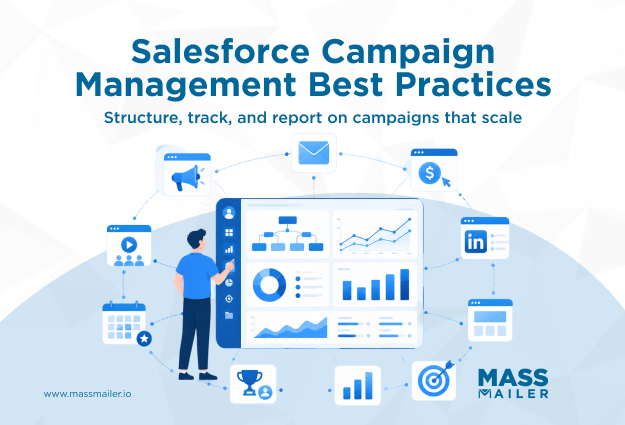
Salesforce campaign management best practices help teams create a structured system for managing campaigns from setup to reporting. This includes building a clear Campaign Hierarchy, standardizing Campaign Member statuses, connecting marketing activities with Salesforce records, and using attribution models to understand campaign performance.
In this guide, we’ll cover the key practices that help marketing teams manage Salesforce campaigns effectively and maintain accurate data as their programs scale.
What Is Salesforce Campaign Management?
Salesforce campaign management helps marketing teams create, organize, track, and measure campaigns in Salesforce. It covers everything from setting up a campaign and adding Campaign Members to tracking engagement, measuring results, and connecting campaigns to revenue.
Salesforce allows teams to link campaigns with Leads, Contacts, and Opportunities. Marketers can use Campaign Hierarchy to organize related campaigns, Campaign Member statuses to track engagement, and Campaign Influence to understand how campaigns contribute to pipeline and revenue.
A strong campaign management process keeps campaign data consistent across teams. Clear campaign structures, accurate tracking, and connected reports help marketers understand what works and plan future campaigns with better insights.
Salesforce Campaign Management Best Practices

Effective Salesforce campaign management depends on a few connected practices that keep campaign data organized and useful. Teams need a clear campaign structure, consistent tracking methods, accurate attribution, and connected marketing data to understand campaign performance.
The following best practices help marketing teams create a reliable Salesforce campaign process:
- Build a clear Campaign Hierarchy for related campaigns
- Maintain a scalable Salesforce Campaign Hierarchy
- Standardize Campaign Member status values for consistent tracking
- Set up Campaign Influence to measure campaign impact
- Use Campaign Record Types to manage different campaign needs
- Connect marketing automation tools with Salesforce Campaigns
1. Build a clear Salesforce Campaign Hierarchy
Salesforce Campaign Hierarchy helps teams organize related campaigns under a parent campaign. The parent campaign represents the larger marketing initiative, while child campaigns track individual activities such as webinars, email campaigns, events, or paid promotions.
For example, a company launching a new product may create FY26 Product Launch as the parent campaign and add child campaigns for webinar promotion, email nurture, partner events, and social campaigns. This structure gives teams a complete view of campaign performance across every activity.
A clear Campaign Hierarchy improves Salesforce campaign performance tracking by allowing teams to:
- Roll up metrics from child campaigns into the parent campaign
- Analyze campaign results from one centralized view
- Compare performance across different marketing activities
2. Maintain a scalable Salesforce Campaign Hierarchy
A Salesforce Campaign Hierarchy stays useful when teams define clear rules for creating and managing campaigns. A structured Salesforce Campaign Management process helps teams assign ownership, maintain naming consistency, and keep campaign data organized as programs grow.
Salesforce supports up to five campaign hierarchy levels, but most teams benefit from keeping structures simple. Three levels usually provide enough detail for Campaign Performance Tracking without making reports harder to manage.
Create a new child campaign when the activity needs separate tracking, reporting, or ownership. For example, a webinar, partner event, and paid campaign under the same product launch may need individual performance views.
Keep the hierarchy clean by reviewing campaigns regularly. Teams should archive completed campaigns, remove outdated structures, and update naming conventions so active campaigns remain easy to find and report on.
3. Standardize Campaign Member Status Values
Campaign Member Status shows how Leads and Contacts engage with a Salesforce Campaign. Teams use these values to track actions such as registration, attendance, email engagement, and responses.
Salesforce provides default status values, but teams should customize them based on campaign goals. For example, webinar campaigns may track Invited, Registered, Attended, and No Show, while email campaigns may track Sent, Opened, Clicked, and Replied.
Using consistent status values across similar campaigns keeps engagement data accurate and easier to analyze. This data also supports Salesforce Lead Scoring by helping teams understand how prospects interact with campaigns.
Teams should define how statuses update through manual changes, Salesforce automation, or connected tools.
4. Set Up Campaign Influence and Connected Campaigns
Campaign Influence helps marketing teams understand how Salesforce campaigns contribute to opportunities and revenue. It connects campaign activity with customer journeys so teams can see which campaigns support pipeline growth.
Salesforce uses the Primary Campaign Source field to attribute revenue from an opportunity to a campaign. Teams can also use custom attribution models to share credit across multiple campaigns involved in the buying process.
For teams using Account Engagement, Connected Campaigns sync marketing assets with Campaign records and improve campaign visibility across channels. This also supports Salesforce Email Attribution Reporting by connecting engagement data with campaign performance.
Set up Campaign Influence early because adding attribution after campaigns have already run can make historical analysis harder.
5. Use Campaign Record Types to organize campaign data
Campaign Record Types help teams create different layouts and fields for different marketing activities. They allow marketers to capture the details that matter for each campaign type without adding unnecessary fields to every campaign.
For example, a webinar campaign may need fields for registration and attendance, while a trade show campaign may need fields for booth cost and leads collected. Teams can use these separate layouts to keep campaign data organized and easier to manage.
Campaign Record Types work best when teams manage multiple campaign categories with different tracking needs. They also support Salesforce Marketing Automation processes by keeping campaign information structured across marketing activities.
Review your campaign setup before creating new Record Types. If campaigns only differ by name, audience, or message, adding another Record Type may create extra maintenance work.
6. Integrate marketing tools with Salesforce Campaigns
Marketing teams should connect their marketing automation platforms with Salesforce Campaigns, so campaign activity stays linked to the right Campaign and Campaign Member records. Platforms such as Account Engagement, Marketing Cloud, and HubSpot help teams sync engagement data like email activity, form submissions, and campaign responses with Salesforce.
A connected marketing automation setup gives teams a clearer view of campaign engagement and reduces manual updates across systems.
How to measure Salesforce campaign performance
Salesforce campaign reports help teams measure engagement, pipeline contribution, and revenue impact from their marketing activities. By reviewing campaign data regularly, marketers can identify successful campaigns, understand audience response, and improve future planning.
Teams should evaluate campaigns across three areas: engagement metrics such as registrations, responses, and clicks; pipeline metrics such as leads and opportunities created; and revenue metrics such as influenced and closed revenue.
For email-focused campaigns, Salesforce Email Analytics can help teams review engagement trends and understand how email activity supports campaign outcomes.

Use Standard Salesforce Campaign Reports
Salesforce provides several built-in report types for campaigns, and choosing the right one depends on what question you're trying to answer.
| Report Type | What It Shows | Best Used For |
|---|---|---|
| Campaigns with Contacts | Campaigns and their associated Contacts | Auditing who's in each campaign |
| Campaigns with Campaign Members | Engagement and response data | Measuring campaign activity |
| Campaigns with Opportunities | Revenue generated by each campaign | Reporting ROI to leadership |
Each report type serves a distinct purpose, and most teams end up running all three regularly rather than treating them as interchangeable. Running these reports on a set cadence, rather than only when someone asks for them, makes it far easier to catch a data problem before it reaches a leadership meeting, and it gives you a chance to fix small inconsistencies before they compound into bigger reporting gaps.
Track ROI Using Campaign Influence Data
OnceCampaign Influence is configured, you can pull reports that show exactly how much revenue each campaign contributed to closed opportunities. This is the same kind of ROI math marketers use to justify budget at the channel level.
Good ROI reporting at this stage should clearly show which campaigns are driving pipeline and which ones are consuming budget without producing results. Teams with a live, accurate view of ROI can make faster, more confident calls about where to invest next. Teams still piecing together revenue attribution manually are usually a step behind, reacting to results instead of steering toward them.
Spot the Gaps Manual Tracking Leaves Behind
Native Salesforce reports depend entirely on Campaign Member status values being updated accurately, and those updates happen manually more often than most teams would like to admit, which introduces both delay and error.
Marketers who've tried to keep statuses consistent by hand often describe it as one of the more frustrating parts of running Salesforce campaigns at scale. Teams relying on manual updates typically miss engagement the moment it happens. A Lead who just opened an email or clicked a link may not reflect that activity in Salesforce for hours or even days.
As campaign volume increases, this lag compounds into meaningful reporting fragmentation, and by the time someone notices, the numbers being reported to leadership may already be several days out of date. This is precisely the lag MassMailer was built to eliminate, updating status the moment a Lead opens or clicks.
Get Real-Time Campaign Visibility With MassMailer
Salesforce campaign management best practices are not just about organizing campaigns but also about building a reporting framework your team can trust as campaign volume grows. Campaign Hierarchy, standardized Campaign Member status values, and Campaign Influence provide the foundation, but maintaining accurate engagement data at scale requires the right processes and tools. When campaign updates become manual, reporting delays and attribution gaps quickly follow.
If your team needs real-time campaign visibility without leaving Salesforce, MassMailer helps bridge that gap by automatically tracking engagement and updating Campaign Member records natively within Salesforce.
Book a demo to explore how MassMailer can help you scale campaign management while keeping your reporting accurate, actionable, and up to date.
Frequently Asked Questions
What is the difference between Campaign Influence and Connected Campaigns?
What are the standard Campaign Member status values in Salesforce?
How should you structure parent and child campaigns?
Can Campaign Member status update automatically based on email engagement?
Is a native tracking app better than manual status updates?
Is MassMailer suitable for high-volume B2B campaigns?
Start Your Free Trial Today
Experience MassMailer the easiest way to send personalized emails from Salesforce.
Related Blogs
MassMailer Resources

MassMailer Glossary
About the Author

Siva Devaki 
Siva Devaki is the founder of MassMailer Inc., a tool that helps Salesforce users optimize email marketing. A passionate advocate for email marketing, Siva writes and hosts podcasts on the topic, sharing insights to help businesses drive revenue and enhance customer engagement through Salesforce email automation and tracking.