





Table of Contents
5,000 emails and you're done for the day!
That's the hard cap Salesforce enforces on mass emails per organization per rolling 24-hour period. It doesn't matter how big your team is, which edition you're on, or how urgent the campaign is. Every team, campaign, and automated workflow in your org shares that single pool.
Single emails have a separate cap of 5,000 per user per day. But mass email is where most orgs hit the wall first.
Most teams discover these limits mid-campaign, after sends have already failed or stalled. The caps exist to protect platform infrastructure and sender reputation, but they create real operational problems for any org doing outreach at scale.
Here's how every limit works, where they overlap, and what to do when you outgrow them.
What Are Salesforce Email Limits?
Salesforce email limits are daily sending caps that restrict an organization to 5,000 mass emails per rolling 24-hour period and 5,000 single emails per user per day. These two pools are tracked separately, so consuming one does not reduce the other.
What makes these limits operationally challenging:
- The mass email cap is org-wide. Every team, campaign, and automated workflow draws from thesame shared 5,000
- Emails sent tolicensed Salesforce users within the org do not count against either external limit
- The 5,000 ceiling does not increase withedition upgrades or team size. Professional, Enterprise, and Unlimited all share the same cap
- Each user is also capped at250 external email recipients per hour from the email composer, a limit that can block individual reps before the org-wide daily cap is even close
The limits layer on top of each other: org-wide caps, per-user caps, per-transaction Apex caps, and per-send batch size caps all apply simultaneously
Why Salesforce has email limits
Salesforce enforces email limits to maintain platform reliability, protect sender reputation, and ensure compliance with anti-spam regulations. These limits help prevent abuse, such as mass unsolicited emailing, that could cause Salesforce’s IP addresses to be blacklisted.
Daily and per-user email caps safeguard shared infrastructure across all Salesforce customers. Without these restrictions, a few high-volume senders could negatively impact email deliverability for everyone on the platform.
Email limits also help control system resource usage, ensuring that automated processes, Apex triggers, and bulk email sends do not overload servers or trigger unintended campaigns. Email limits in Salesforce promote responsible usage and encourage businesses to segment audiences, personalize outreach, and optimize timing.
Salesforce email limits by category
Salesforce applies email limits across multiple layers, including organization-wide, user-specific, and function-specific, to manage platform performance, ensure compliance, and prevent deliverability issues.
These limits vary by edition, email type, and how the email is triggered (manual, automated, or API-based). Below is a breakdown of how email limits apply within Salesforce.
Organization-Wide Email Limits
Single Email Limit
Salesforce restricts single email sends to a maximum of 5,000 external emails per day for most standard editions. These emails can be sent manually or via automation tools like Process Builder or Flow. The limit applies to all users in the org collectively.
External Emails
Emails sent to external contacts like leads, accounts, or customers count toward the daily organizational cap. Internal communications (e.g., to Salesforce users within the org) typically do not count toward this quota. External email limits are strictly enforced to reduce spam risk and preserve IP reputation.
Enforcement
Once the daily threshold is reached, Salesforce blocks any additional external emails from being sent. This enforcement applies immediately with no notification to admins or users. Sends in progress may stop mid-list, and admins must check Setup > Email Log Files to confirm whether delivery was interrupted.
For orgs created in Spring '19 and later, the daily limit is also enforced foremail alerts, simple email actions, Send Email actions in Flows, and REST API. Orgs created before Spring '19 enforce the limit only for emails sent via Apex and Salesforce APIs.
No exceptions are made for promotional or marketing content, even if it's time-sensitive.
Apex and API Email Limits
Emails sent programmatically through Apex or theMessaging API draw from the same org-wide daily pool as manual and campaign sends. There is no separate allocation for code-triggered emails.
This is where most cross-team conflicts originate. An Apex batch job that fires at 6 AM can consume a large portion of the org's quota before marketing's scheduled campaign goes out at 9 AM. Neither team sees a warning because Salesforce does not surface a real-time counter by default.
Apex also enforces per-transaction governor limits on top of the daily cap, including restrictions on how many recipients a single API call can target and how many sendEmail invocations a single transaction allows. Teams running automated sends through Apex need to coordinate with marketing on a shared sending calendar to avoid unexpected blocks.
How to Send More Than 5,000 Emails from Salesforce
Running into Salesforce's email caps doesn't have to stall your outreach. There are proven ways to extend your sending capacity and maintain efficiency.
Salesforce does evaluate limit increase requests for single email APIs on a case-by-case basis. You can contact Salesforce Support with your org ID and business justification. However, mass email and list email limits are not eligible for increases through support, so teams consistently hitting the 5,000 ceiling need a different approach.
Leveraging MassMailer
Salesforce-based email applications like MassMailer are built directly inside Salesforce, so your data never leaves the platform and no external connectors are needed. Some have more elaborate tracking and monitoring features to allow you to know more about what happens to an email once it is delivered. For example, you could know what links were clicked in the email.
MassMailer is a Salesforce-based application built directly inside Salesforce, purpose-built for mass email marketing for Salesforce. It removes the 5,000-email daily limit entirely, so your team can send unlimited emails to unlimited contacts without leaving your Salesforce org. User-friendly tools allow you to create templates and letterheads easily.
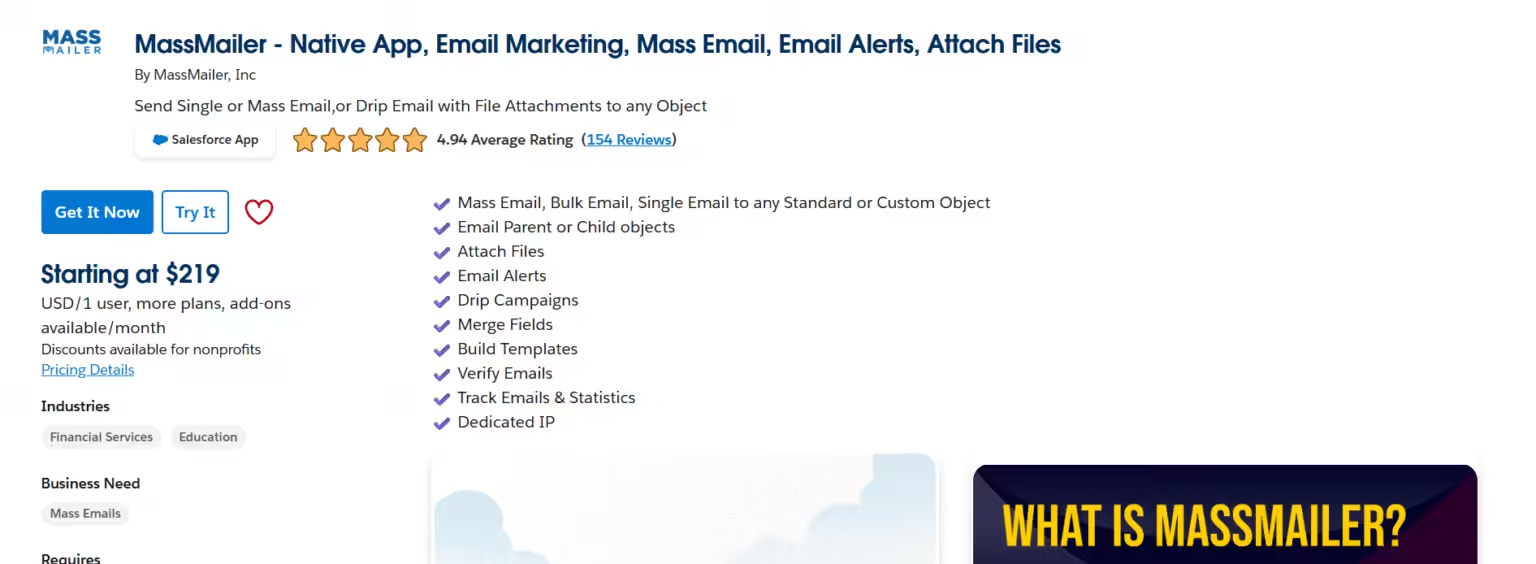
You can also schedule your mass emails to be sent at a specific date and time if you like. The reporting features of MassMailer lets you track the number of email opens, clicks, bounces, etc., to help you track your emails to determine what works best for your business.
As a bonus, the number of steps to send an email is fewer with MassMailer than with Salesforce, making the mass email process much more efficient. When it’s time to do your next Salesforce mass email, consider some new options to make your work much easier.
A few of the features of MassMailer include:
- Affordably priced
- Uses a simple wizard to create batch mailings
- Email campaigns to unlimited contacts
- Eliminates daily email limits
- Automatic logging and reporting functions
Batch Scheduling or Throttling Apex Jobs
When sending emails through Apex, you can stagger delivery by scheduling batch jobs. Salesforce allows developers to break up large send volumes into smaller, manageable jobs executed at different times throughout the day. This helps stay under the daily limit while still reaching your full list.
Use Batchable, Schedulable, or Queueable Apex to build logic that distributes email sends across multiple execution contexts. Add custom delay logic or retry mechanisms to control throughput. While this won’t increase your total send limit, it allows more strategic use of it, particularly useful for time-sensitive but large audience segments.
Segmenting Your Sends
The5,000 daily mass email cap applies equally across Professional, Enterprise, and Unlimited editions. There is no edition that offers a higher ceiling.
If your contact list exceeds 5,000, you need to divide it into batches and send over several days to stay within the daily limit. For time-sensitive campaigns, this creates real operational pressure. A product launch with a limited-time offer, for example, either has to coordinate the promotion window with the batched sends or accept that not everyone receives the message on the same day.
Prioritize your highest-value segments first. If capacity runs out mid-send, the first batch is already delivered.
Validating Email Templates
Poorly designed or broken email templates can lead to failed sends, high bounce rates, or deliverability issues, all of which waste your limited email quota. Before launching campaigns, validate each template for formatting, broken links, dynamic content errors, and mobile responsiveness.
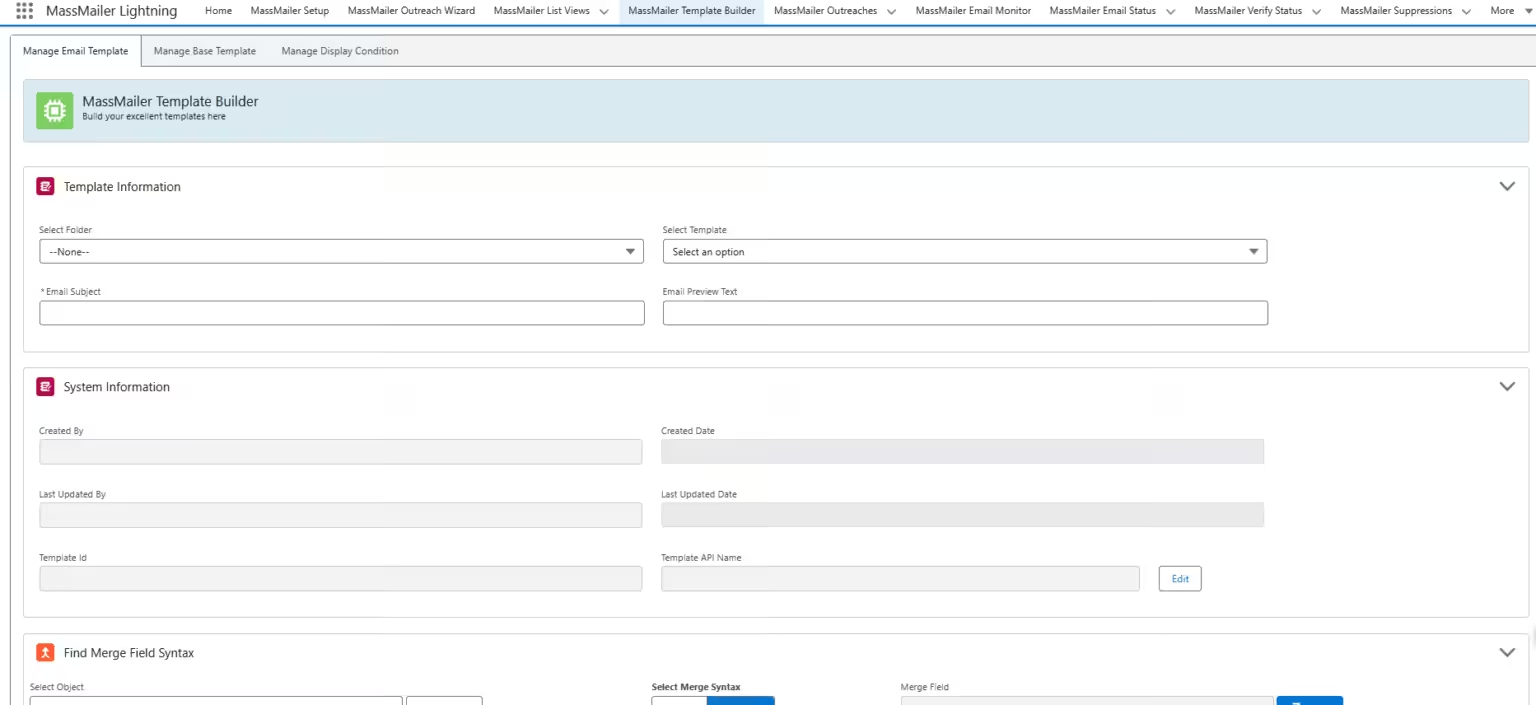
Use Salesforce’s template preview tools, or test by sending to internal users first. If you’re using Visualforce or HTML templates, validate merge fields and Apex logic thoroughly. Clean, personalized, and responsive templates increase engagement while reducing the risk of spam filtering or unsubscribes.
Monitoring Bounce Rates
High bounce rates negatively affect sender reputation and can lead to Salesforce suspending outbound email privileges. Consistently monitor bounce rates through Email Logs, MassMailer reports, or integrated ESP analytics. Identify invalid email addresses, typos, or outdated domains and remove them from your lists.
Set up workflows or validation rules to check email format before adding a contact or lead. Use email verification tools to cleanse lists before launching large sends. Maintaining a healthy email list protects your deliverability, helps you use limited capacity wisely, and ensures better overall campaign performance.
Overcome Salesforce Email Limits Without Leaving Your CRM
If your business relies on timely outreach at scale, these restrictions aren’t minor. They’re critical to your marketing operations. Instead of working around the limitations or risking delays, it’s smarter to reframe the problem: Salesforce wasn’t built for high-volume email, but tools like MassMailer are.
Other apps can be integrated with Salesforce, but MassMailer was created exclusively for Salesforce as a native app specifically designed to be used within Salesforce. It offers you a seamless solution for eliminating daily and mass email limits, so your team gets more done in less time.
Why not try out the MassMailer app for yourself for FREE?
Frequently Asked Questions
1. Do bounced or undelivered emails still count against the Salesforce email limit?
2. Does Salesforce count recipients or send actions toward the daily limit?
3. What error code does Salesforce return when the email limit is exceeded?
4. Do Marketing Cloud emails count against Sales Cloud email limits?
5. Can Salesforce temporarily increase the mass email limit?
6. Do emails sent to opted-out contacts count against the limit?
Related Blogs
How to Build Salesforce Drip Campaigns That Nurture and Convert
Salesforce Mass Email: How to Enable, Send, and Scale in 2026
Salesforce Contact Roles: Setup, Types, and Segmentation
MassMailer Resources


MassMailer Glossary
About the Author

Siva Devaki 
Siva Devaki is the founder of MassMailer Inc., a tool that helps Salesforce users optimize email marketing. A passionate advocate for email marketing, Siva writes and hosts podcasts on the topic, sharing insights to help businesses drive revenue and enhance customer engagement through Salesforce email automation and tracking.