




Table of Contents
Introduction
Oh no. You just sent a mass email from Salesforce, and now you’re guessing what happened next.
Who actually opened it? Who clicked a link? Which Campaign Members responded? Did it move any deals forward?
If you’re searching for a native Salesforce mass email app with tracking, it’s because basic List Email isn’t giving you enough insight. You need bulk sending, clear open and click activity on each record, follow-ups triggered by behavior, and campaign reporting that connects to revenue.
Salesforce can send emails. But once your sales team depends on accurate campaign activity inside the CRM, the cracks start to show.
In this guide, you’ll see what Salesforce truly supports, where it falls short at scale, and whether a native app like MassMailer is the smarter move for your team.
Why Salesforce teams search for a native mass email app with tracking
Salesforce works well for basic email sends. But when email activity needs to drive sales action and revenue reporting, limits start to show.
That’s when teams begin looking for stronger native support, often evaluating tools like MassMailer.
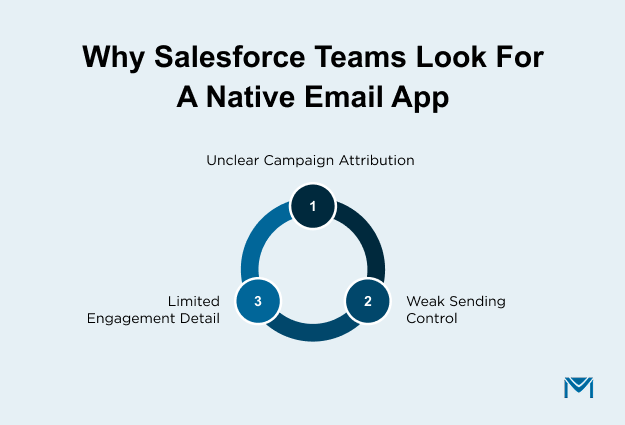
1. Limited detail in Salesforce List Email
Salesforce List Email records simple open and click counts. That is enough for small campaigns.
At higher volume, basic counts are not enough to guide decisions.
- You need email activity stored directly on each Lead and Contact record.
- You need to see repeated opens and link-level clicks.
- You need an activity that can trigger follow-up tasks automatically.
- You need this information available inside standard Salesforce reports.
When that depth is missing, sales teams cannot prioritize outreach correctly. Marketing cannot segment accurately. Decisions slow down.
This is where many teams move to MassMailer to extend email activity logging directly within Salesforce.
2. Campaign reporting becomes unclear at scale
Campaign reporting should clearly show whether email efforts influenced the pipeline.
At scale, that connection becomes harder to maintain.
- Engagement must be tied directly to Campaign Member records.
- Campaign data must connect cleanly to Opportunities.
- Sales must see email activity without switching systems.
If those links break, reporting becomes manual and harder to trust.
Teams that rely on Salesforce often evaluate MassMailer to keep campaign performance and revenue reporting aligned inside one system.
3. Limited control over sending reputation
As email volume grows, inbox placement becomes a measurable risk.
Shared sending infrastructure can limit how much control you have over reputation.
- You may need stronger domain authentication alignment.
- You may require dedicated sending options.
- You may need clearer bounce and complaint monitoring.
- You may want more direct ownership of your sending reputation.
When email deliverability affects revenue, control becomes important. This is where MassMailer helps.
Why Salesforce teams choose MassMailer as a native tracking app
Salesforce teams choose MassMailer when they need bulk email tracking.
MassMailer is a Salesforce-native mass email app that stores email activity directly on Salesforce records. It enables Campaign Member-level open and click logging, supports automation based on engagement, and keeps reporting without external sync.
That structure matters when your CRM drives revenue decisions.
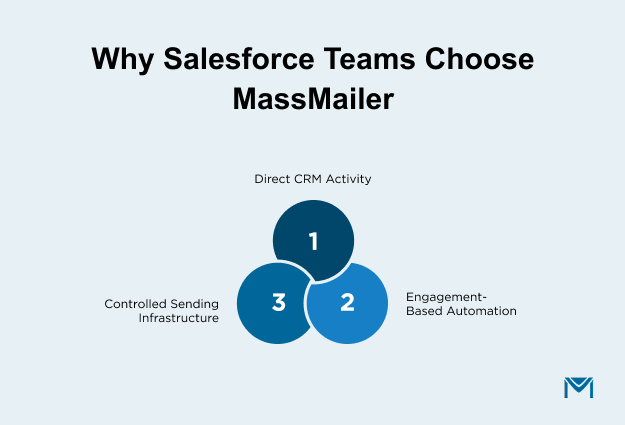
1. Email activity is stored directly on Salesforce records
MassMailer writes opens, clicks, bounces, and replies directly to Lead, Contact, and Campaign Member records in Salesforce. There is no external database and no delayed synchronization.
Because the data lives on the record itself, the sales team sees engagement history without switching systems. Marketing can combine CRM fields and interaction history in segmentation. Campaign reporting pulls from structured record-level activity instead of exported summaries.
When email activity is embedded in Salesforce records, reporting becomes consistent and reliable at scale.
2. Automation triggered from engagement inside Salesforce
Email engagement should drive action, not just reporting. MassMailer allows Salesforce Flows to respond directly to interaction behavior.
For example, you can create a follow-up task when a prospect clicks a pricing link, update a lifecycle stage after repeated opens, or route engaged leads automatically to sales.
Since the workflow automation runs inside the existing CRM, it follows your existing CRM rules and object relationships. Engagement becomes part of your operational workflow, not a separate signal that must be manually interpreted.
3. Infrastructure control for high-volume sending
As volume increases, delivery performance directly affects the pipeline. MassMailer supports structured sending configuration aligned with Salesforce, giving teams greater ownership over how their emails are delivered.
This includes stronger domain authentication alignment, reduced reliance on shared infrastructure, and clearer monitoring of delivery health.
When outbound campaigns influence revenue, sending control becomes a business requirement, not a technical detail.
Native Salesforce app vs external ESP integration
If you are deciding between a native Salesforce email app and an external ESP integration, the real difference is where email activity lives and how tightly it connects to your CRM.
Here’s the architectural difference:
| Decision Area | External ESP Integration | Native Salesforce App (MassMailer) |
|---|---|---|
| Where email activity is stored | Stored in ESP, synced to Salesforce via API | Written directly to Salesforce records |
| Reporting structure | Split between the ESP dashboard and Salesforce | Unified inside Salesforce dashboards |
| Automation timing | Depends on sync cycle | Triggered immediately within Salesforce |
| Campaign Member updates | Updated after sync | Updated instantly on record |
| User permissions | Managed in two systems | Managed through Salesforce roles |
| Governance and compliance | Separate oversight required | Aligned with the Salesforce security model |
1. Data sync delays and reporting fragmentation
The table shows the structural difference. What matters for you is the operational impact.
With external integrations, reporting accuracy depends on connector stability and correct field mapping. As campaigns grow, even minor sync inconsistencies can affect segmentation rules or attribution logic.
If your RevOps team audits campaign influence monthly, any reporting misalignment creates extra review work.
MassMailer removes that dependency chain by keeping engagement aligned with Salesforce campaign structure. That’s why teams focused on accurate Salesforce email tracking prefer this model. This reduces reconciliation effort and increases confidence in revenue attribution.
2. Automation outside the CRM vs inside Salesforce
The comparison shows where automation runs. The real question is how tightly it connects to your CRM process.
When automation depends on synced fields, follow-up logic may not fire exactly when engagement happens. That can affect lead routing, scoring updates, or lifecycle transitions.
MassMailer aligns engagement signals directly with Salesforce workflow logic. For teams running structured Salesforce mass email campaigns, this ensures that follow-up logic stays consistent with CRM workflow rules.
If follow-up speed affects conversion rates, reducing system handoffs becomes a measurable advantage.
3. Operational complexity and data ownership
The comparison highlights governance differences. The long-term issue is maintenance.
Every additional platform increases configuration dependencies. Schema changes, field updates, or permission adjustments must be coordinated across systems.
MassMailer follows Salesforce’s existing object model and permission structure. For teams focused on Salesforce email security and authentication, keeping execution within the same CRM structure reduces long-term compliance and maintenance risk.
When to extend Salesforce email
Salesforce native bulk email is enough if you send low-volume campaigns, do not rely heavily on Campaign attribution, and do not need advanced engagement-based workflows.
You likely need an AppExchange-native app like MassMailer if Salesforce drives segmentation, campaign reporting, sales follow-up, and revenue dashboards.
How to evaluate a native Salesforce mass email app with tracking
If you are evaluating a native Salesforce mass email app, use this checklist to pressure-test any solution before you commit:
- Can you build a Campaign report that shows engagement, influenced opportunities, and revenue without exporting data?
- Can sales reps see meaningful interaction history directly on the record without switching views or tools?
- Can you segment future campaigns using past engagement behavior combined with CRM fields?
- Can you measure trends like open rate and click performance across multiple campaigns without external dashboards?
- Can you identify and manage bounce patterns before they affect sender reputation?
- Can your admin team manage permissions and compliance without adding another governance layer?
- Can you scale volume without changing infrastructure models later?
These questions focus on operational durability, not feature lists.
MassMailer aligns well with this framework because it supports structured Salesforce email open rate reporting and controlled email bounce management as volume grows. That makes performance monitoring part of your CRM workflow rather than a separate operational task.
If you can answer “yes” to these questions during evaluation, you are looking at a Salesforce-native solution built for scale.
Conclusion
If Salesforce is where your revenue lives, your mass email system should not weaken it.
You can continue managing sync layers, split reporting, and limited control. Or you can run outbound from a platform built to operate from the start.
MassMailer is designed for teams that treat email as a revenue engine, not just a send function. It aligns campaign execution, reporting, automation, and deliverability with the CRM you already depend on.
If you are evaluating native Salesforce mass email apps, the most practical next step is to test MassMailer in your own org. See how your Campaign reporting behaves, how your team responds to real-time engagement, and how much operational friction disappears.
High-performing Salesforce teams do not wait until reporting breaks to fix their email foundation.
If you are ready to scale outbound properly inside Salesforce, start with MassMailer.
Frequently Asked Questions
1. Can I send unlimited mass emails from Salesforce using a native app?
2. Does a native Salesforce email app improve inbox placement?
3. Can I use a dedicated IP with a Salesforce-native email app?
4. Will a native email app slow down my Salesforce org?
5. Is Salesforce Marketing Cloud required for advanced email tracking?
6. How do I know if I’ve outgrown Salesforce List Email?
Start Your Free Trial Today
Experience MassMailer the easiest way to send personalized emails from Salesforce.
Related Blogs

MassMailer Resources



MassMailer Glossary
About the Author

Siva Devaki 

Siva Devaki is the founder of MassMailer Inc., a tool that helps Salesforce users optimize email marketing. A passionate advocate for email marketing, Siva writes and hosts podcasts on the topic, sharing insights to help businesses drive revenue and enhance customer engagement through Salesforce email automation and tracking.