





Table of Contents
Key Takeaways
- Email deliverability measures whether messages land in the inbox, not just whether the server accepted them.
- Unauthenticated domains (missing SPF, DKIM, or DMARC) get flagged as spam before content is even evaluated.
- Gmail and Yahoo now require one-click unsubscribe and sub-0.3% complaint rates from every bulk sender.
- CRM-native senders face extra deliverability risks from shared IPs, daily send limits, and missing DKIM support.
Starting February 2024, Gmail and Yahoo began enforcing new requirements for bulk email senders. Domain authentication is now mandatory. One-click unsubscribe is now mandatory. Spam complaint rates above 0.3% trigger message rejections.
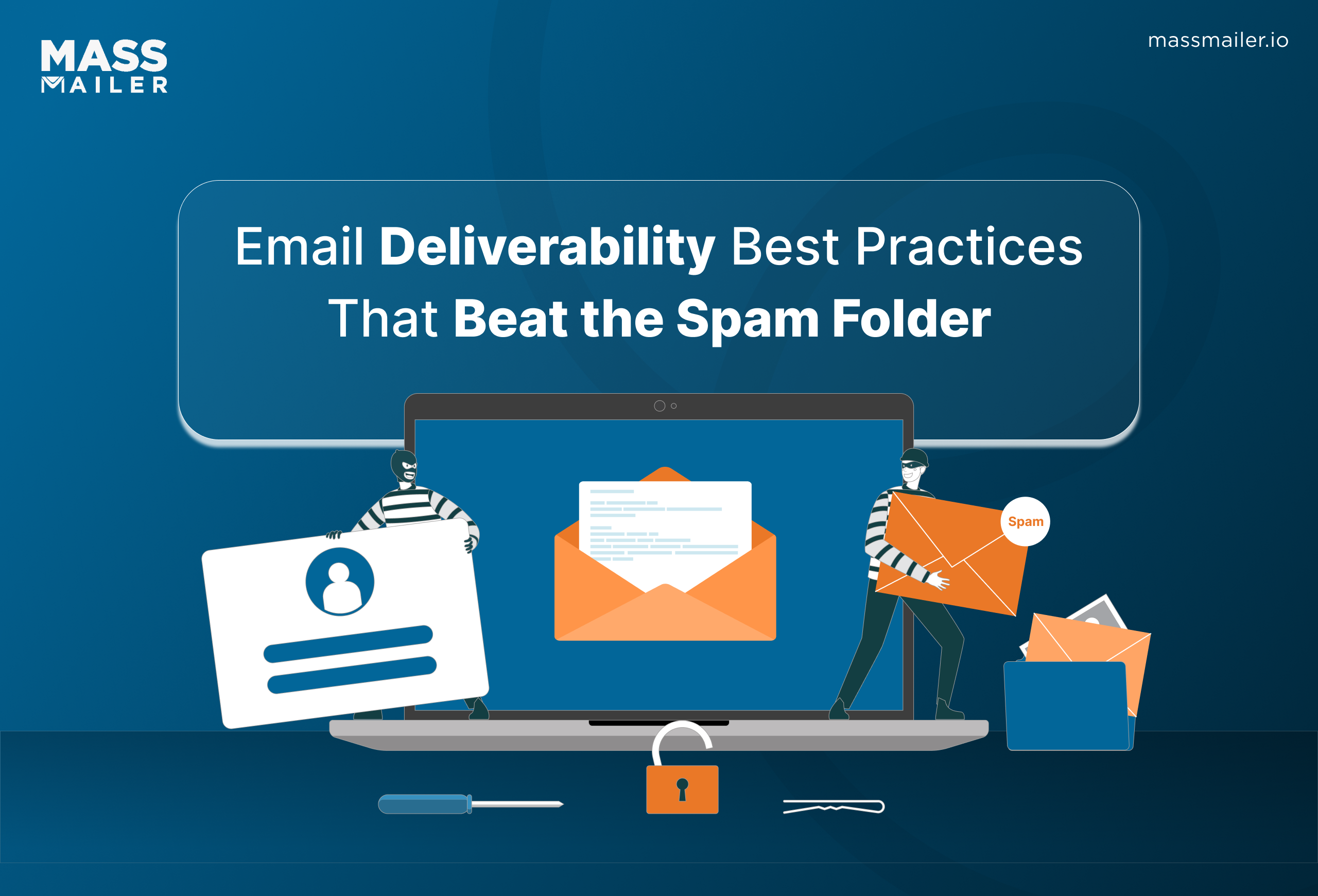
Senders who missed the deadline saw deliverability drop. Messages that used to reach the inbox started bouncing or landing in spam.
Most of these failures had nothing to do with email content. Misconfigured authentication damages sender reputation. A neglected subscriber list triggers spam complaints. Both problems sink inbox placement before anyone reads a subject line.
The fix starts with getting the technical setup right and keeping subscriber lists clean. Everything else builds from there.
What is email deliverability (and how is it different from delivery)?
Email deliverability is the rate at which sent emails reach the recipient's primary inbox instead of the spam folder.
Email delivery is different. Delivery only measures whether the receiving server accepted the message. It does not track where the message ends up after acceptance. Validity's 2025 Email Deliverability Benchmark Report found that global inbox placement averaged just 83.5%, with 6.7% landing in spam and 9.8% going missing entirely.
Most industry benchmarks place a good deliverability rate above 95%. Rates below 90% usually signal an authentication or sender reputation problem.
What factors affect email deliverability?
Five factors determine whether an email reaches the inbox or gets filtered to spam:
- Domain authentication. Mailbox providers check SPF, DKIM, and DMARC records before evaluating anything else. Missing or misconfigured records trigger spam flags immediately.
- Sender reputation. Every sending IP and domain carries a reputation score. High bounce rates, spam complaints, or sudden volume spikes damage it.
- List quality. Invalid addresses, inactive subscribers, and spam traps inflate bounce rates and complaint rates. Both tell mailbox providers the sender is not maintaining their list.
- Email content. Spammy subject lines, broken HTML, too many images with too little text, and suspicious links all raise spam filter scores.
- Compliance. Gmail and Yahoo require one-click unsubscribe, proper authentication, and complaint rates below 0.3% from bulk senders. Non-compliant messages get rejected.
Each of these factors is covered in the best practices section below.
Authenticate your domain with SPF, DKIM, and DMARC
Email authentication requires three DNS records, each serving a different role, working together to prove a message is legitimate:
- SPF (Sender Policy Framework) tells the receiving server which IP addresses are authorized to send email on behalf of your domain.
- DKIM (DomainKeys Identified Mail) attaches a cryptographic signature to every outgoing message. The receiving server uses it to verify the message was not altered in transit.
- DMARC (Domain-based Message Authentication, Reporting, and Conformance) ties SPF and DKIM together with a policy that tells mailbox providers what to do when authentication fails. A policy set to "none" only monitors. A policy set to "quarantine" or "reject" actively protects the domain.
All three records must be configured correctly and aligned with each other. A passing SPF check with a failing DKIM signature still damages inbox placement. After setup, use a DMARC reporting tool to monitor authentication failures and catch misconfigurations early.
Email deliverability best practices
The most effective email deliverability practices start with domain authentication, then layer on sender reputation management, list hygiene, content optimization, and compliance with Gmail and Yahoo's bulk sender requirements. Getting any one of these wrong reduces inbox placement, even if the others are configured correctly.
1. Authenticate your domain with SPF, DKIM, and DMARC
Email authentication requires three DNS records, each serving a different role, working together to prove a message is legitimate:
- SPF (Sender Policy Framework) tells the receiving server which IP addresses are authorized to send email on behalf of your domain.
- DKIM (DomainKeys Identified Mail) attaches a cryptographic signature to every outgoing message. The receiving server uses it to verify the message was not altered in transit.
- DMARC (Domain-based Message Authentication, Reporting, and Conformance) ties SPF and DKIM together with a policy that tells mailbox providers what to do when authentication fails. A policy set to "none" only monitors. A policy set to "quarantine" or "reject" actively protects the domain.
All three records must be configured correctly and aligned with each other. A passing SPF check with a failing DKIM signature still damages inbox placement. After setup, use a DMARC reporting tool to monitor authentication failures and catch misconfigurations early.
2. Build and protect your sender reputation
Sender reputation management starts with consistent sending volume, low bounce rates, and complaint rates below 0.1%. Mailbox providers assign a reputation score to every sending IP and domain, and that score determines whether emails reach the inbox or get filtered.
Two types of reputation work together:
- IP reputation reflects the sending behavior of the IP address. Shared IPs carry the reputation of every sender on that address. Dedicated IPs give full control, but require steady sending volume to build a positive score.
- Domain reputation follows the sending domain across IP addresses. Switching to a new IP does not reset a damaged domain reputation.
High bounce rates, spam complaints, and sudden volume spikes damage both scores fastest.Warm up new IPs gradually, remove hard bounces after the first failure, and monitor complaint rates weekly to catch problems before they compound.
3. Keep your email lists clean
List hygiene directly affects inbox placement. Invalid addresses, inactive subscribers, and spam traps inflate bounce rates and trigger spam complaints, both of which damage sender reputation over time.
Four practices keep a list healthy:
- Verify addresses at the point of collection. Use double opt-in to confirm every new subscriber before adding them to a sending list. This eliminates typos, fake signups, and bot entries.
- Remove hard bounces immediately. A hard bounce means the address does not exist. Continuing to send to it signals poor list maintenance to mailbox providers.
- Sunset inactive subscribers. If a contact has not opened or clicked in 90 to 120 days, move them to a re-engagement campaign. If they still do not respond, remove them.
- Scrub forspam traps regularly. Spam traps are addresses operated by mailbox providers and blocklist operators to catch senders who do not clean their lists. Hitting one can tank sender reputation in a single send.
Cleaning a list is not a one-time project. Build these checks into your sending workflow so list quality stays high as your database grows.
4. Write content that passes spam filters
Spam filters evaluate both technical signals and content patterns before deciding whether a message reaches the inbox. A fully authenticated sender with strong reputation can still land in spam if the email itself triggers content-based filters.
Three patterns to avoid:
- Excessive capitalization and punctuation. Subject lines like "FREE OFFER!!!" get flagged by nearly every major filter. Use sentence case and drop the exclamation marks.
- Image-heavy layouts with minimal text. Filters cannot read images, so an email that is mostly visuals with little supporting text looks suspicious. Keep a balanced text-to-image ratio.
- Misleading subject lines. If the subject does not match the email body, recipients mark it as spam. That feedback trains the filter to flag future sends from your domain.
Write emails the way you would write to a colleague: clear subject, relevant content, no tricks.
5. Meet Gmail and Yahoo bulk sender requirements
Since February 2024, Gmail and Yahoo require every sender pushing more than 5,000 messages a day to meet three non-negotiable standards. Fall short on any one, and your messages get deferred or rejected outright.
The requirements:
- Full email authentication. SPF, DKIM, and DMARC must all be in place and passing. TheDMARC requirements Google and Yahoo now enforce mean a published policy is the bare minimum, and a missing DKIM signature alone triggers bulk filtering.
- One-click unsubscribe. Every marketing email must include a working List-Unsubscribe header that lets the recipient opt out in a single step. A buried unsubscribe link in the footer no longer counts.
- Spam complaint rate below 0.3%. Google monitors complaint rates through Postmaster Tools. Once you cross the 0.3% threshold, inbox placement drops sharply, and recovery takes weeks of clean sending.
If you send bulk email, audit your setup against all three before your next campaign goes out.
6. Monitor metrics and sunset inactive subscribers
Campaign metrics are the earliest warning system for deliverability problems. A shift in any of these signals means something in your sending setup needs attention.
- Bounce rate. A spike in hard bounces means bad addresses entered your list. Investigate the source and tighten collection.
- Spam complaint rate. Keep this below 0.3%. A rising rate signals recipients do not want or did not expect your emails.
- Open and click rates. Declining engagement tells mailbox providers your content is not valued, pushing future sends toward spam.
- Unsubscribe rate. A healthy unsubscribe rate is fine. It is better than recipients marking you as spam instead.
Inactive subscribers drag down domain-level engagement scores that mailbox providers use to filter your mail. Sunset anyone who has not engaged in 90 to 120 days.
Why deliverability breaks when you send from a CRM
Every best practice above assumes you control your sending infrastructure. When you send email from a CRM like Salesforce, that assumption breaks down.
Three problems hit CRM-native senders that standalone email platforms never face:
- Shared IP addresses. Salesforce routes email through shared IP pools. Your sender reputation is tied to every other tenant on that pool. One bad sender on the same IP can drag your inbox placement down regardless of how clean your own list is.
- Daily send limits. Salesforce imposes strictemail limits, capping mass sends at 5,000 per day on most editions. That forces high-volume senders to throttle campaigns across multiple days or route through external relays, both of which complicate deliverability management.
- No native DKIM support. Salesforce does not natively sign outbound email with your domain's DKIM key. Without it, your messages fail one of the three authentication checks Gmail and Yahoo now require from bulk senders.
These are not edge cases. They are structural constraints built into how CRM platforms handle email, and they affect every team sending marketing or transactional email from Salesforce.
How MassMailer solves deliverability for Salesforce users
MassMailer is a Salesforce-native email app that removes the deliverability constraints built into standard Salesforce sending.
It addresses each of the problems above:
- Dedicated IP addresses. MassMailer lets you send from your own dedicated IP, so your sender reputation is not affected by other tenants on a shared pool. You control your reputation from day one.
- No daily send limits. MassMailer bypasses Salesforce's 5,000-per-day cap, letting you send high-volume campaigns without throttling or routing through external relays.
- Built-in DKIM and SPF authentication. MassMailer signs every outbound email with your domain's DKIM key and aligns SPF, so your messages pass all three authentication checks Gmail and Yahoo require.
- Real-time deliverability monitoring. Built-in email verification, bounce management, and reputation monitoring catch problems before they affect inbox placement.
Everything runs inside Salesforce. No external platforms, no data sync, no middleware. JustSalesforce email marketing that actually delivers.
Start fixing your email deliverability today
Email deliverability is not a one-time setup. It is an ongoing practice that combines authentication, reputation management, list hygiene, compliant sending, and consistent monitoring. Get any one of these wrong and your messages end up in spam, no matter how good the content is.
For teams sending from Salesforce, the challenge is harder. Shared IPs, daily send limits, and missing DKIM support create deliverability risks that standard best practices alone cannot solve.
MassMailer removes those constraints. Dedicated IPs, built-in authentication, unlimited sending, and real-time deliverability monitoring — all running natively inside Salesforce.
Book a free MassMailer demo and see how your Salesforce email deliverability improves from the first campaign.
Frequently Asked Questions
1. How do I test my email deliverability?
2. What is a good email deliverability rate?
3. How long does it take to improve email deliverability?
4. Does sending frequency affect email deliverability?
5. How often should I clean my email list?
6. Can I improve email deliverability without a dedicated IP?
Related Blogs
Best Time to Send Marketing Emails (2026 Data)
Email Scoring: The Formula Most Guides Leave Out
MassMailer Resources



About the Author

Siva Devaki 
Siva Devaki is the founder of MassMailer Inc., a tool that helps Salesforce users optimize email marketing. A passionate advocate for email marketing, Siva writes and hosts podcasts on the topic, sharing insights to help businesses drive revenue and enhance customer engagement through Salesforce email automation and tracking.